Exchange Public Folder Connection
Public Folders in Exchange serve as a shared space where teams can access emails, calendars, contacts, and documents in one place. Since multiple users rely on this data, it is important to establish a proper connection before managing or migrating Public Folders with EdbMails. The first step is to connect to the source Exchange Public Folder. This guide explains how to configure the connection securely and efficiently, so your Public Folder data is ready for migration or further management using EdbMails.
Steps to Configure a Source Exchange Public Folder
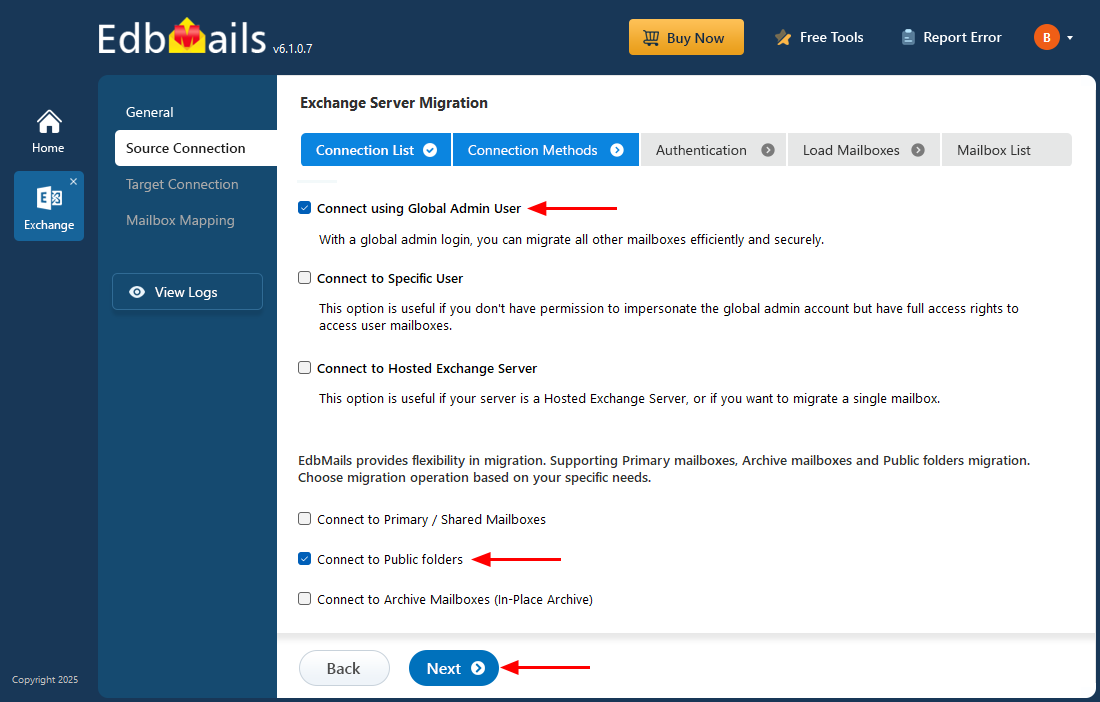
- The Exchange Server source connection opens a wizard to set up the migration. Here, select 'Connect using Global Admin User' and choose the mailbox type as 'Connect to Public Folder', then click 'Next' to proceed.
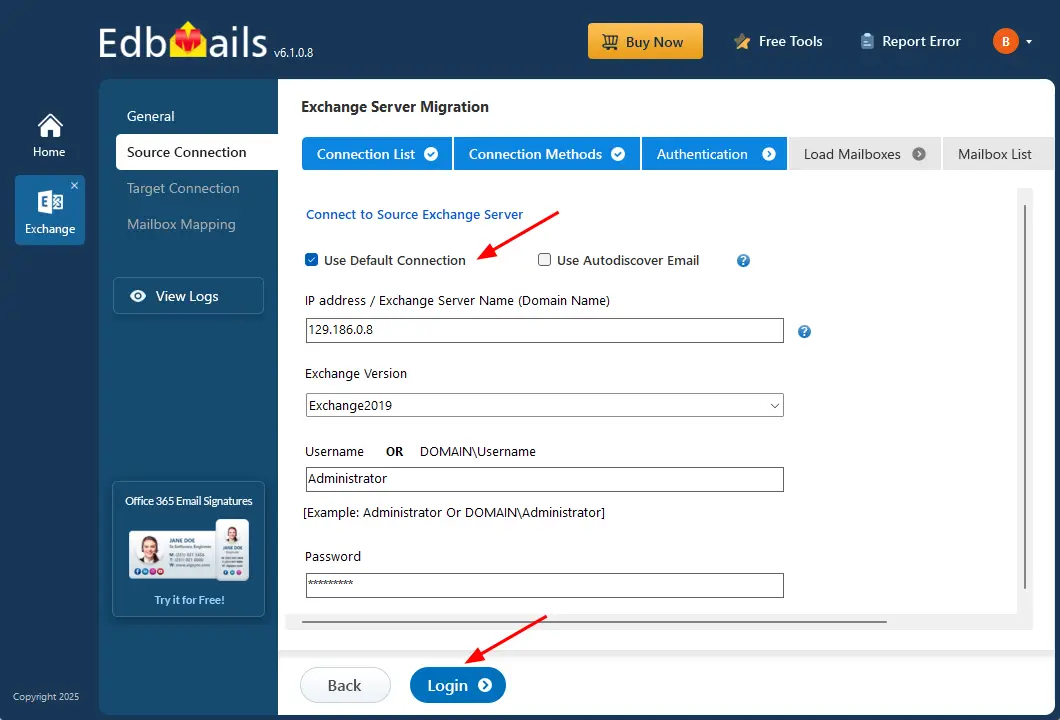
- Select 'Use Default Connection', enter the source Exchange server details such as IP address, Exchange version, DOMAIN\username, and password to access the source Exchange server mailboxes, and then click the 'Login' button.
Benefits of EdbMails for Exchange Public Folder Migration
EdbMails Exchange Migration tool simplifies the transfer of Archive mailboxes to a live Exchange server. Unlike manual methods, its intuitive interface allows users to effortlessly select and migrate folders, mailboxes, and individual mail items without relying on PowerShell scripts.
- Targeted Public Folder Migration: Ensures precise migration of public folders, preserving properties, permissions, and folder hierarchies to maintain data integrity.
- Incremental Migration: Migrates only new or modified data during subsequent sessions, reducing migration time and optimizing bandwidth.
- Advanced Filtering Options: Migrate specific folders or items based on criteria like email dates, subject, attachments, CC/BCC, and read/unread status.
- Detailed Migration Reports: Provides comprehensive reports for each session, showing the number of items migrated and their status.
- Compatibility with All Exchange Versions: Supports Exchange 2007, 2010, 2013, 2016, and 2019, enabling smooth migration across diverse environments.