Connect to Source Office 365 for Migration
EdbMails connects securely to the Office 365 source server using modern authentication, including MSAL (Microsoft Authentication Library), OAuth 2.0, and TLS encryption. Authentication is performed over the Microsoft Sign-In page, and login credentials are never saved by EdbMails. This combination of MSAL, OAuth 2.0, and TLS encryption ensures safe and secure access to Office 365 data.
This page explains how to connect to source Office 365 in EdbMails. Connecting the source Office 365 tenant is the first step of an Office 365 migration in EdbMails. EdbMails needs access to the source tenant to list mailboxes and read mailbox data, so the source tenant connection requires an administrator account with the right Office 365 administrator permissions and admin consent for the EdbMails application. After the source connection, you connect to the target server, map source and target mailboxes, and start the migration. For the complete migration workflow, see the Office 365 migration guide.
Before Connecting Source Office 365
Confirm the following prerequisites before you connect the source Office 365 tenant. For the complete list of pre-migration tasks, use the Office 365 migration checklist.
Prerequisites for Source Office 365 Connection
- Administrator account: Auto Registration requires a Global Admin account. Manual Registration can be performed with a Global Admin account or an account with Full Access permission. The account used on the Microsoft sign-in page must have a mailbox.
- MFA considerations: Sign-in takes place on the Microsoft sign-in page, so if multifactor authentication is enabled for the admin account, complete the MFA prompt there. Conditional Access policies that restrict sign-in by location, device, or application can block the connection, so confirm with the tenant administrator that sign-in from the migration machine is allowed.
- Exchange Online availability: The Exchange Online source connection depends on the service being available. Check Service health in the Microsoft 365 admin center for any active Exchange Online incidents before you connect, and confirm that the source mailboxes are accessible.
- Network access: Allow outbound HTTPS (TCP port 443) from the machine running EdbMails to Microsoft 365.
Required Office 365 Permissions
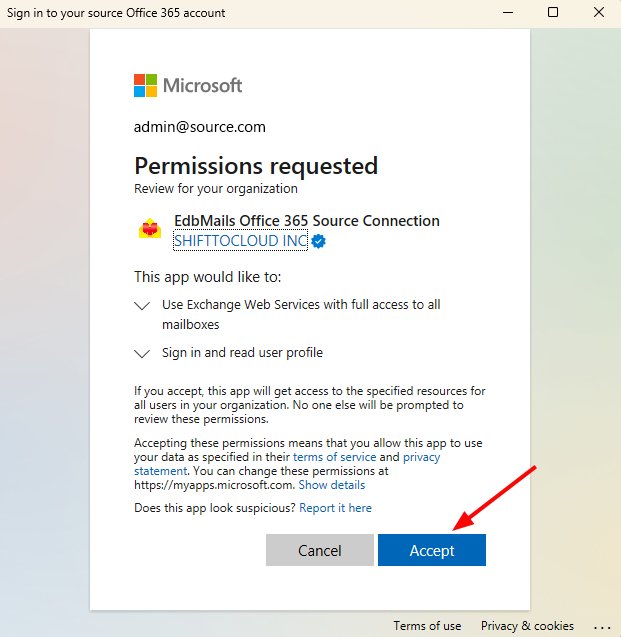
With Auto Registration, EdbMails registers the application in Entra ID (Azure AD) and requests the required permissions, which you accept on the consent screen on behalf of your organization. With Manual Registration, add the following application permissions for the source Exchange Online tenant, then select Grant admin consent. The Microsoft Graph permissions provide directory, user, and mailbox data access, and the Office 365 Exchange Online permission (full_access_as_app) provides Exchange Web Services access to the source mailboxes:
| Permission | API | Type |
|---|---|---|
| Directory.Read.All | Microsoft Graph | Application |
| Group.Read.All | Microsoft Graph | Application |
| MailboxSettings.ReadWrite | Microsoft Graph | Application |
| User.Read.All | Microsoft Graph | Application |
| Organization.Read.All | Microsoft Graph | Application |
| full_access_as_app | Office 365 Exchange Online | Application |
| Mail.Read | Microsoft Graph | Application |
Steps to Connect Source Office 365
In the EdbMails ‘Connect to Office 365 (Source)’ window, you have the following options:
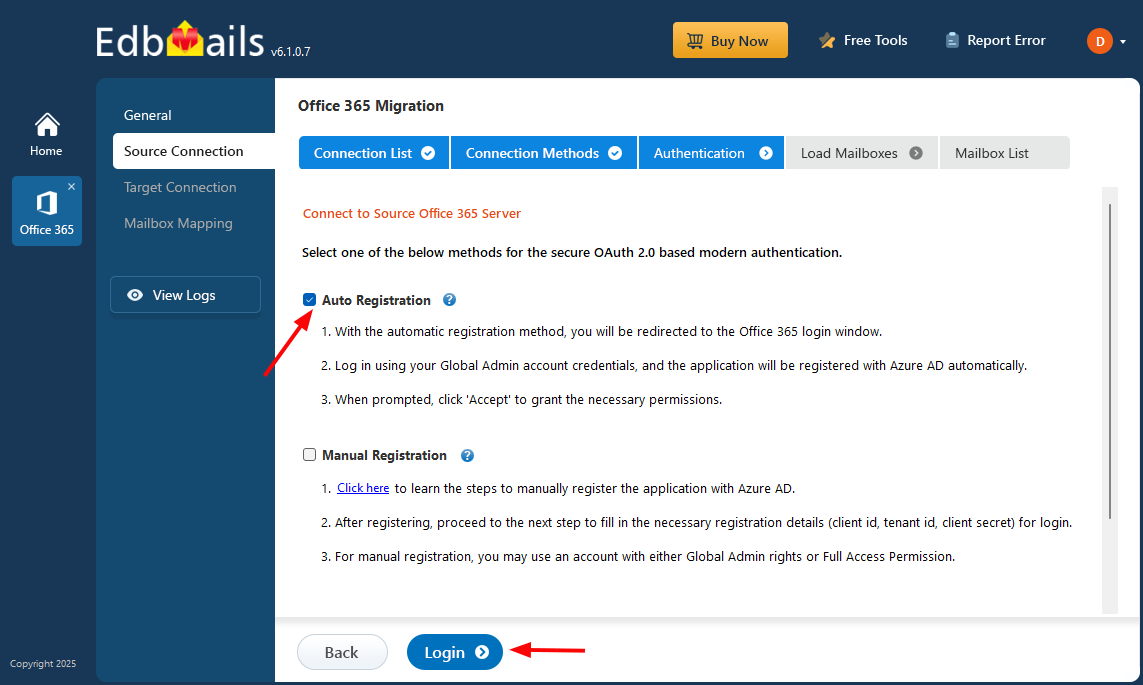
Auto Registration
EdbMails automatically handles the application registration within your Entra ID (Azure Active Directory). The ‘Auto Registration’ method requires Global admin access.
Click here to know the detailed steps for automatic registration of the EdbMails application in Entra ID (Azure AD).
Manual Registration
If you want to manually register the EdbMails migration application within your Entra ID (Azure AD), opt for manual registration and click the ‘Next’ button. You can use either a Global admin account or any user account with full access rights for the Manual Registration method.
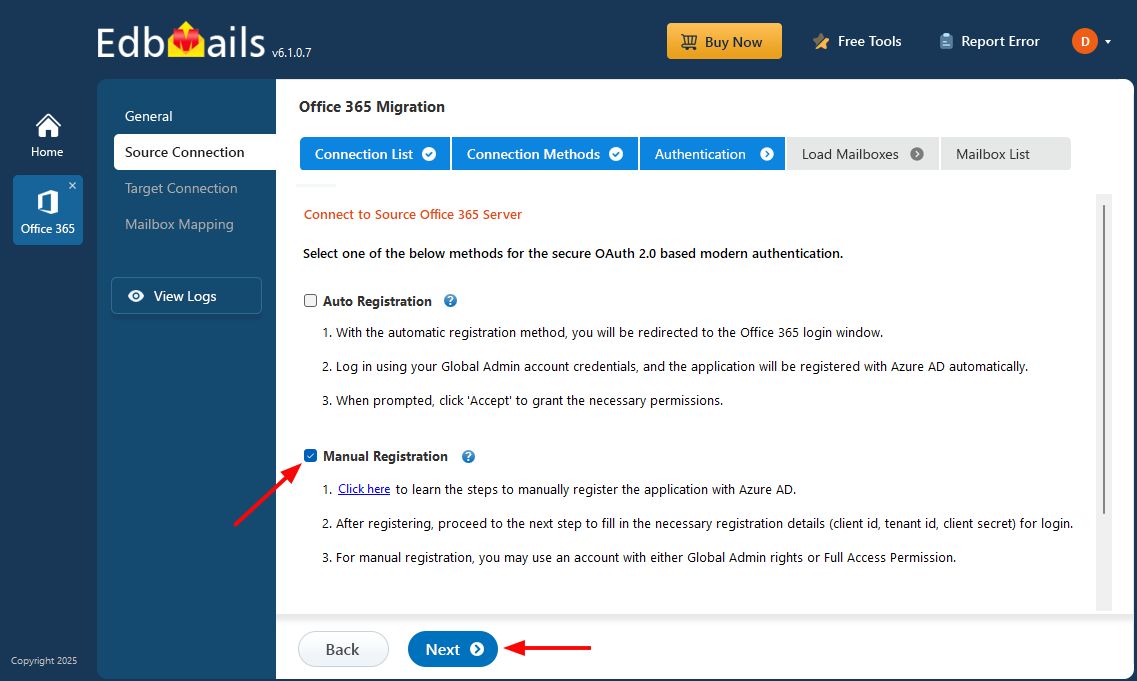
Click here to know the steps to register the EdbMails application manually in Entra ID (Azure AD).
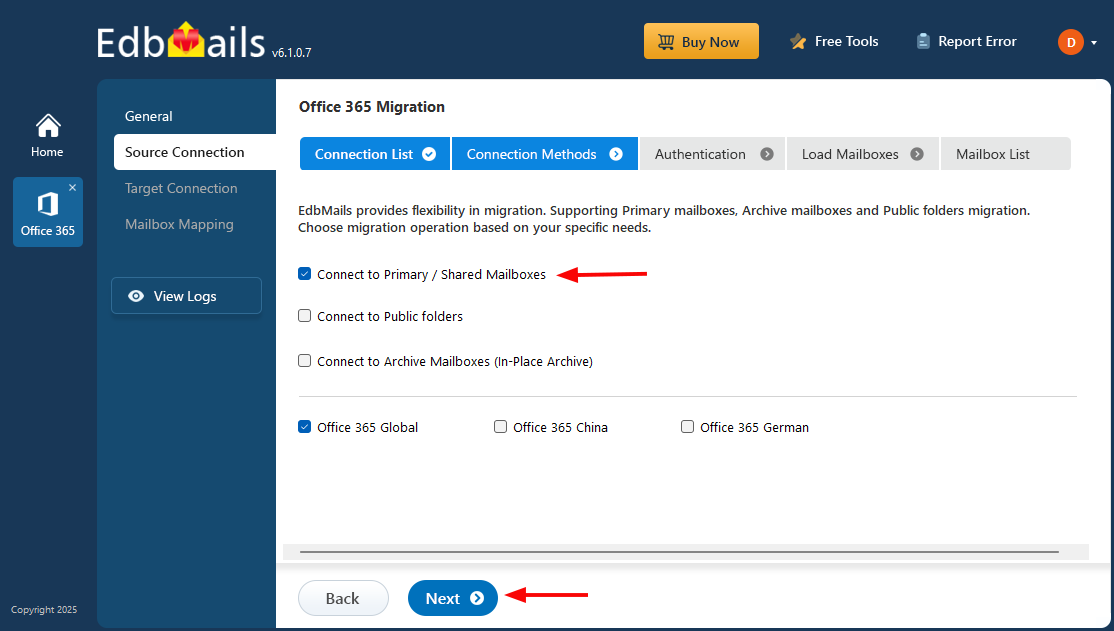
Select Migration Operation
EdbMails provides flexibility in migration operations. You can select to migrate either primary/shared mailboxes, public folders or archive mailboxes. Select the required migration operation and click the ‘Continue’ button.
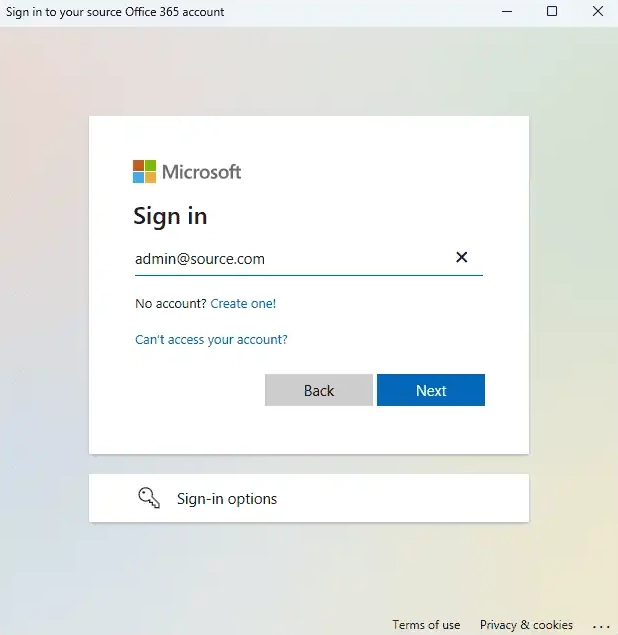
Authentication on Microsoft Sign-in page
Now, authenticate on Microsoft Sign in page using your Office 365 Global Admin account having a mailbox.
Accept the required permissions
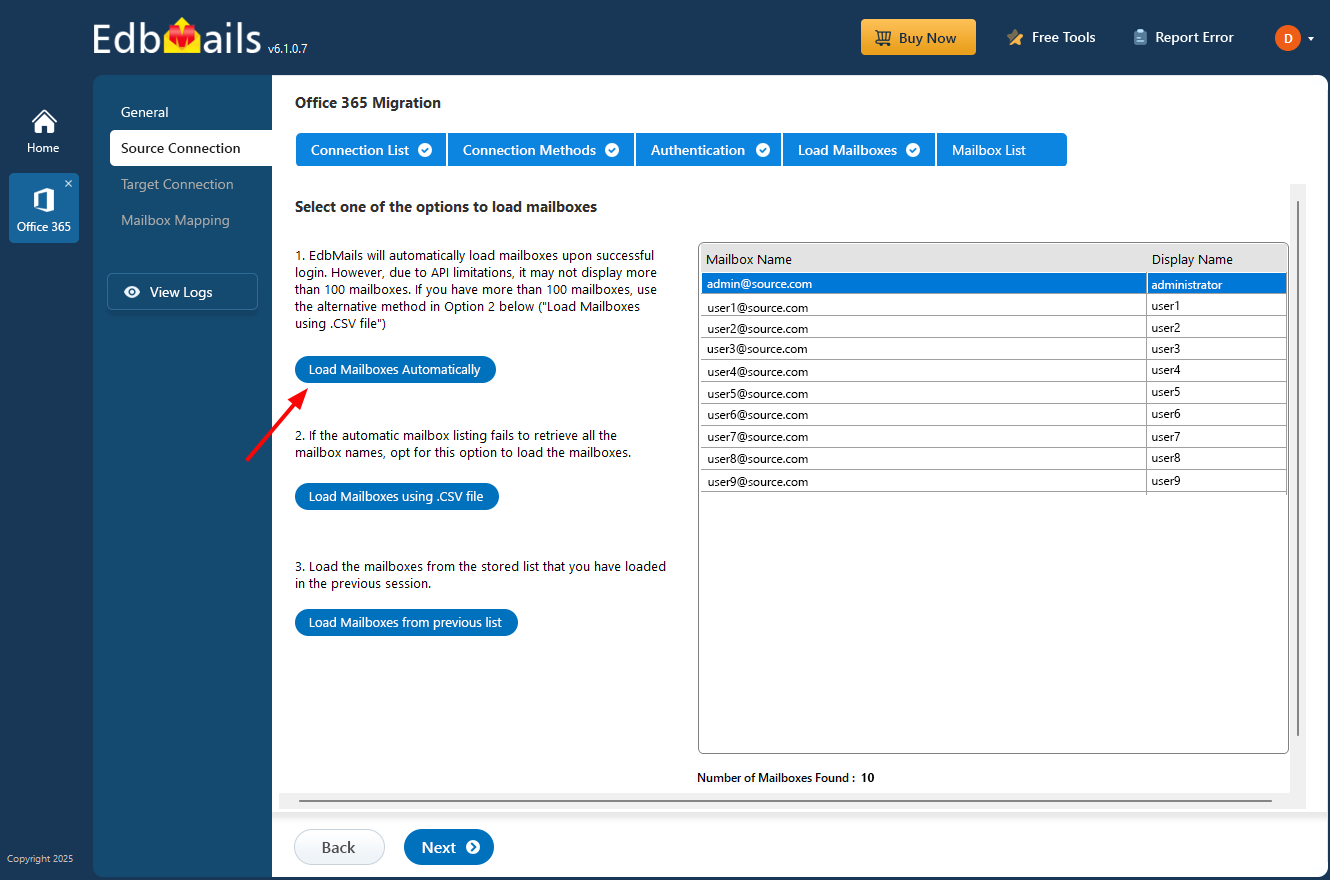
Selection of Mailbox loading option
EdbMails automatically loads mailboxes from the source Office 365 server, though the Microsoft API caps this at 100 mailboxes per load. If the required mailboxes are not listed this way, the CSV file option can be used to load them instead, or mailboxes can be loaded from a previously saved list.
Common Source Office 365 Connection Issues
- Authentication failure: The sign-in is rejected on the Microsoft sign-in page. Confirm the credentials of the Office 365 source account used for the connection, check that the account is not blocked or locked, and sign in again.
- Incorrect administrator permissions: The account is not a Global Admin (Auto Registration) or does not have Full Access permission (Manual Registration). For Manual Registration, also confirm that all the application permissions listed above are added and that admin consent is granted.
- MFA or Conditional Access restrictions: The sign-in is blocked by an MFA requirement or a Conditional Access policy. Complete the MFA prompt, or ask the tenant administrator to review the policy that applies to the admin account and the migration machine.
- Tenant access restrictions: The tenant restricts application consent, so the EdbMails application cannot be authorized. A Global Admin must grant admin consent for the application.
- Service availability issues: Exchange Online is affected by a service incident, or outbound HTTPS traffic is blocked. Check Service health in the Microsoft 365 admin center, confirm that port 443 is open, and retry the connection.
- Mailboxes not listed: Automatic loading lists up to 100 mailboxes per load. Load the remaining mailboxes with the CSV file option or from a previously saved list.
Continue with Office 365 Migration
The Microsoft 365 migration source connection is complete when the mailboxes from the source tenant are loaded in EdbMails. Next, continue the migration setup configuration: connect to the target server, map the source and target mailboxes, and start the migration. For supported migration scenarios and features, see the EdbMails Office 365 Migration Tool.