


Office 365 to PST Export Screenshots
These eight screenshots show how to set up an Office 365 to PST export in EdbMails, from choosing the job and source mailboxes to picking a PST location and starting the export. Select a numbered tab to see the matching application screen.
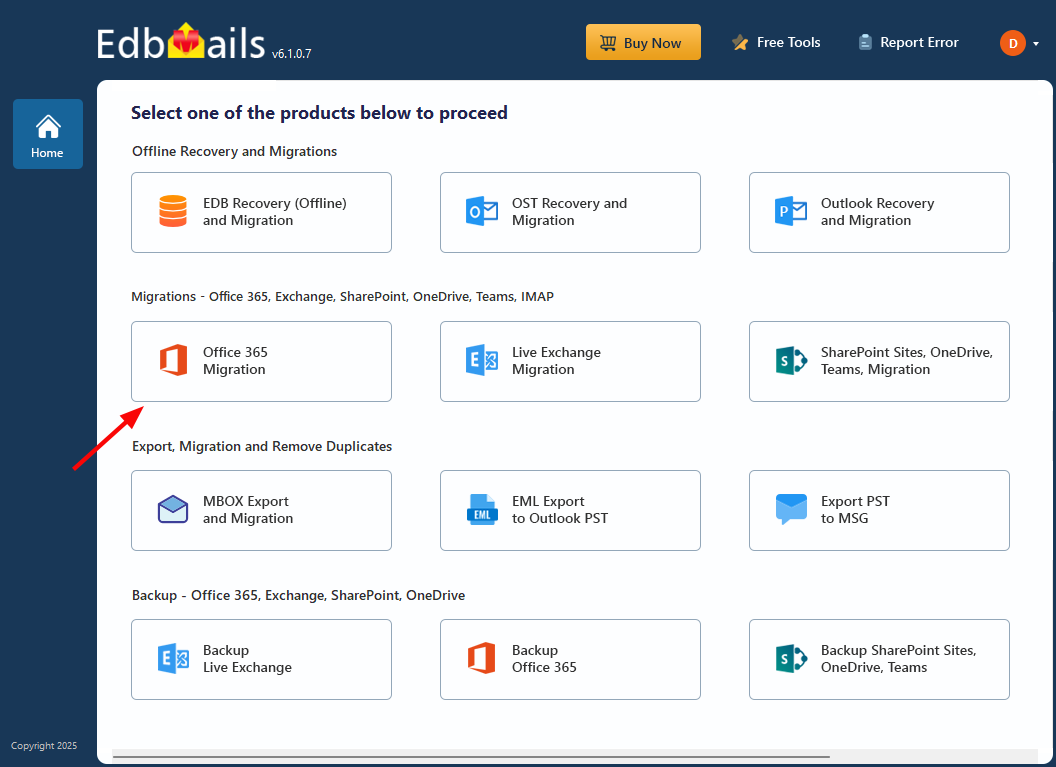
Choose Office 365 Migration
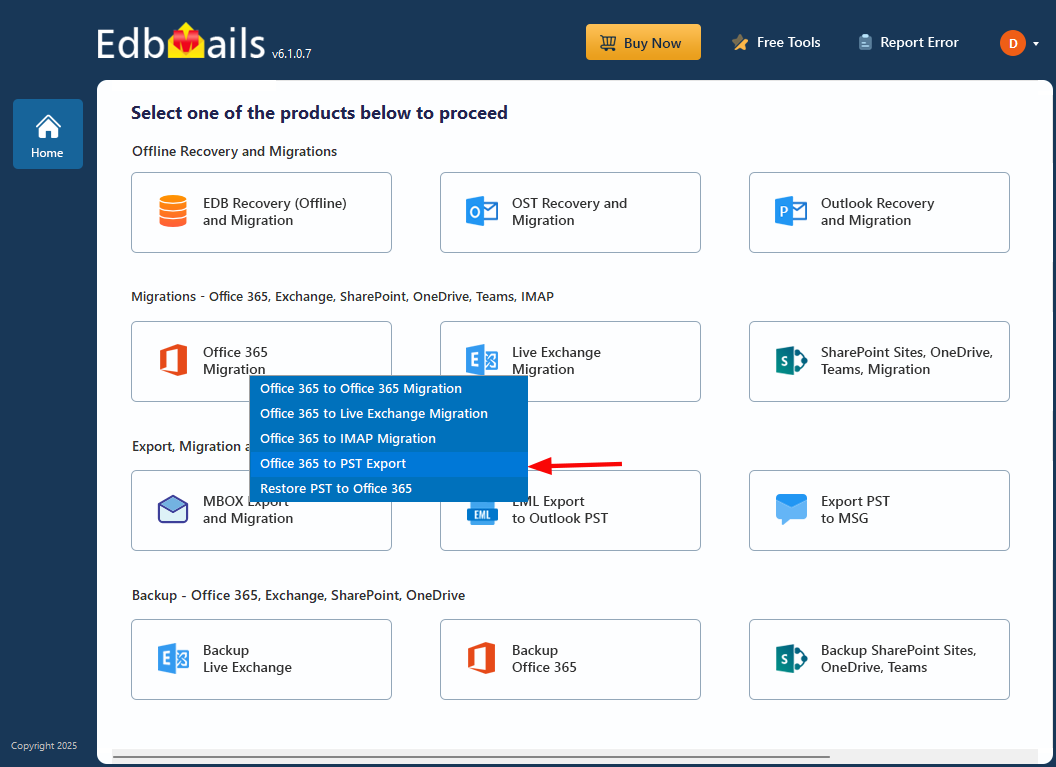
Choose Office 365 to PST Export
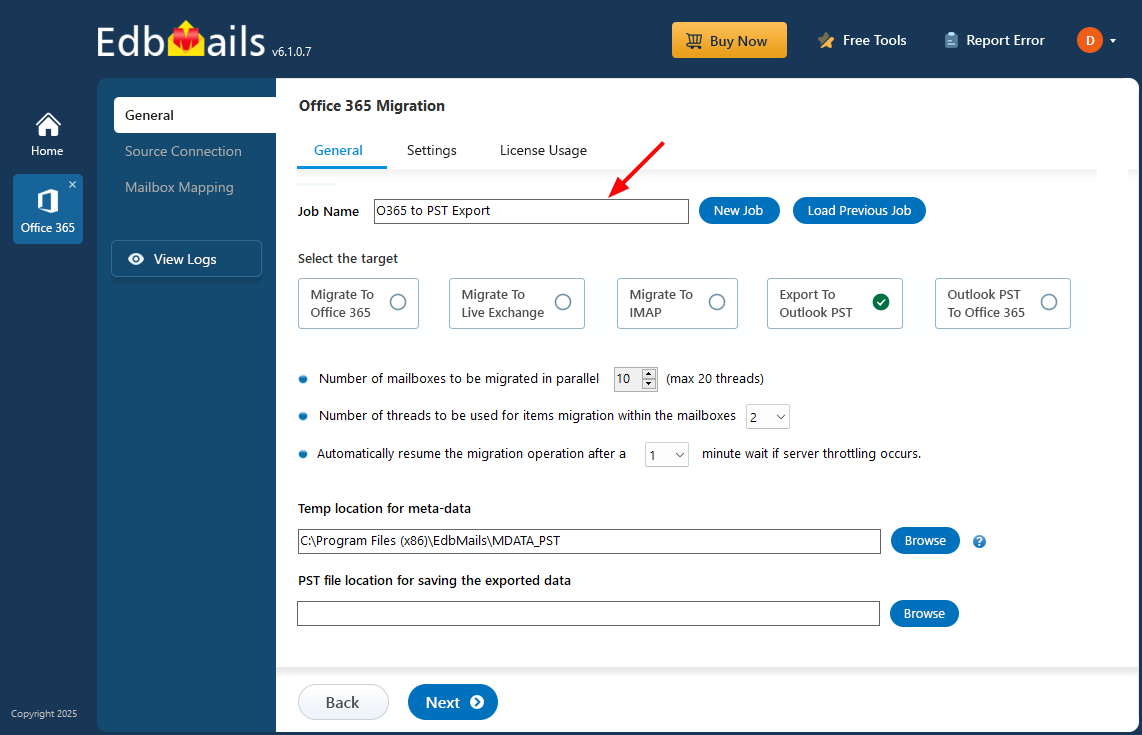
Name the export job
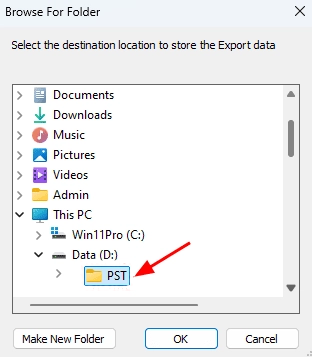
Choose the PST save location
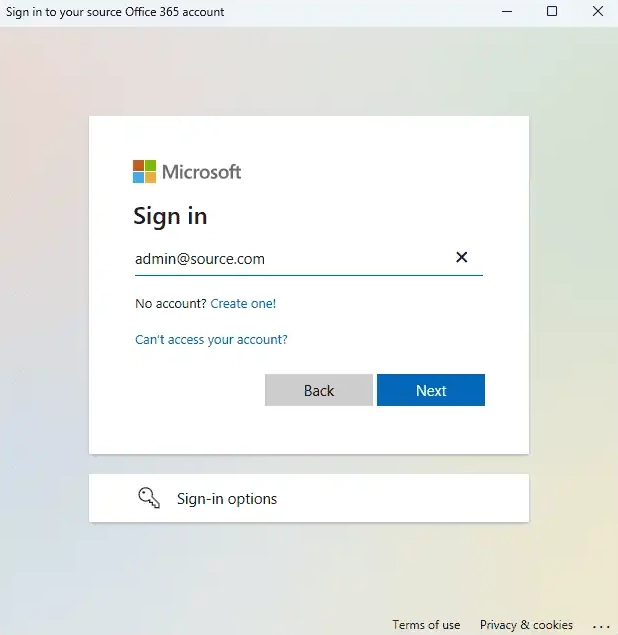
Sign in to the source Office 365 tenant
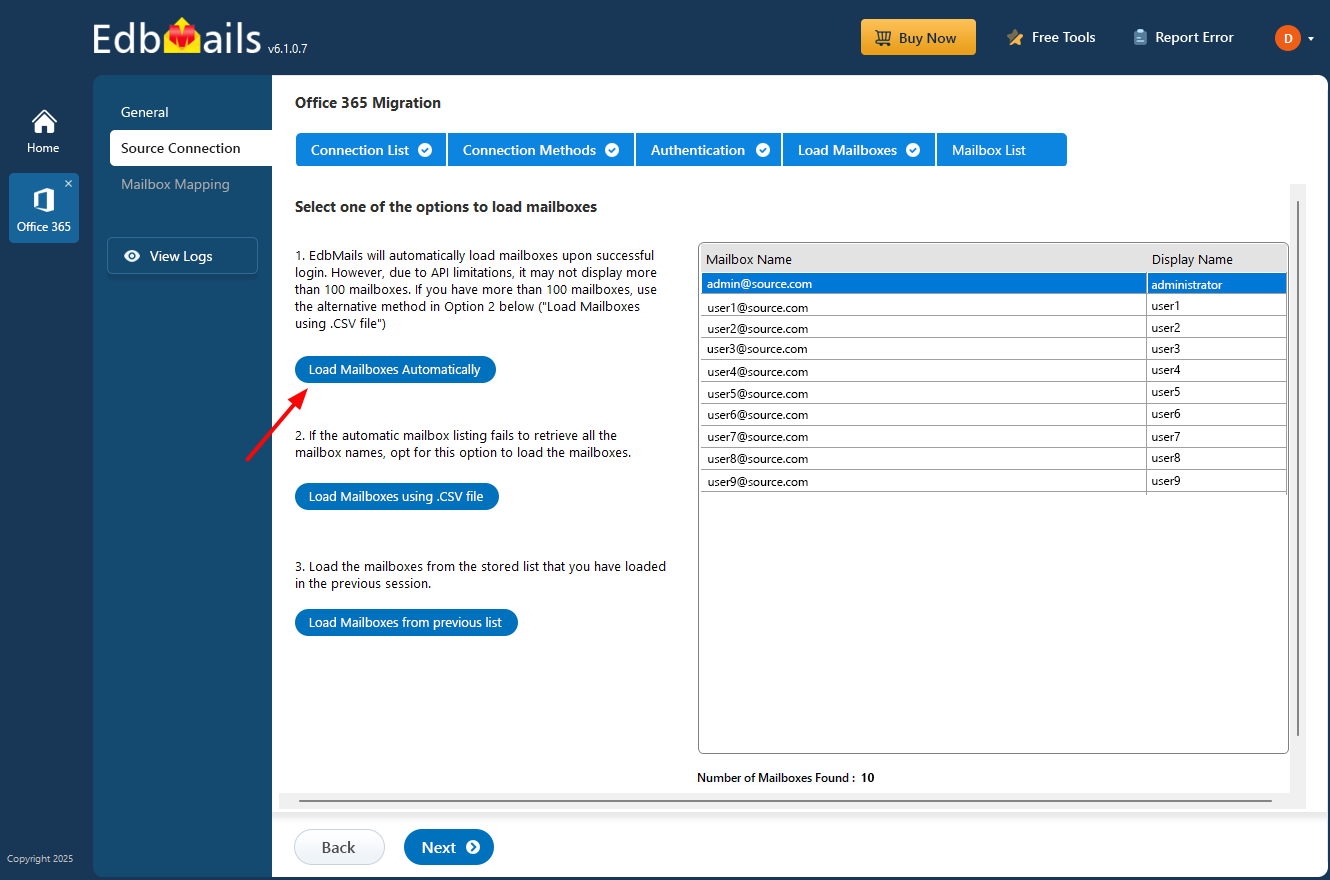
Load source mailboxes
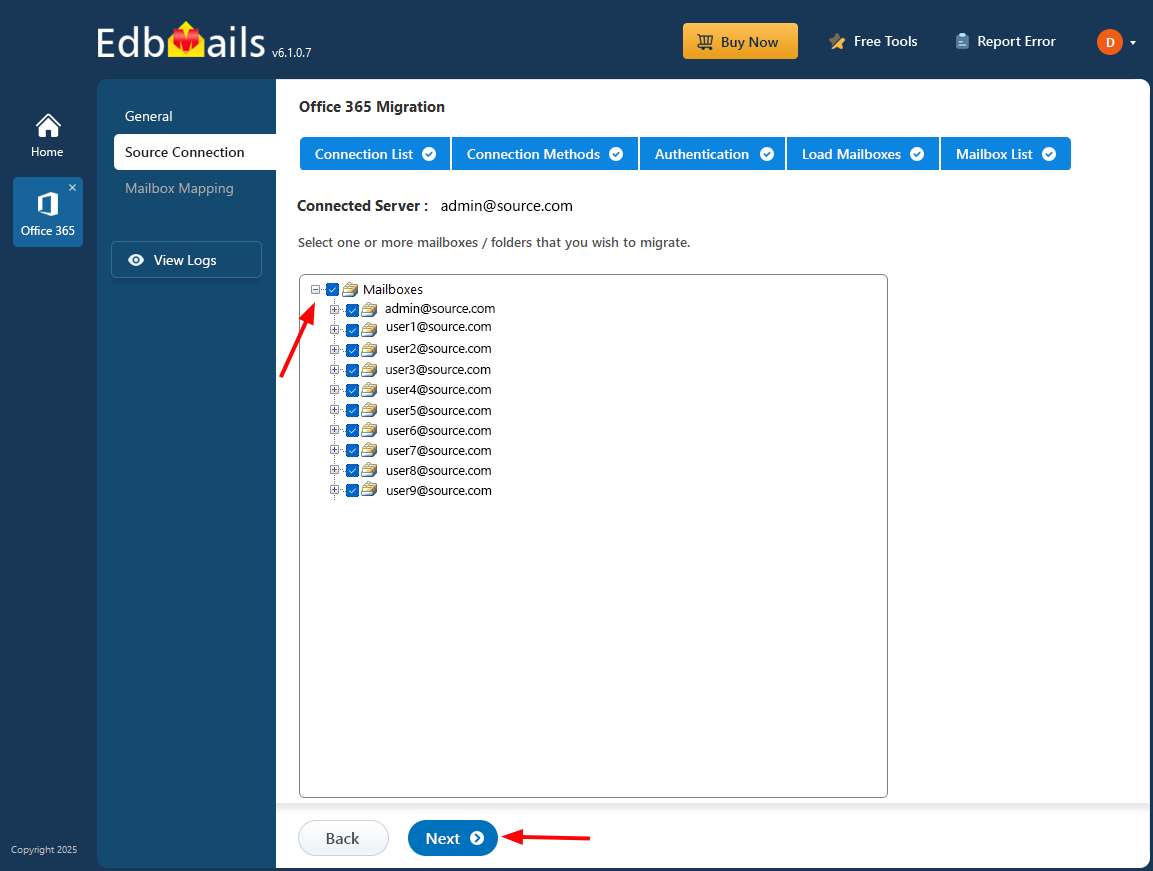
Select mailboxes to export
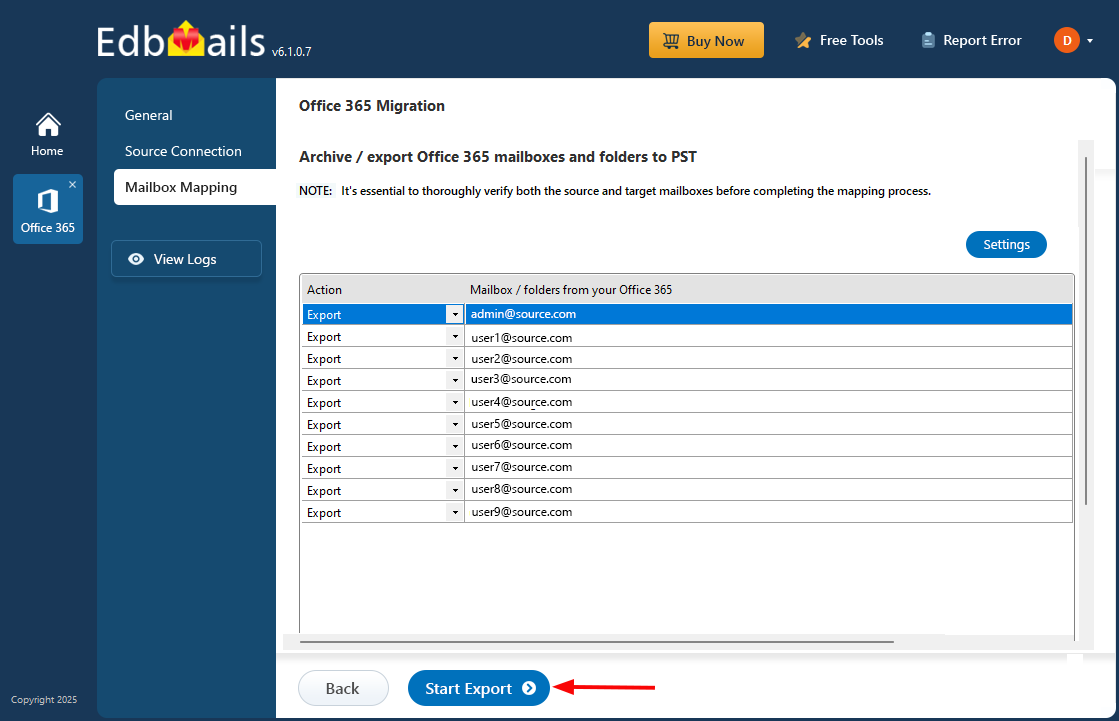
Start the PST export
When the export finishes, check the PST files in the folder you selected, review the export report, and open a sample file in Outlook to confirm the expected folders and messages. For connection settings and the full sequence, see the Office 365 to PST export guide.
For a wider project, use the Office 365 migration checklist to plan the work, the Office 365 migration guide for the broader workflow, and the Office 365 migration software page for product scope.
