


EdbMails for Exchange Migration
EdbMails is the best software for Exchange Migration that supports migration from multiple Exchange Server versions including Exchange 2007, 2010, 2013, 2016, and 2019, as well as Hosted Exchange servers. It includes advanced capabilities such as incremental migration, simultaneous mailbox migration, automatic mailbox mapping, custom folder selection, and effective throttling management.
Along with mailboxes, EdbMails Exchange migrator also enables migration of Public folders and Archive mailboxes. The software does not impose any restrictions on mailbox or Public folder size during migration. It supports all major Exchange migration scenarios including cutover, staged, hybrid, cross-domain, and cross-forest migrations, ensuring a smooth and efficient Exchange migration process with zero downtime, making EdbMails a strong choice for organizations planning Exchange migration.
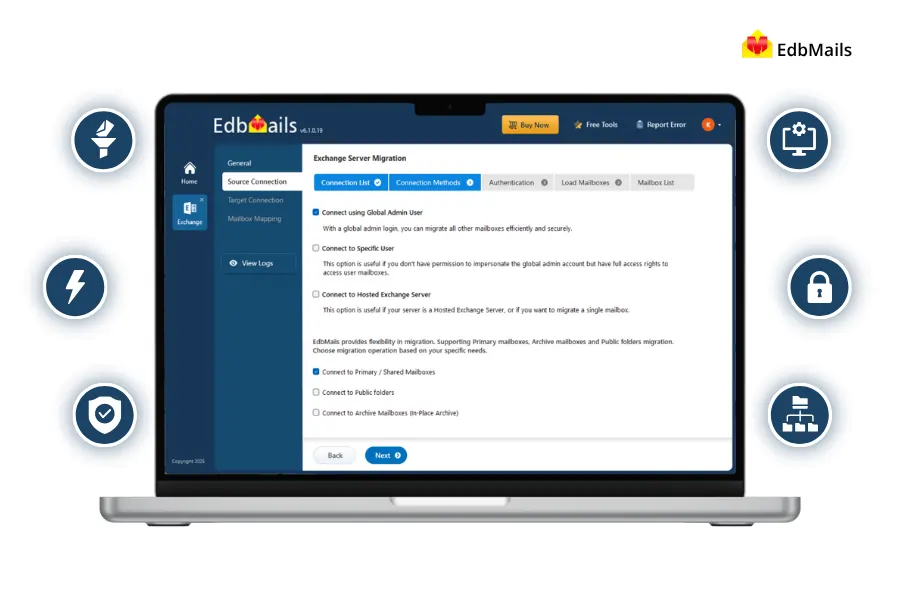
Supported Exchange Migration Scenarios
- Exchange Server 2007, 2010, 2013 to Exchange Server 2013.
- Exchange Server 2007 and 2010 to Exchange Server 2010.
- Exchange Server 2007, 2010, 2013, 2016 to Exchange Server 2016
- Exchange Server 2007, 2010, 2013, 2016, 2019 to Exchange Server 2019.
- Exchange Server 2007, 2010, 2013, 2016, and 2019 to Office 365
- Migration from Hosted Exchange Servers such as Godaddy, DreamHost, LiquidWeb, etc.
Why choose EdbMails for Exchange Migration?
Consider using EdbMails for Exchange migration for the following noteworthy reasons.
1. User-Friendly Software Interface: EdbMails offers a user-friendly Exchange migration interface that makes you perform migration operations with minimum clicks. Simply connect to the source Exchange and target server mailboxes rest will be taken care of by the software.
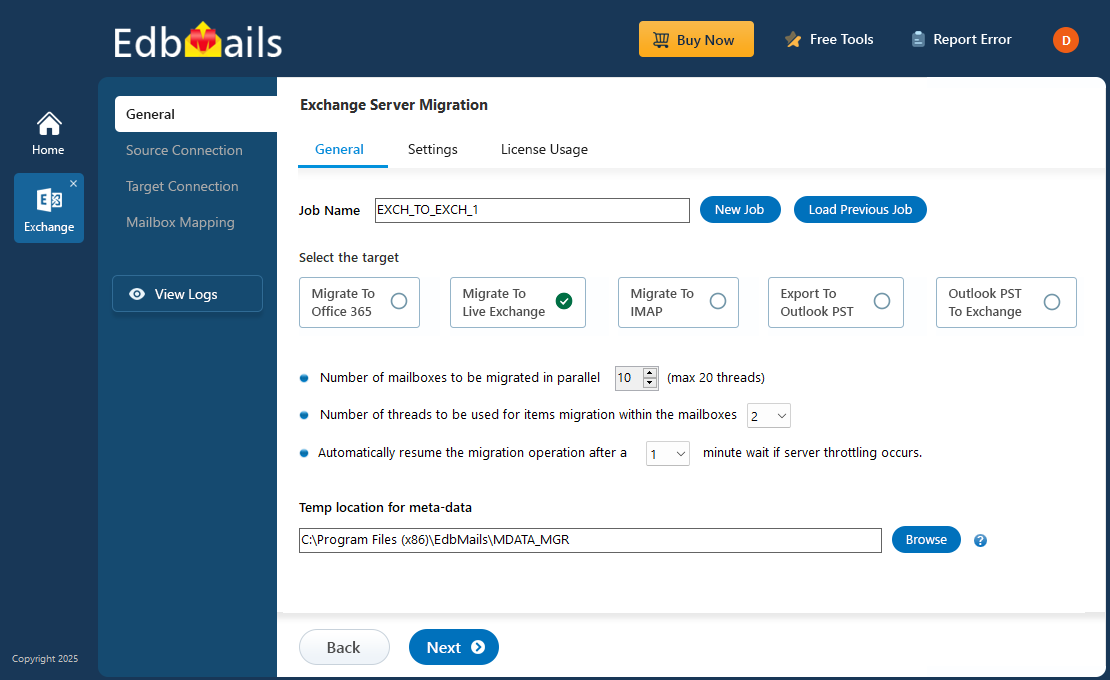
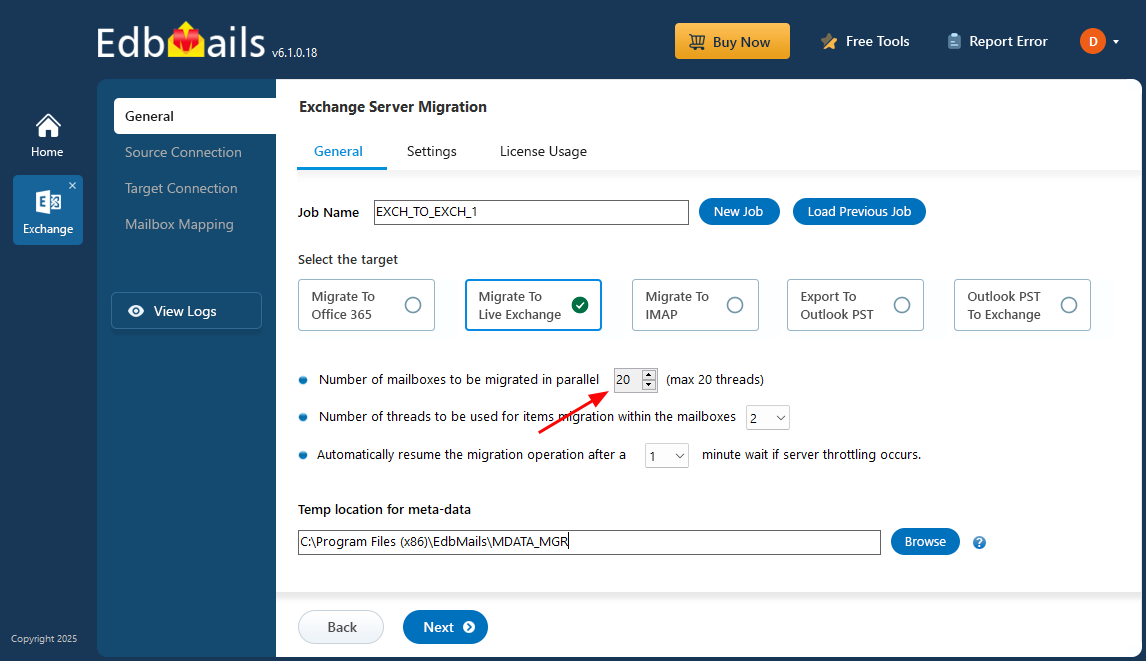
2. Migration with High Performance and Speed: EdbMails significantly improves migration performance through its support for concurrent mailbox migration. This feature facilitates the simultaneous transfer of multiple mailboxes, starting with the default support for up to 10 mailboxes. You have the flexibility to extend this limit to a maximum of 20 mailboxes, resulting in enhanced performance and faster results. Additionally, EdbMails allows installation on multiple computers, further boosting migration speed and enabling the migration of various mailboxes.
3. 24/7 Customer Support: EdbMails typically provides responsive and 24/7 free customer support to assist with any migration-related queries or issues.
Basic Features of EdbMails Exchange Migration Software
1. Exchange Server Mailbox Migration: EdbMails provides a complete solution for Exchange server migration. The software efficiently manages the migration of mailboxes, public folders, archive mailboxes, and shared mailboxes from the source Exchange server to different destination servers like Exchange, Office 365, and Hosted Exchange servers. Moreover, the software provides full support for migrations in hybrid environments.
2. Selective Mailbox/folder Migration: The EdbMails Exchange migration tool provides a selective mailbox/folder migration feature. After loading all user mailboxes in the migration window, you can easily select your desired mailboxes/folders by clicking on their checkboxes. The software will then proceed to migrate only the folders/mailboxes you've chosen to your preferred destination
3. Filtering Options: EdbMails Exchange migrator supports advanced include and exclude filter options to enhance migration operations. The feature allows you to refine the process based on criteria such as Date, Subject, Attachment, From, To, Cc, and Bcc, ensuring only necessary data is migrated. You can also exclude standard folders if they don't need to be migrated.
4. Data Security: EdbMails gives top priority to data security during Exchange server migration. Your credentials are not stored anywhere and ensure safety through OAuth 2.0 and TLS encryption during authentication. Additionally, metadata for incremental migration is encrypted with AES 256-bit encryption and saved on your computer, enhancing the protection of sensitive data.
5. Monitoring and Reporting: Upon completing each migration task, EdbMails generates a comprehensive Exchange migration log report. This report contains detailed information about the migration process, including the status of individual data items, any errors or warnings encountered, and the overall count of successfully migrated folders, items, and mailboxes.
6. Compatibility: EdbMails offers versatile compatibility by supporting a range of commonly used Windows operating systems in enterprise environments. It seamlessly facilitates Exchange server migrations, ensuring a smooth transition across various versions, including Exchange 2019, 2016, 2013, 2010, and 2007.
Advanced Features of EdbMails Exchange Migration Software
EdbMails provides an intuitive software interface for Exchange migration operations, even allowing non-technical individuals to easily monitor the process. Now, let's explore the advanced features that set EdbMails apart.
- Granular brick-level Exchange migration: EdbMails provides a detailed approach to migration through its brick-level migration feature. This functionality allows you to migrate individual mailbox items, such as emails, folders, contacts, and tasks, providing a more fine-grained and precise method compared to migrating entire mailboxes. This level of granularity ensures that each piece of data is handled with precision during the migration process.
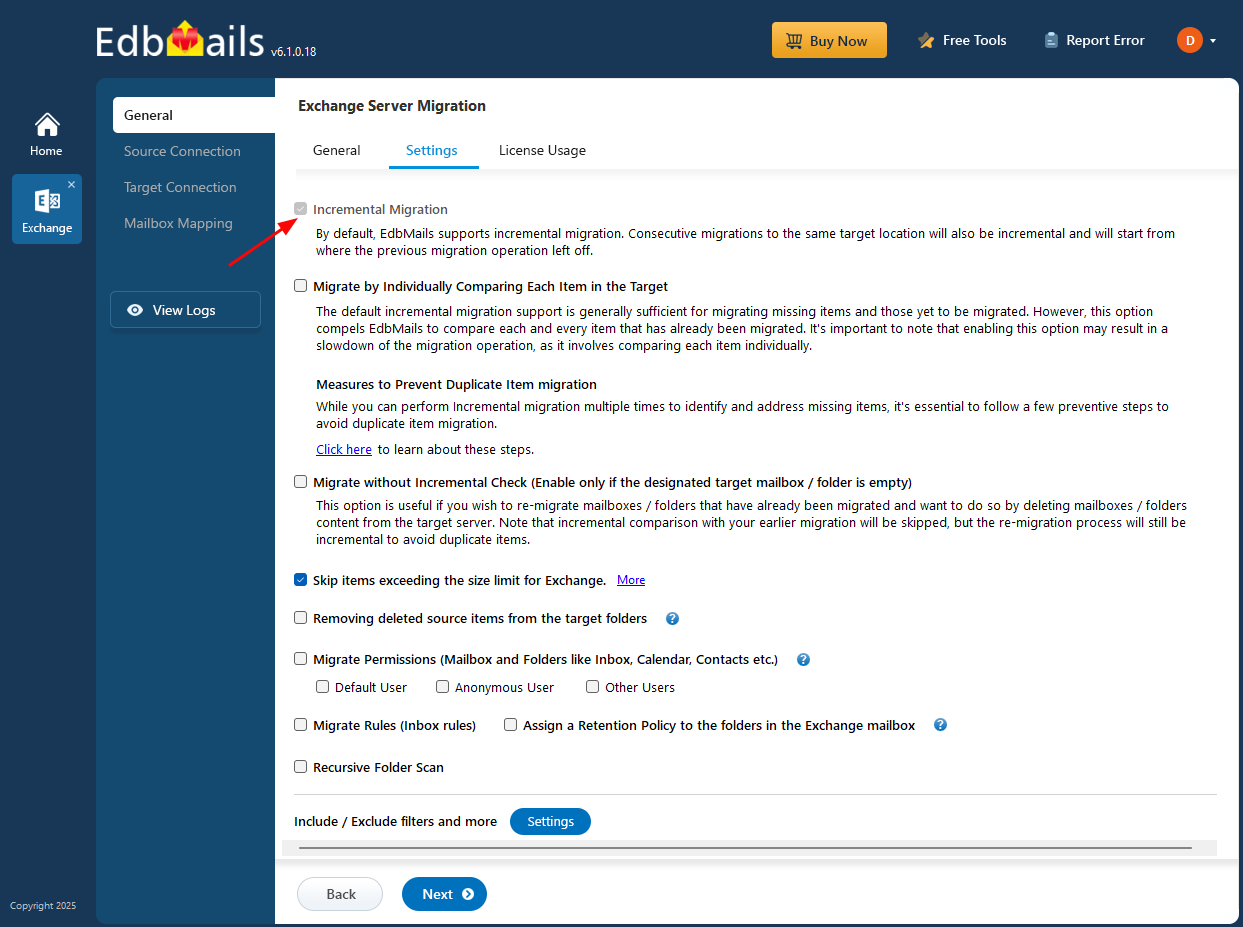
- Incremental Migration: EdbMails offers an incremental migration feature that enables you to migrate only the newly added items not previously migrated. This built-in feature in EdbMails simplifies the migration of email items to the target server, reducing the risk of unnecessary duplication in subsequent migration tasks.
- Automatic Mailbox Mapping: Manually mapping mailboxes, especially across multiple domains and for a large number of mailboxes, can be time-consuming. EdbMails streamlines this process by automatically mapping mailboxes between the source and target servers, saving you time and effort.
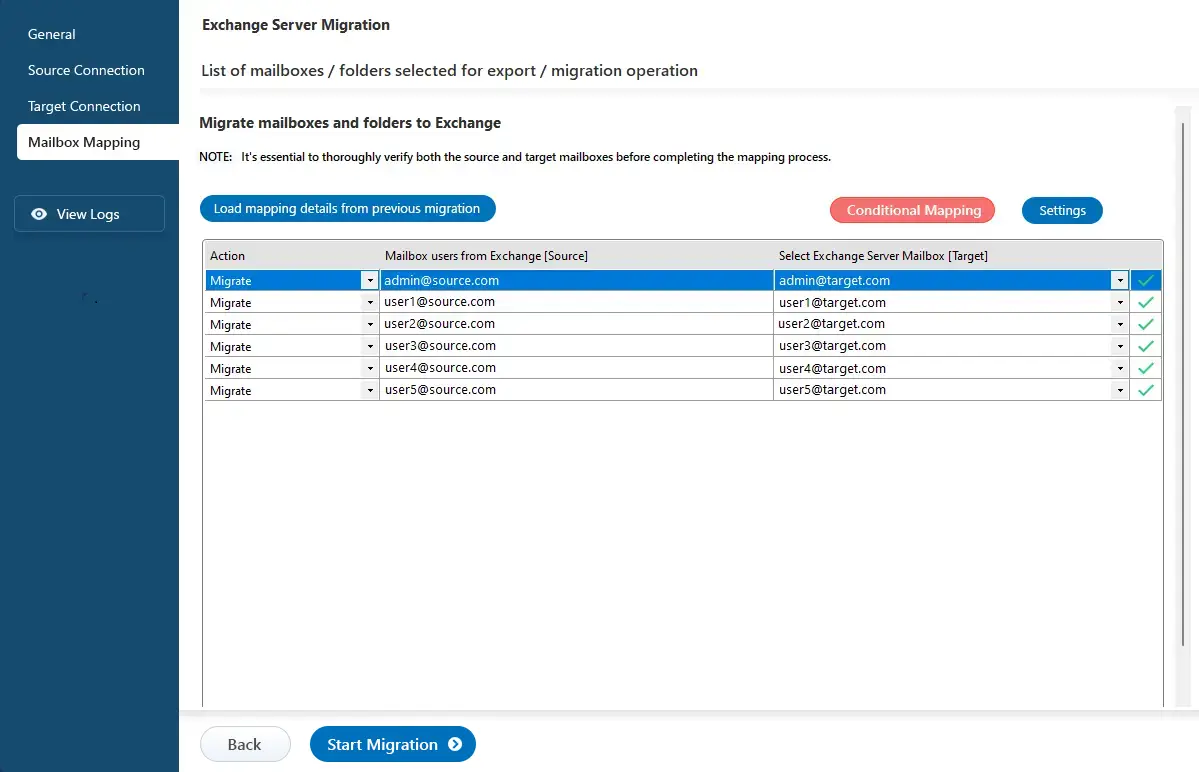
- Cross-Version Exchange Migration: EdbMails supports migration from all Exchange server versions Exchange 2007, 2010, through to the latest 2016 and Exchange 2019. What sets it apart is its ability to facilitate direct migrations with ease, including Exchange 2010 to 2019, Exchange 2013 to 2019, Exchange 2013 to 2016, and Exchange 2016 to 2019, eliminating coexistence issues and the complexities of double-hop migrations.
- Unlimited Public Folder Migration: EdbMails Exchange Migration software includes unlimited public folder migration, allowing you to migrate Exchange public folders to another Exchange Server and Microsoft 365 Tenant without limitations. It ensures that all items and the entire folder structure are accurately recreated on the target server, preserving the source Public folder structure. In EdbMails, public folder migration consumes 20 mailbox licenses, and you can migrate an unlimited number of public folders for a domain.
- Migration from SBS 2011 Exchange Server: In addition to standalone versions of Microsoft Exchange Server migration EdbMails also provides the convenience of migrating Small Business Server 2011 mailboxes to the cloud. The migration process is easy; simply use the user-friendly wizard to configure the migration and data selection, and let the software handle the rest. With EdbMails, there is no need for extensive research, environment preparation, and PowerShell cmdlet execution for the Exchange migration process.
- Single-hop Exchange Migration: EdbMails simplifies the direct migration from Exchange 2010 or 2013 to Exchange Server 2016 or 2019 with minimal effort. No intermediary steps are required, eliminating the need for double hops, downtime, and unnecessary complications. This efficient process saves time and resources, allowing you to focus on other essential administrative tasks for a smoother migration of your organization to a new environment.
- Cross-Forest Exchange Server Migration: EdbMails supports a solution for cross-forest and cross-domain migrations within on-premises Exchange environments that sets it apart from native migration options. These native solutions can complicate the migration of user mailbox data between different Active Directory forests. EdbMails simplifies the process by eliminating the need for intricate cmdlets or trust relationships between source and target servers, resulting in a straightforward cross-forest migration experience.
- Migration in a Hybrid Environment: In a hybrid environment with synchronized on-premises Active Directory and Azure AD, you may want to migrate selected on-premises mailboxes to the cloud. If the default settings were used for synchronization, the msExchMailboxGuid attribute might also be synchronized. In such cases, assigning Office 365 licenses to synced users won't create mailboxes, making migration impossible. To address this, you should reconfigure the synchronization process. Once synced accounts have distinct msExchMailboxGuid attributes in Office 365, you can proceed with the standard Exchange migration steps using EdbMails.
- Hosted Exchange Migration: Maintaining an On-Premises Exchange server provides more administrative flexibility compared to relying on a third-party hosting service. When it comes to securely migrating mailboxes from providers like Rackspace, GoDaddy or other hosted Exchange servers to on-premises Exchange 2019 or 2016, EdbMails Exchange Migration proves to be the best solution.
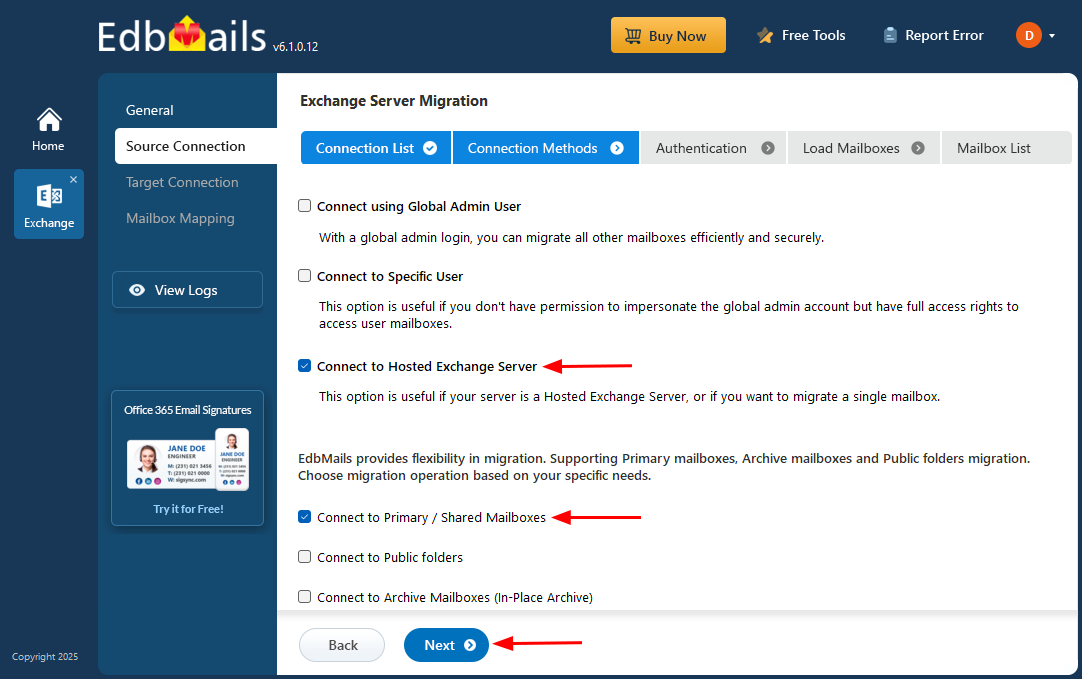
- Export Exchange Mailbox to PST: In addition to Exchange migration operation, EdbMails also supports exporting Exchange mailboxes to PST and vice versa all within a single setup. The software allows you to migrate multiple PST files to Office 365 or Exchange server. During the Exchange to PST export, you can split PST files. There are no mailbox or mail item size limitations for the export / migration operation.
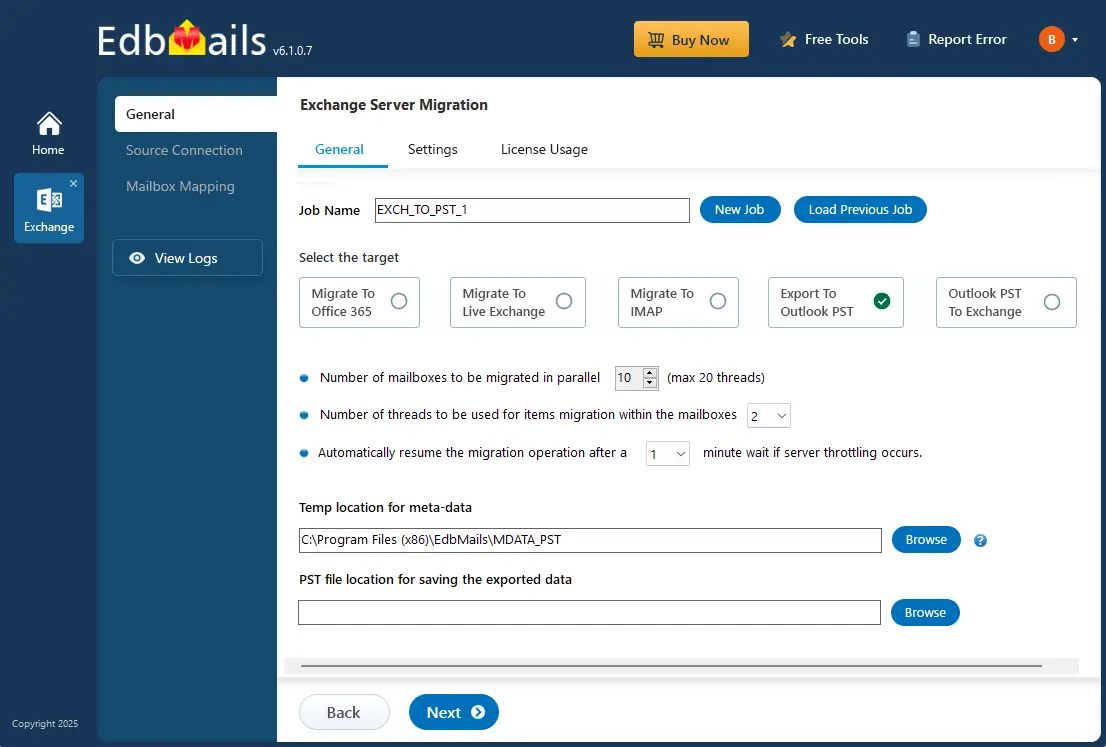
- Support for Cutover, Staged Exchange Migration: EdbMails supports multiple migration methods such as cutover, staged and hybrid. In a cutover migration, you can choose the specific mailboxes and folders you want to migrate to Exchange or Office 365 all at once. In a staged migration, you have filtering options that enable you to selectively migrate data using criteria such as date, sender address, and subject, which is particularly useful for batch migrations. With hybrid, you can migrate data from both on-premises Exchange and Exchange Online.
- Exchange Archive Mailbox to Exchange and Office 365: EdbMails provides a separate connection option for migrating Exchange Archive mailboxes. You have the flexibility to migrate data from Exchange archive mailboxes to different destinations, such as Exchange/Office 365 archive mailboxes, public folders, or primary mailboxes. This flexibility simplifies the migration process when utilizing EdbMails.
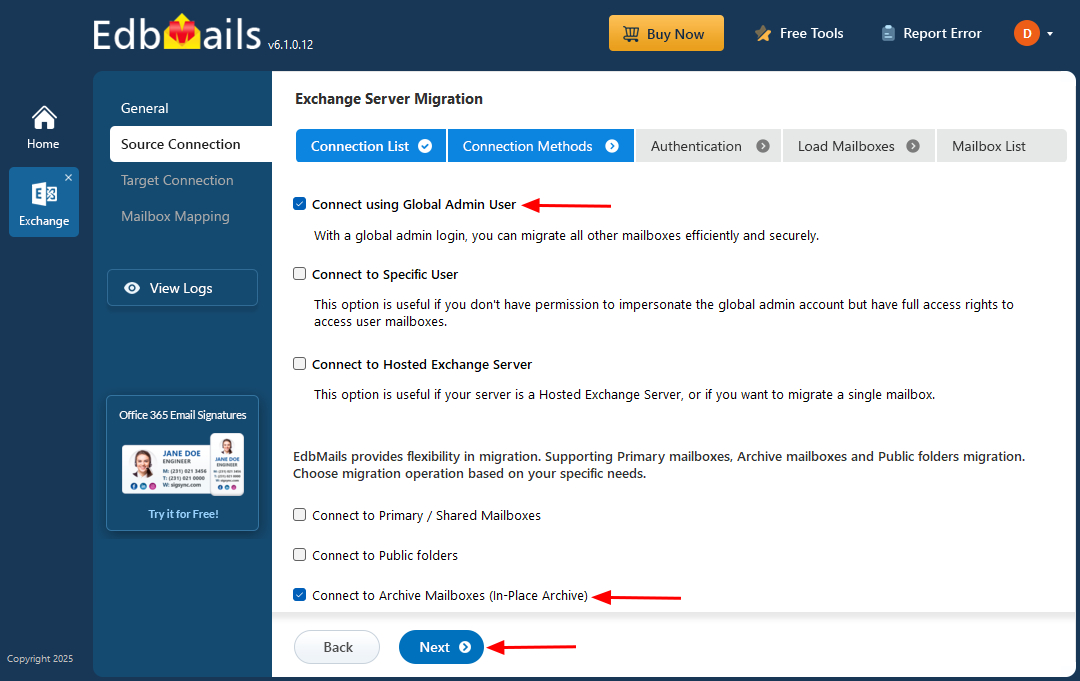
- Migrate Exchange Public folder to Office 365 Shared Mailbox: At some stage of the migration process, you may want to restrict access to the previously migrated Public Folders on the source. This encourages users to shift their focus to the new Shared Mailbox destination. EdbMails provides support for a smooth migration from Exchange Public Folders to Exchange or Office 365 Shared mailboxes.
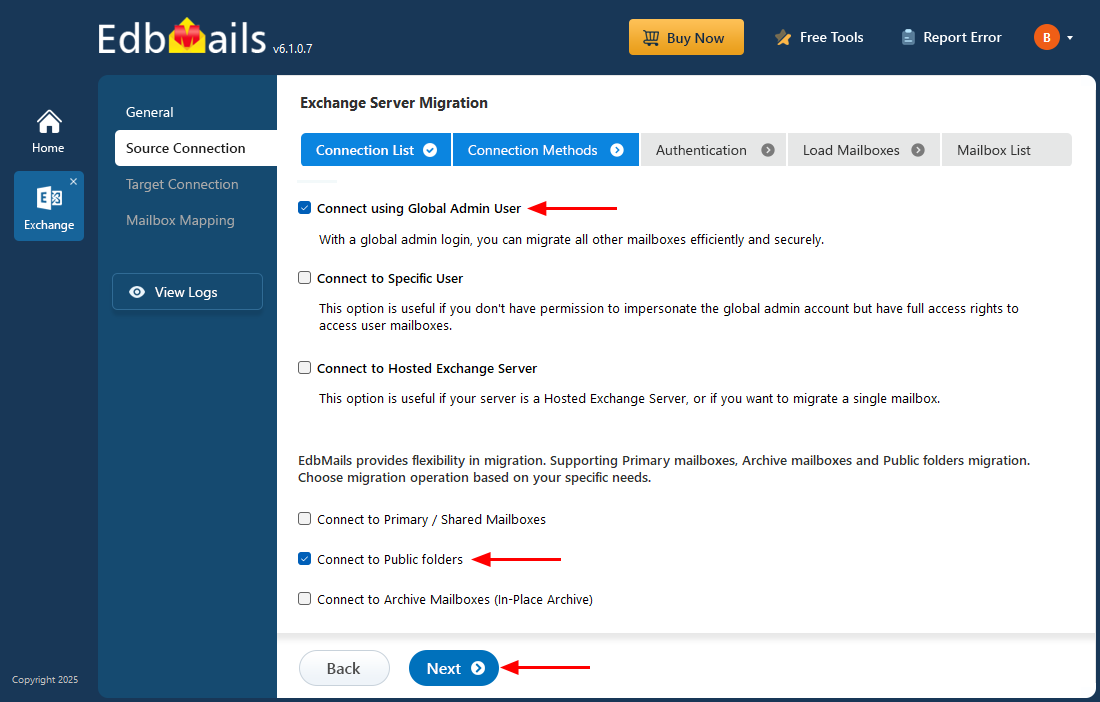
Steps to perform Exchange Migration using EdbMails
EdbMails stands as the best choice for Exchange server migration. The software efficiently handles the migration of mailboxes, public folders, archive mailboxes, and shared mailboxes from the source Exchange server to various target servers, including live Exchange, Office 365, and Hosted Exchange servers. It also extends its support to migration in hybrid environments.
EdbMails simplifies the direct migration of mailbox data across different Exchange servers, irrespective of their versions. This includes Exchange 2019, Exchange 2016, Exchange 2010, Exchange 2013, and Exchange 2007.
To learn how to perform an Exchange migration with EdbMails, you can find step-by-step guidance through the link below.
- Exchange 2010 to 2019 migration
- Exchange 2013 to 2019 migration
- Exchange 2016 to 2019 migration
- Exchange 2010 to Office 365 migration
- Exchange 2013 to Office 365 migration
- Exchange 2016 to Office 365 migration
- Exchange 2019 to Office 365 migration
Advantages of using EdbMails for Exchange migration
- Support for detailed item-level migration.
- Auto mapping of mailboxes between source and target.
- Advanced include and exclude filter options to migrate selective mailbox items and folders.
- Support for granular brick-level migration of specific items.
- Compatibility with all Windows servers and client operating systems.
- Supports Incremental migration to prevent migrating duplicate items on target.
- Facility to migrate Exchange Public folders and Shared Mailbox.
- Ensuring data consistency with no downtime and data loss.
- Direct migration from any Exchange version (2007-2019) without coexistence issues.
