


IMAP to Exchange Migration Screenshots
Exchange version note: Exchange Server 2016 and 2019 are out of support. For a new on-premises Exchange deployment, review Microsoft's current Exchange Server Subscription Edition (SE) guidance and verify compatibility with the current EdbMails build.
Use these screenshots as a visual reference for the EdbMails IMAP to Exchange workflow. The primary migration guide contains the current Exchange planning, prerequisites, permissions, version-support notes, and cutover instructions.
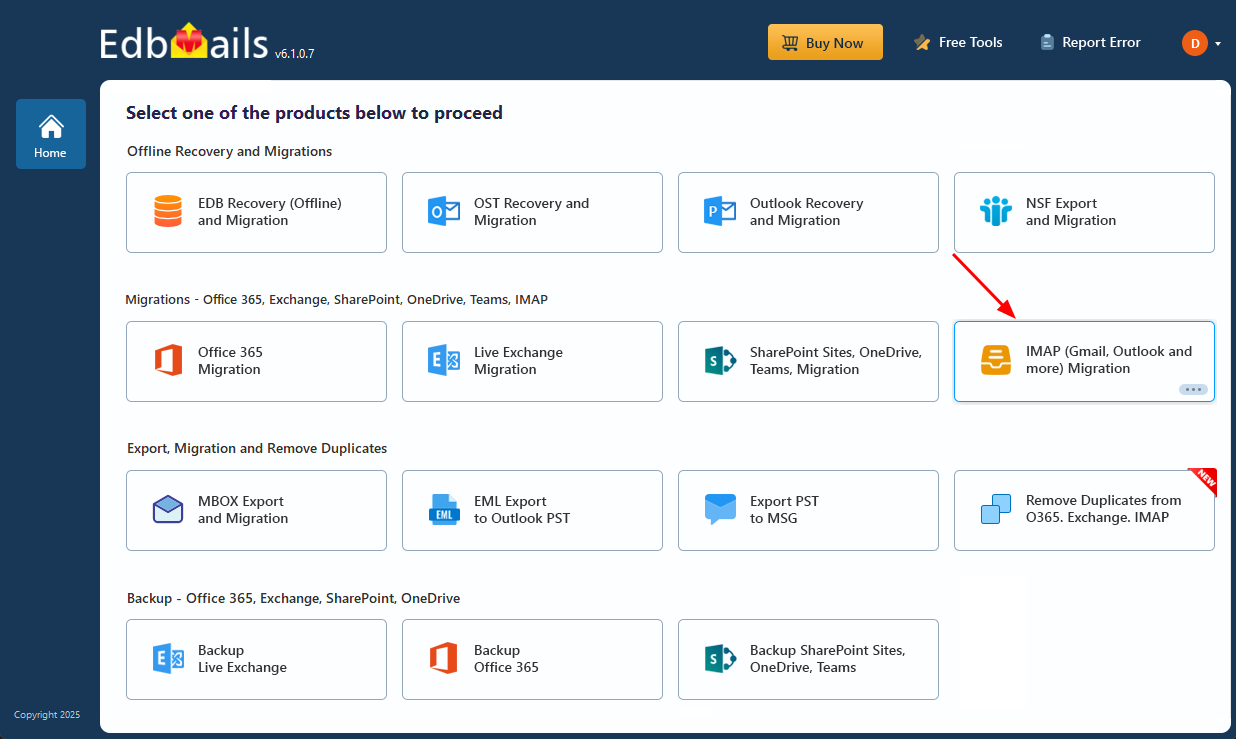
Select the option ‘IMAP (Gmail, Outlook & more) Migration’
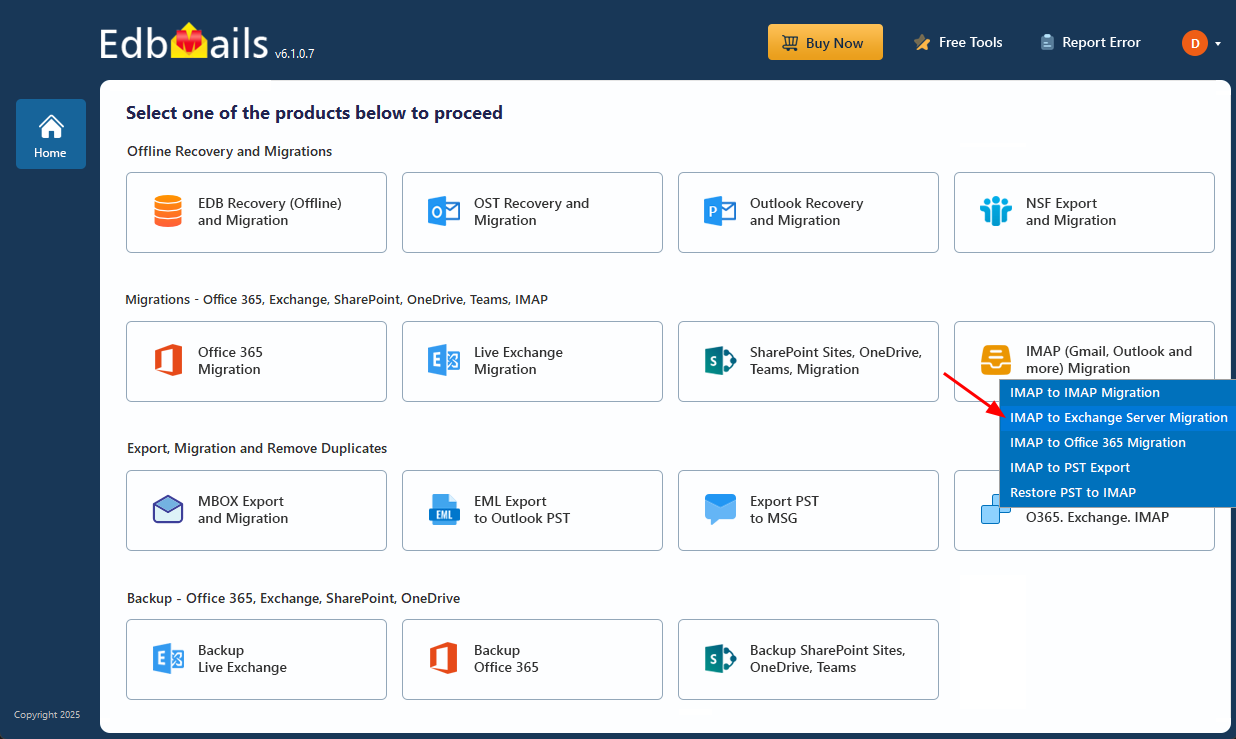
Select ‘IMAP to Exchange Server Migration’
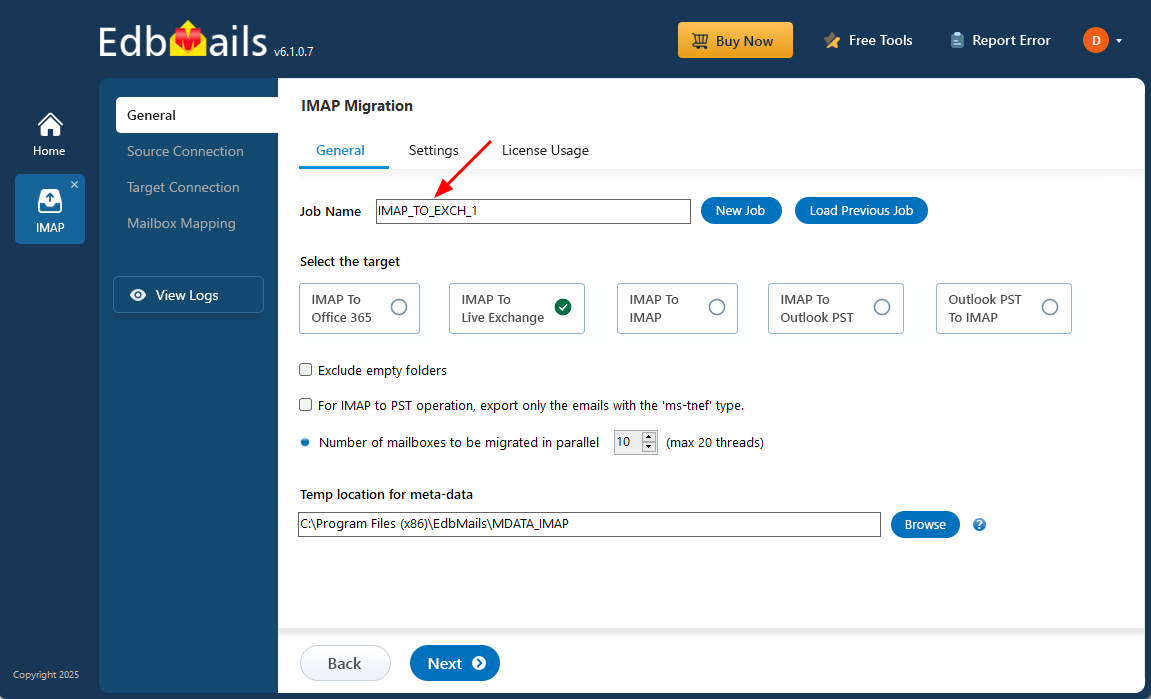
Enter the job name
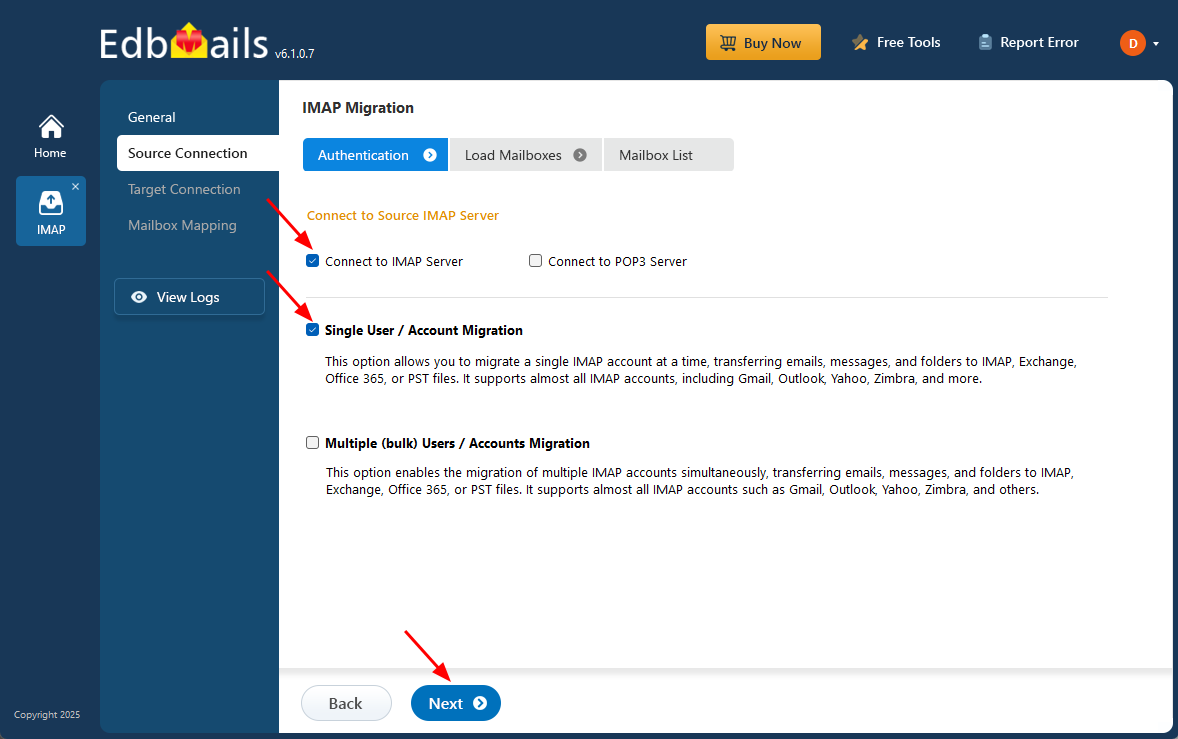
Connect to source IMAP server
Select source IMAP server mailboxes
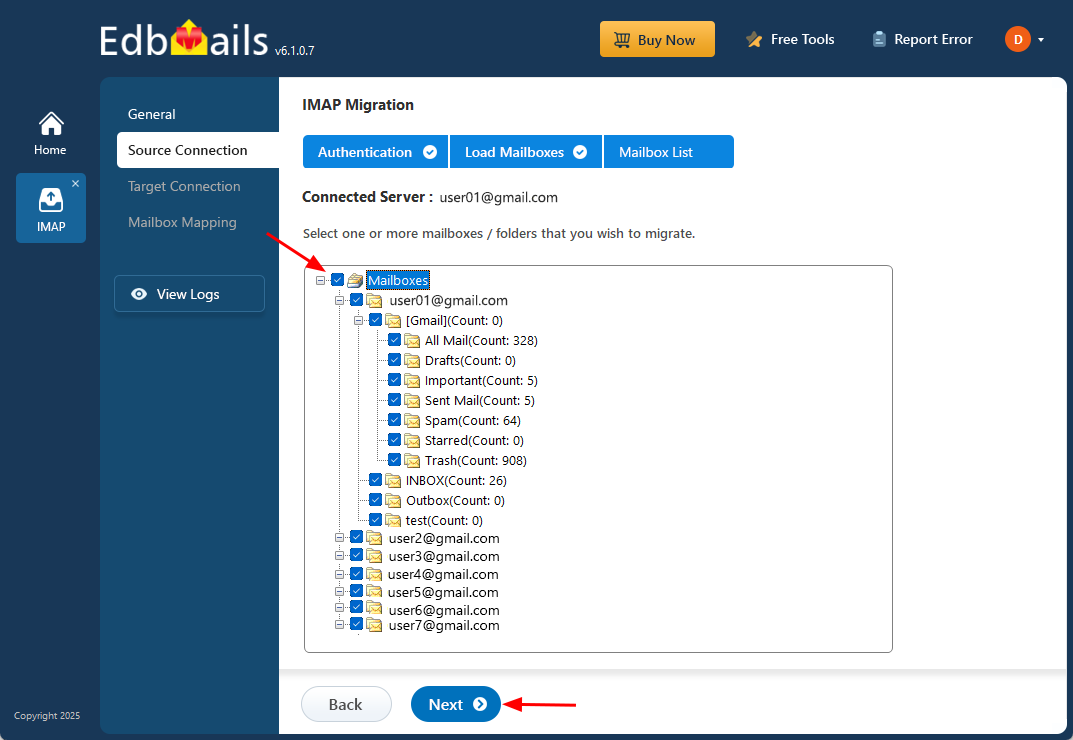
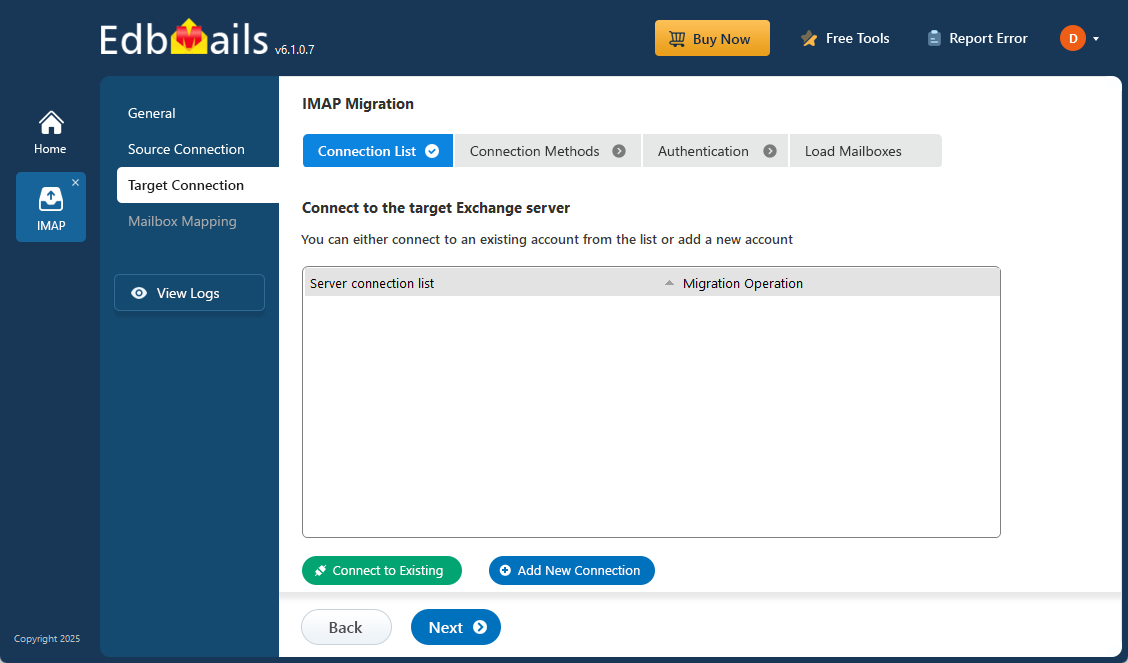
Connect to the target Exchange Server
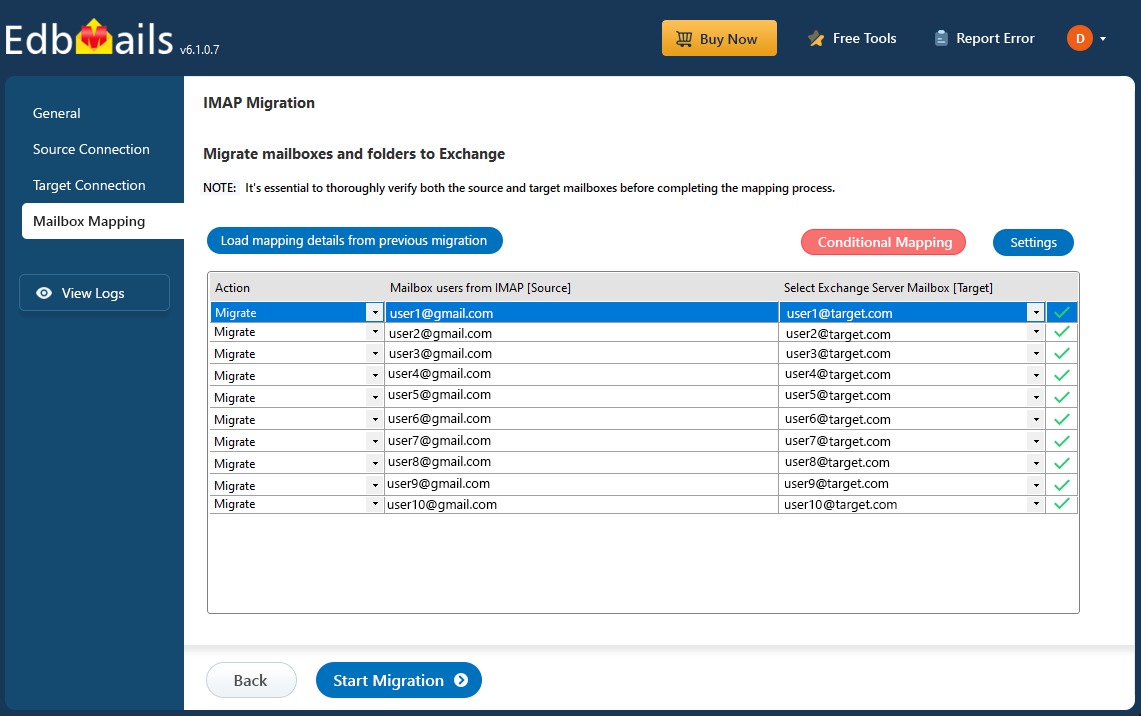
Review mailbox mapping
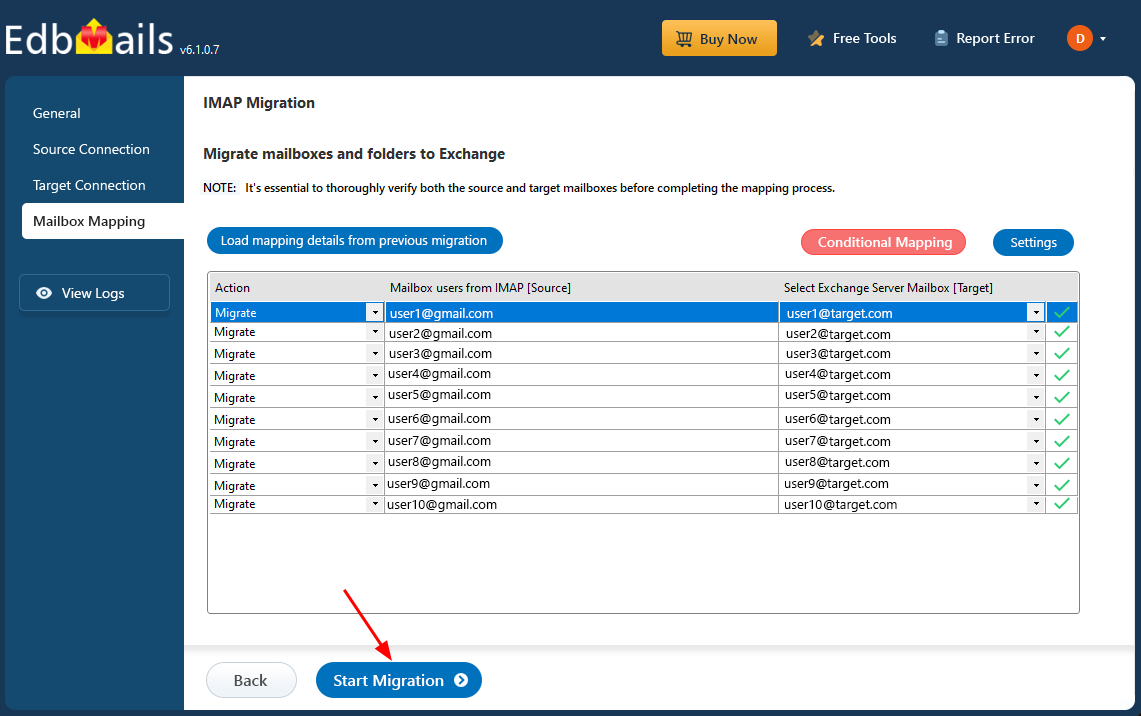
Start IMAP to Exchange migration
How to use these screenshots
Use the screenshots as a visual companion to the complete IMAP to Exchange migration guide. The main guide contains planning, prerequisites, authentication, mapping, migration, verification, and cutover details that are intentionally not repeated on this visual-support page.
