


IMAP to Office 365 Migration Screenshots
Authentication note: Source IMAP authentication depends on the provider. The Microsoft 365 target connection should use the current EdbMails modern-authentication workflow.
Follow these screenshots to recognize the main EdbMails screens used in an IMAP to Microsoft 365 migration. This page is a visual reference only and supports the primary IMAP-to-Office 365 migration guide rather than replacing its planning and technical instructions. For the broader commercial product overview, see the EdbMails IMAP Migration Tool.
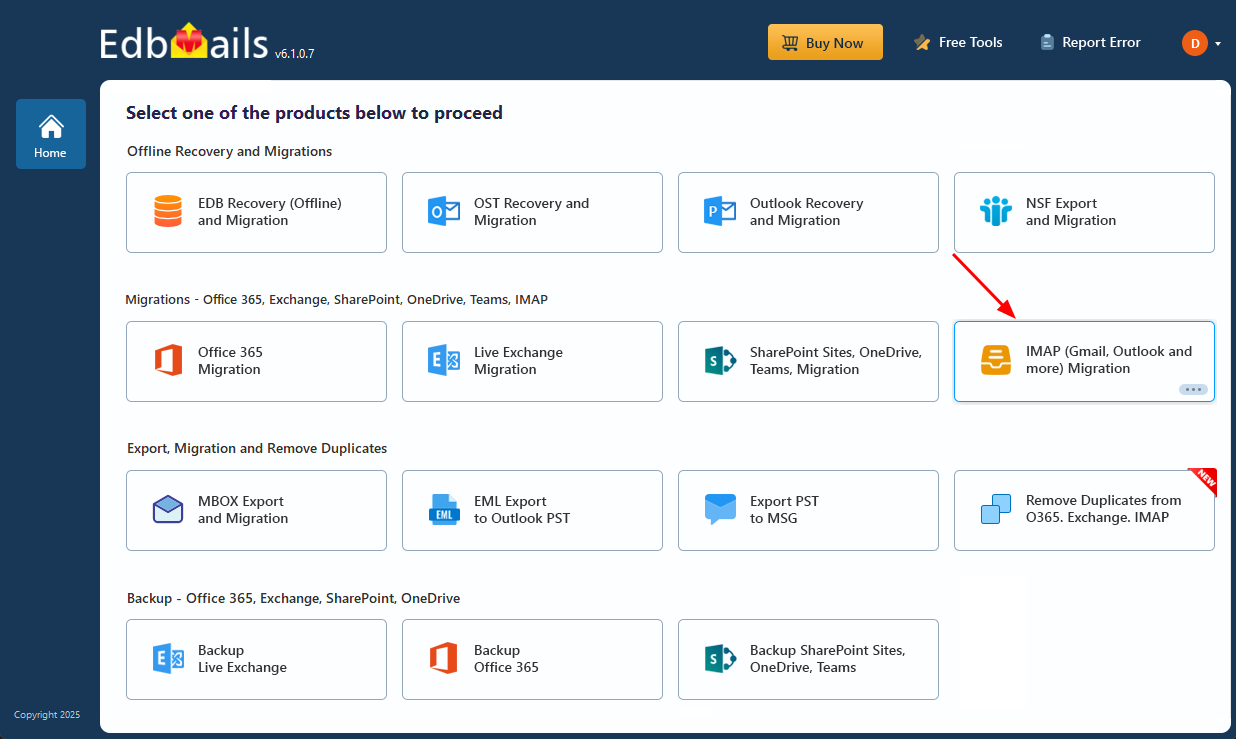
Select the option ‘IMAP (Gmail, Outlook & more) Migration’
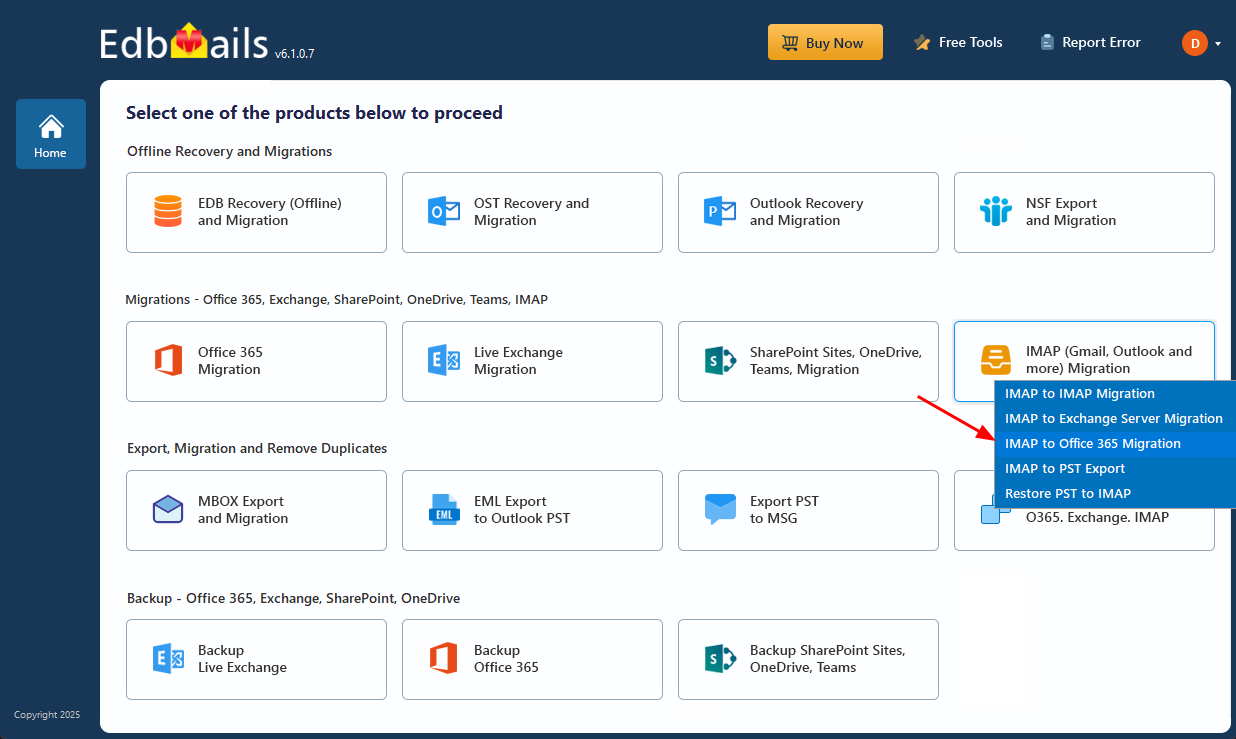
Select ‘IMAP to Office 365 Migration’
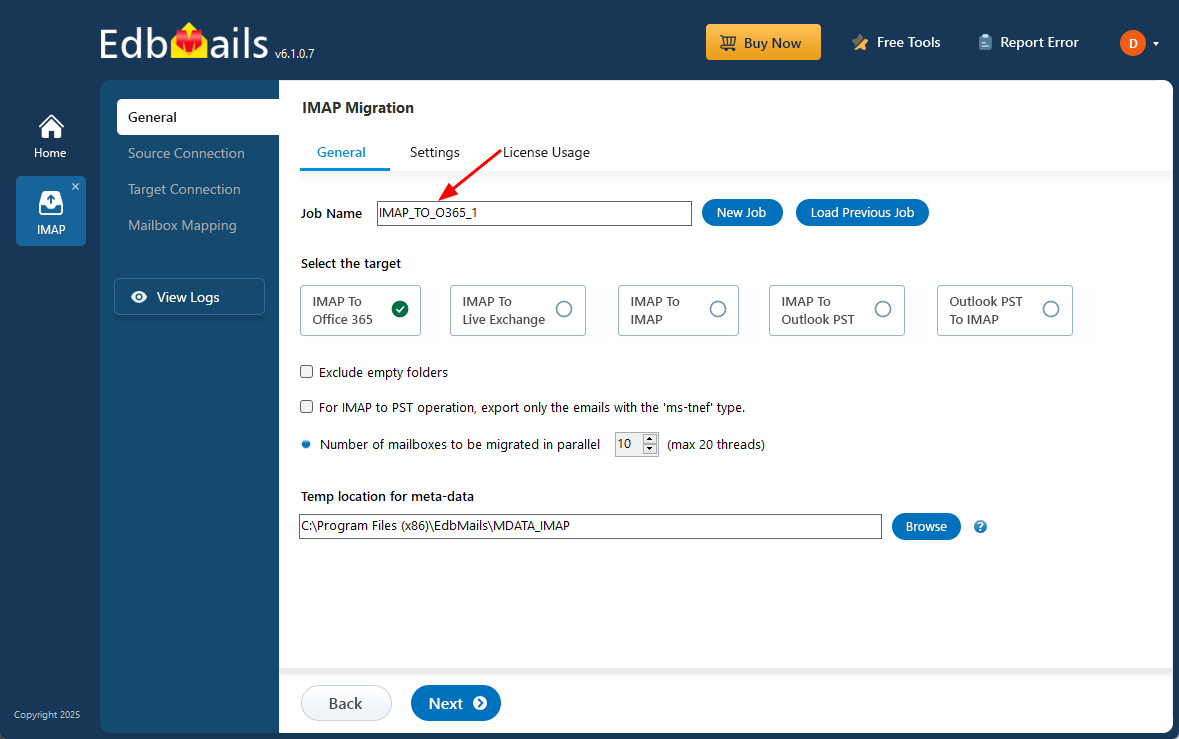
Enter the job name
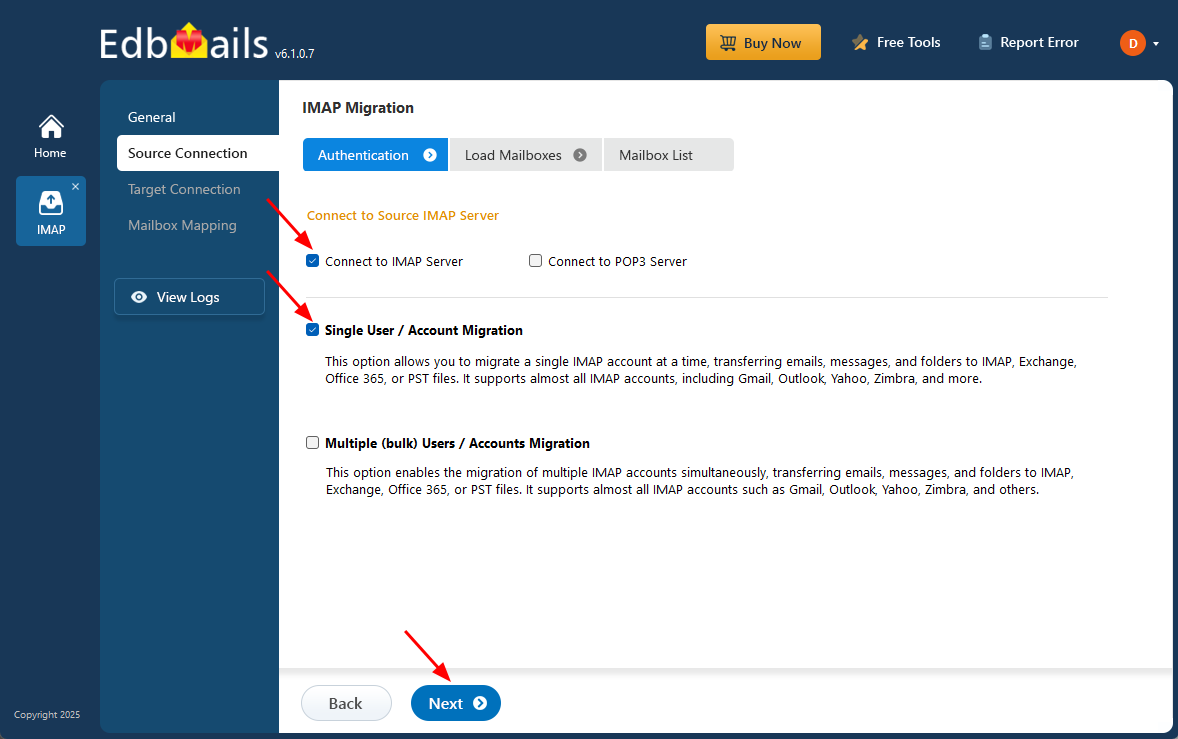
Connect to source IMAP server
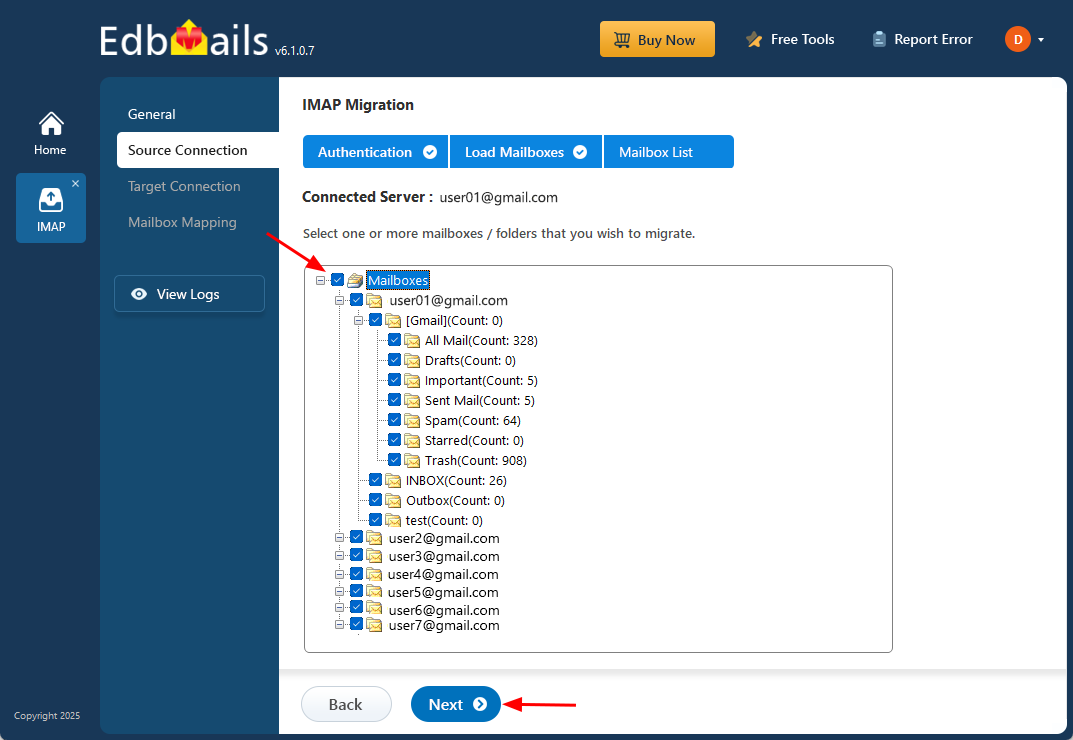
Select source IMAP server mailboxes
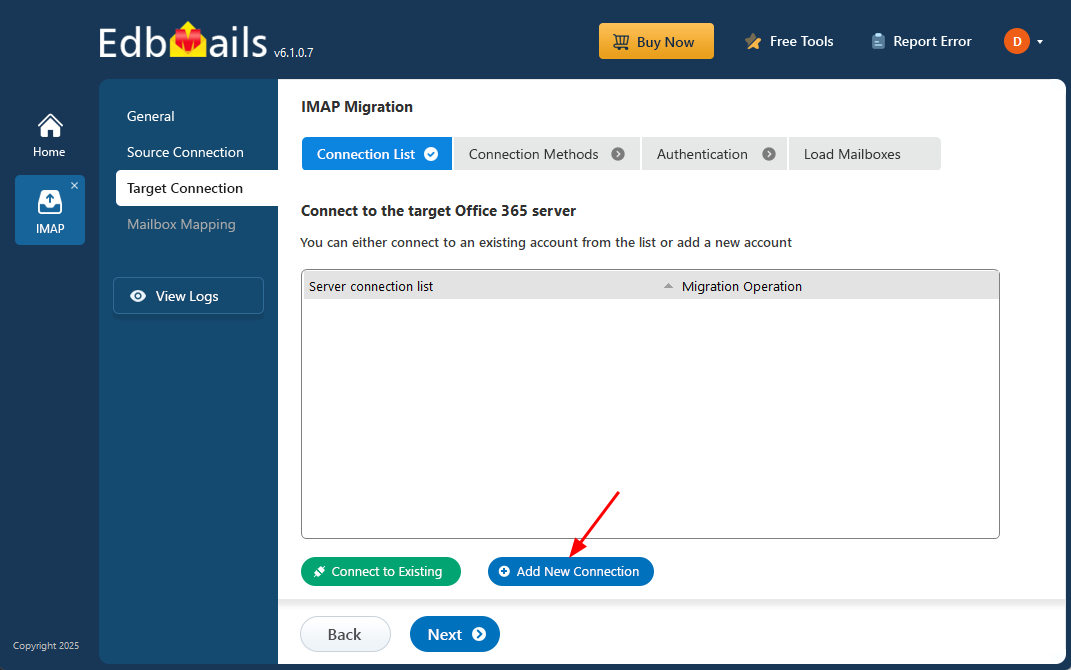
Connect to the target Microsoft 365 account
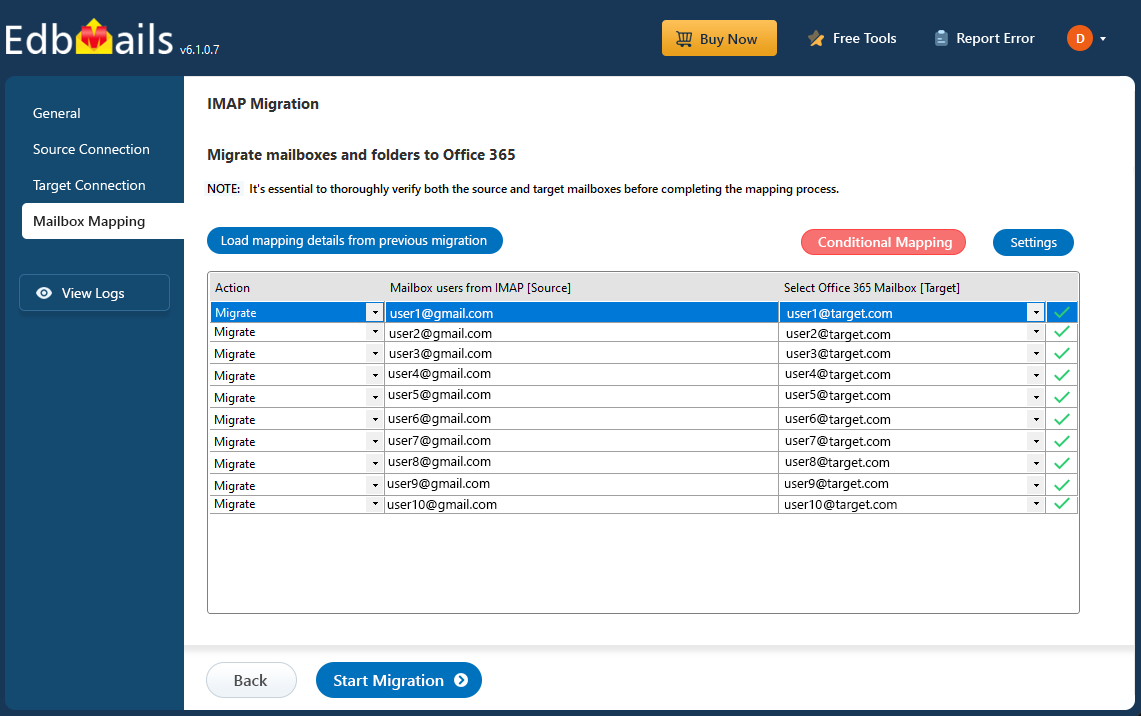
Review mailbox mapping
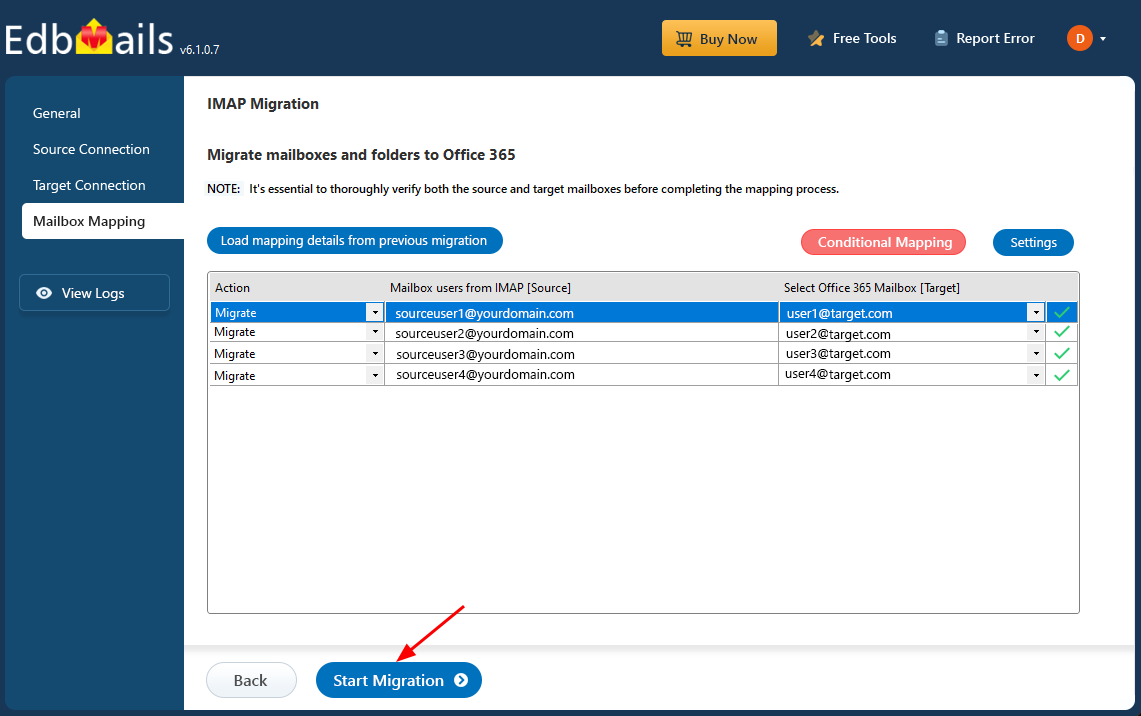
Start IMAP to Office 365 migration
How to use these screenshots
Use the screenshots as a visual companion to the complete IMAP to Office 365 migration guide. The main guide contains planning, prerequisites, authentication, mapping, migration, verification, and cutover details that are intentionally not repeated on this visual-support page.
