


IMAP to PST Export Screenshots
PST note: Make sure the destination drive has sufficient free space and use PST splitting where appropriate for large exports. Verify the resulting PST files before treating the backup as complete.
Use these screenshots as a visual reference for exporting supported IMAP email data to Outlook PST with EdbMails. The primary IMAP-to-PST page contains the full requirements, Outlook/PST guidance, authentication notes, filtering, storage planning, and export-verification steps.
Select ‘IMAP Migration’
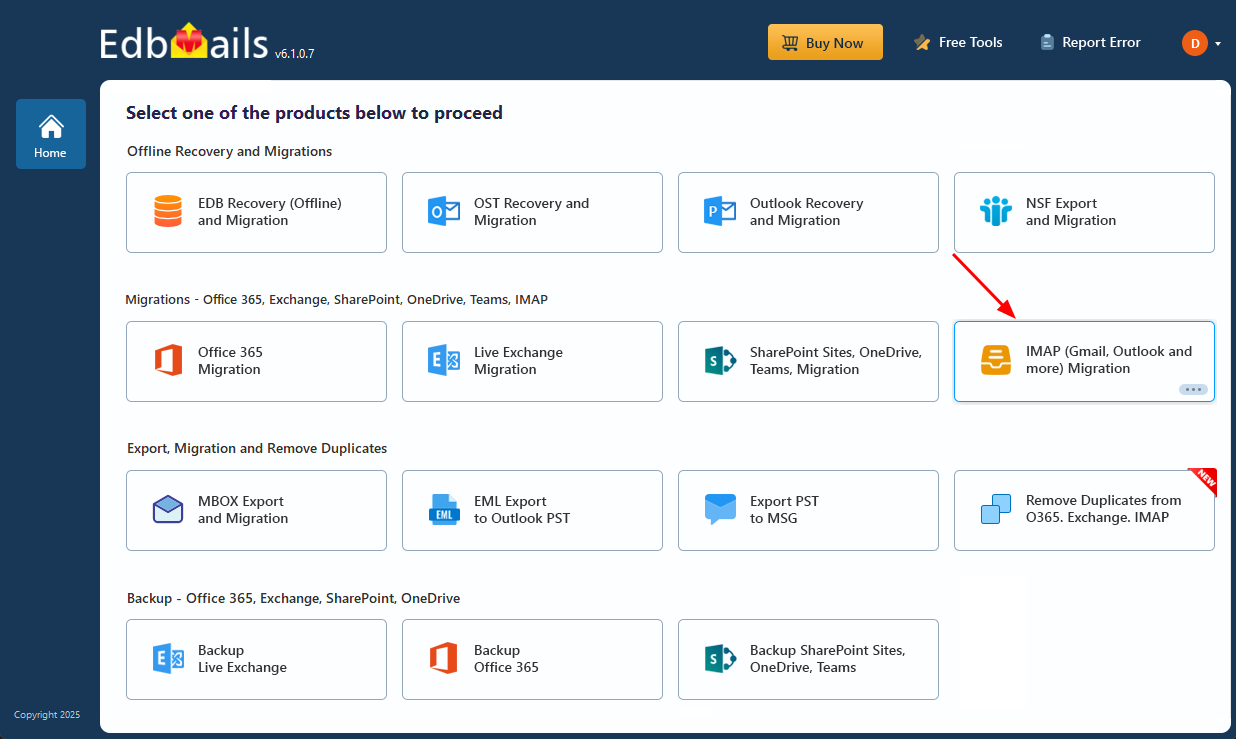
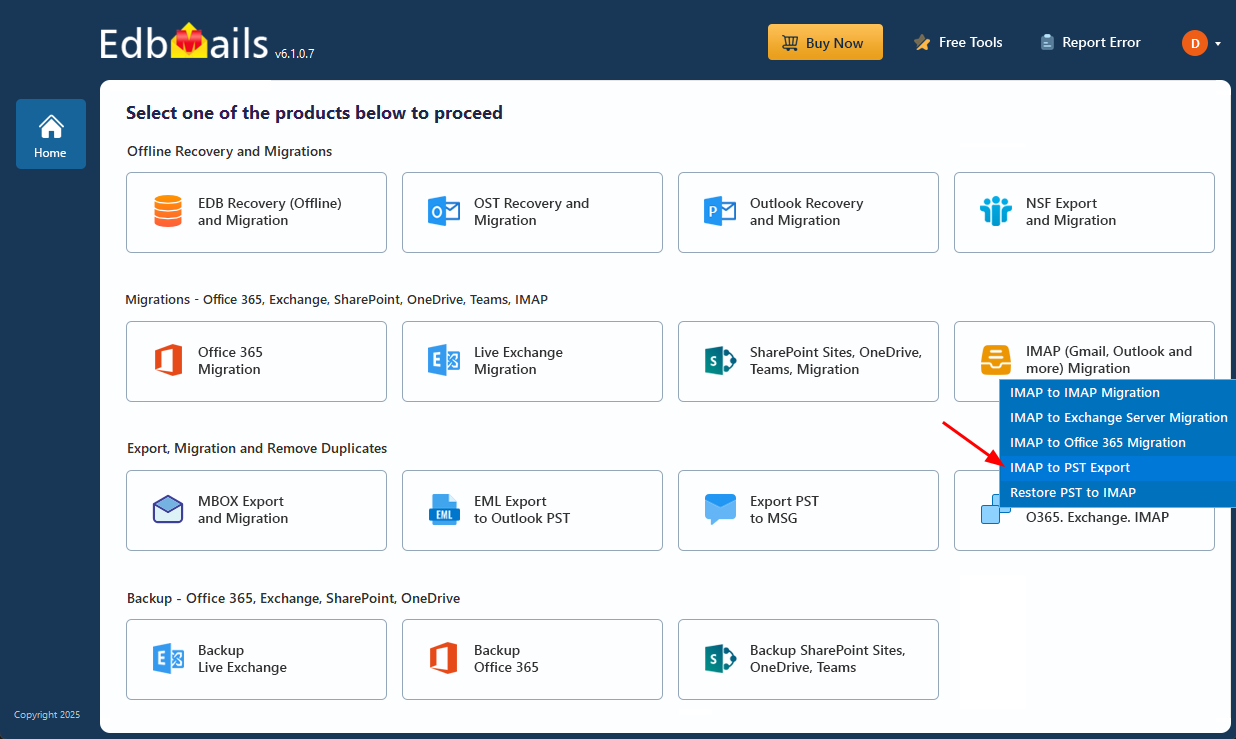
Select ‘IMAP to PST Export’
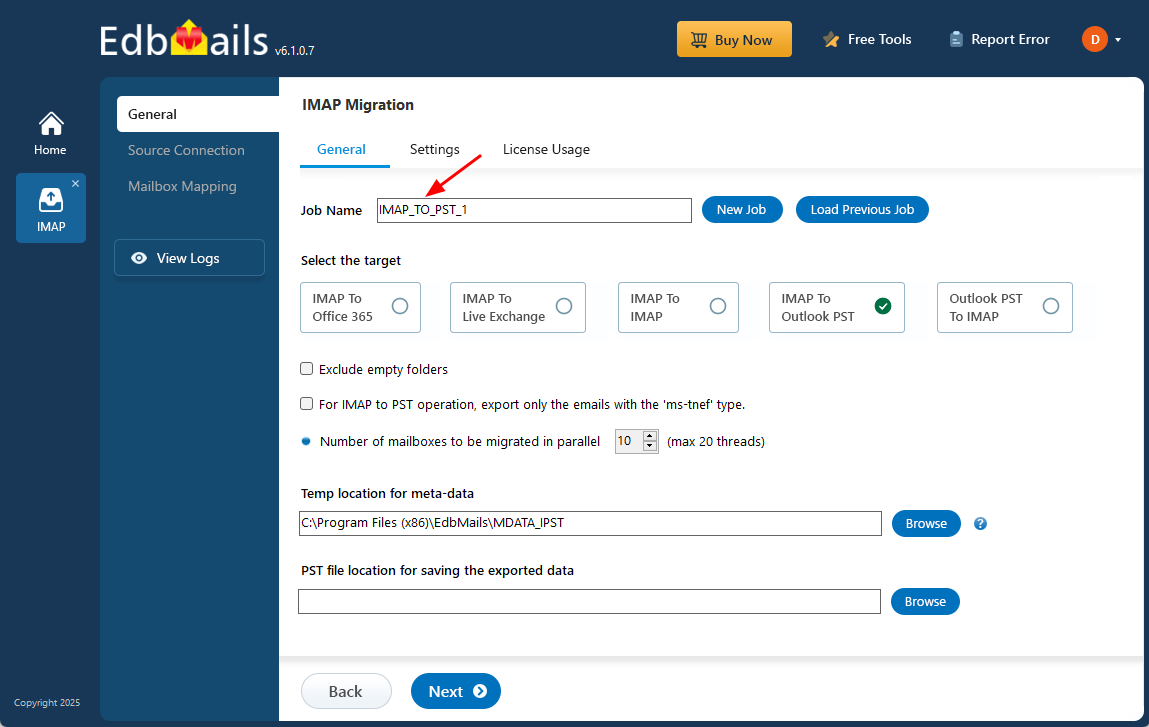
Enter the IMAP to PST job name
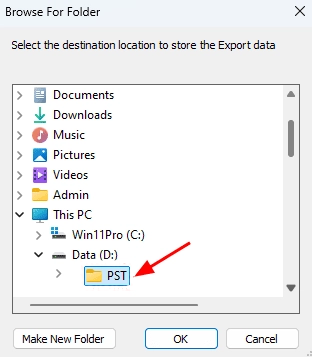
Select the PST destination
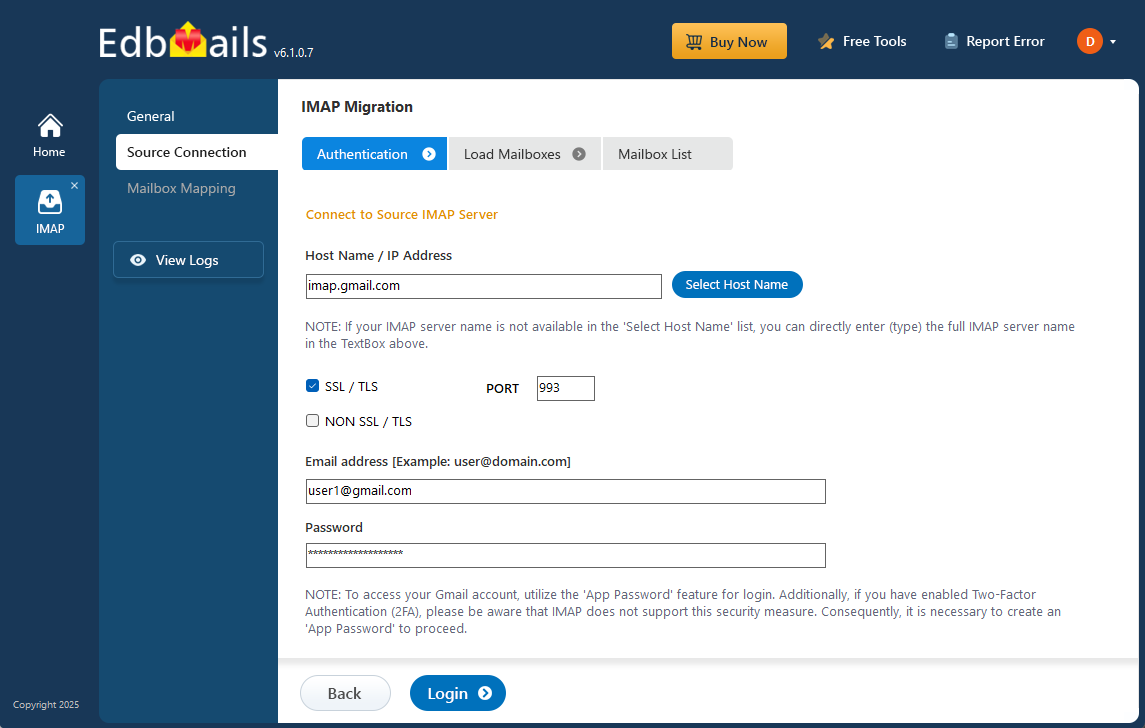
Connect the source IMAP account
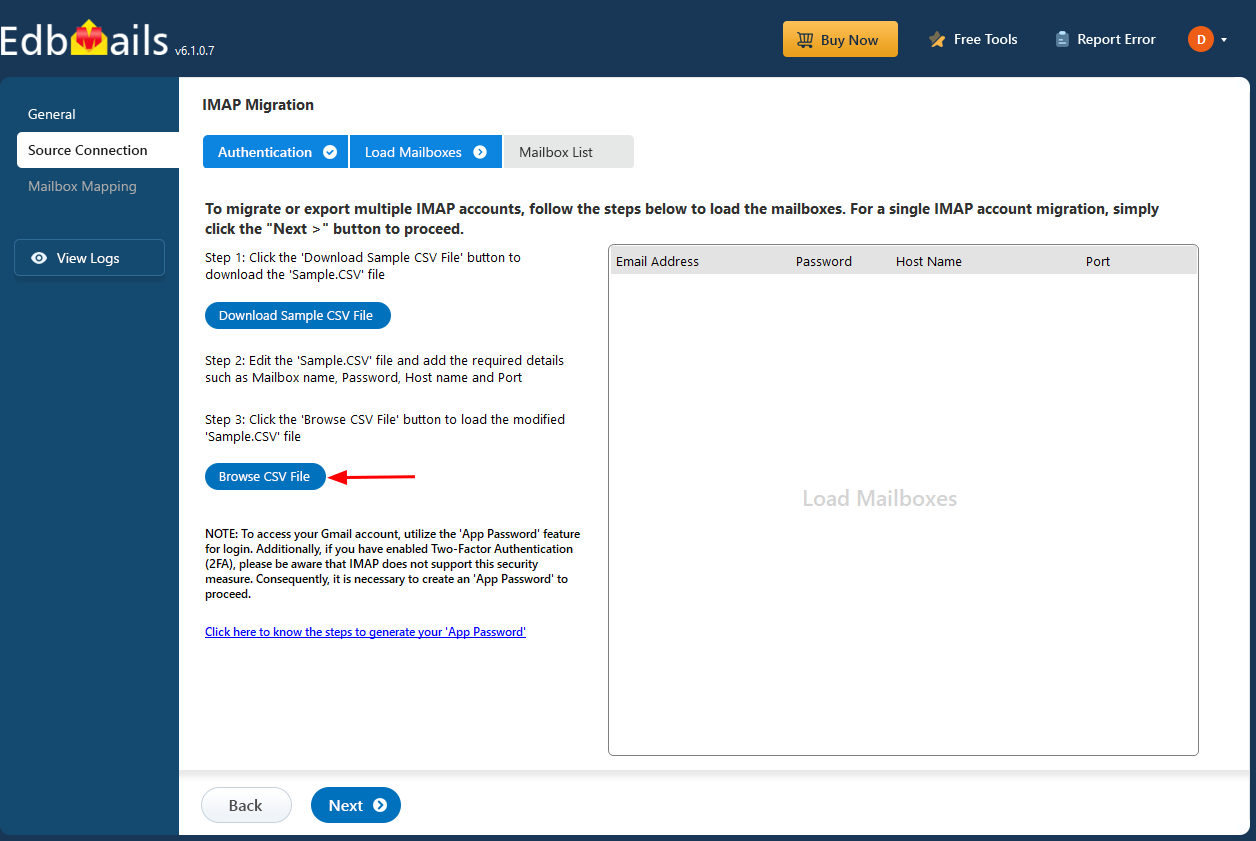
Load the bulk IMAP CSV when required
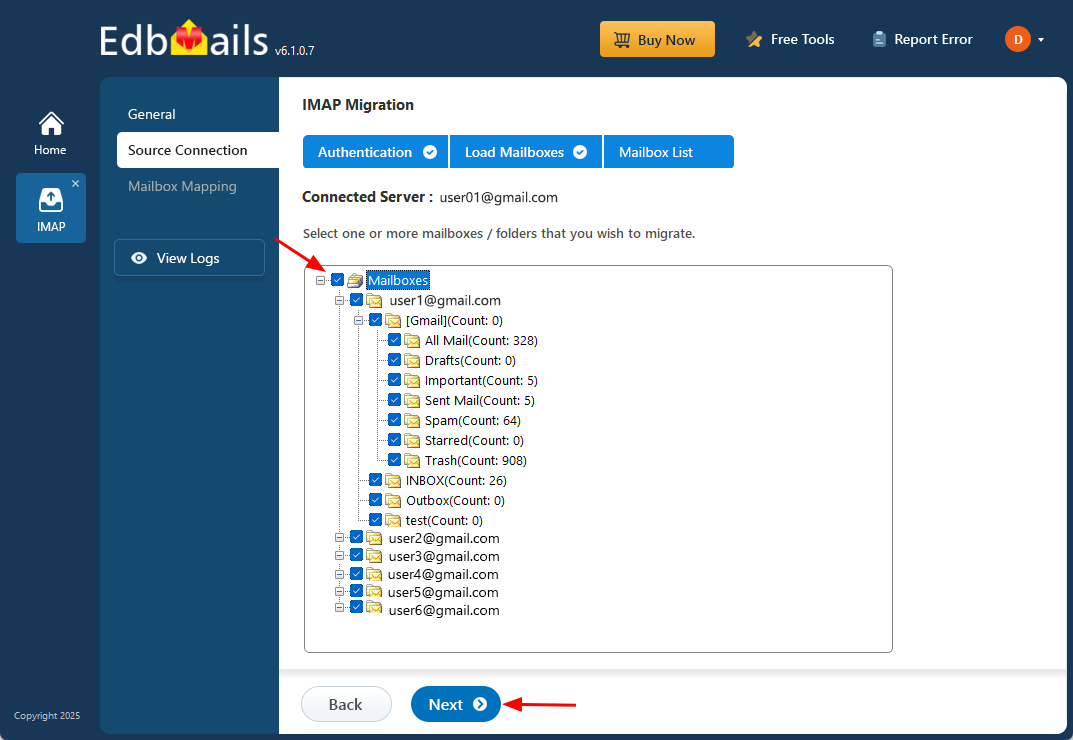
Select IMAP mailboxes and folders
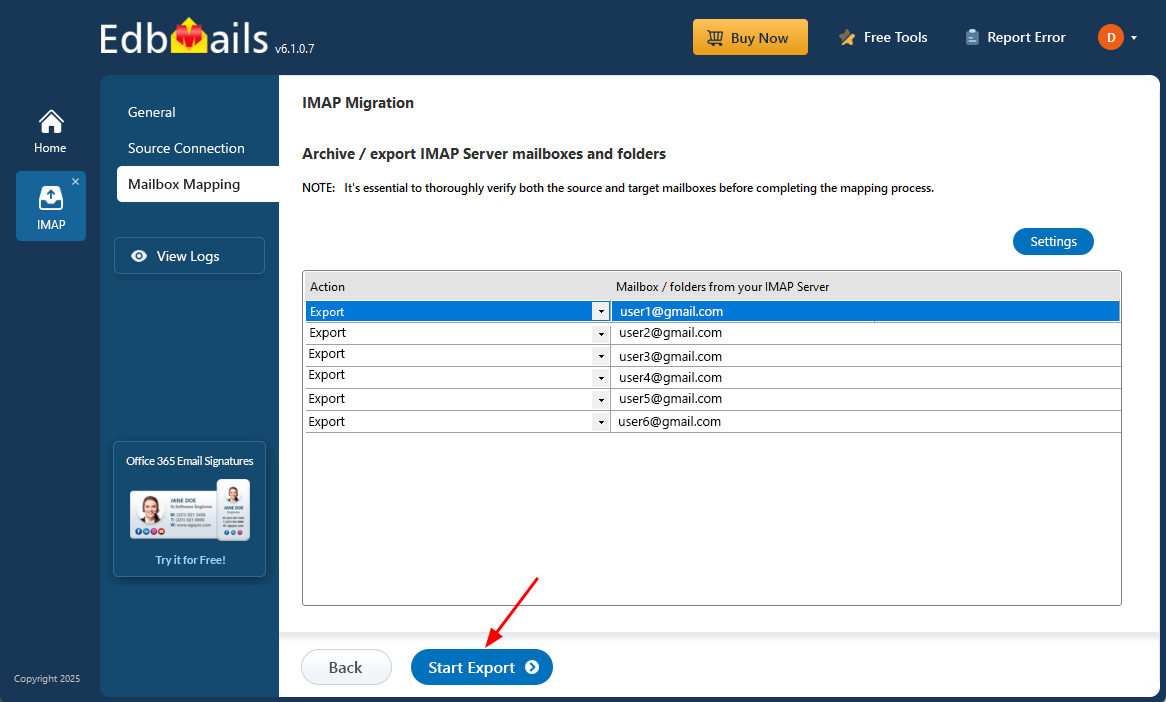
Start the IMAP to PST export
How to use these screenshots
For the complete procedure, use the IMAP to PST Converter and Backup Tool guide. This screenshot page intentionally remains a visual support page so it does not compete with the main commercial and instructional owner.
