
EdbMails EDB Recovery and Migration software
  • Products
    EdbMails
    All-in-one Recovery and Migration

    Trusted and internationally recognized software that delivers award winning solutions.

    Explore our products
    • Offline Recovery Tools
    • Migration Tools
    • G Suite Migration
    • IMAP Migration
    • Duplicate Remover
    • Backup
    • Windows Data Recovery

    Exchange EDB / Email Recovery Tools

    EdbMails offers a comprehensive suite of tools to recover and convert offline EDB, OST, and PST files into Outlook PST, migrate mailboxes to Office 365 and live Exchange Server, and export and migrate data from NSF, MBOX, EML, and MSG formats.

    EDB Recovery and Migration
    Recover EDB to PST, EDB to Office 365 and Exchange NO Duplicate Migration
    NSF Export and Migration
    Export NSF to PST, NSF to Office 365 and Exchange Migration
    OST Recovery and Migration
    Recover OST to PST, OST to Office 365 and Exchange Migration
    EML to PST Export
    EML files export to Outlook PST format
    PST Recovery and Migration
    Recover Outlook PST, PST to Office 365 and Exchange Migration
    PST to MSG Export
    Outlook PST files export to MSG format
    MBOX Export and Migration
    Export MBOX to PST, MBOX to Office 365 and Exchange Migration
    MSG to PST Export
    Export MSG files to Outlook PST files

    Exchange, Office 365, IMAP, SharePoint, OneDrive, Teams

    EdbMails lets you securely migrate mailboxes across Microsoft 365, Exchange, Google Workspace (G Suite), and IMAP-supported servers such as Outlook, Gmail, Zimbra, Zoho Mail, and cPanel, ensuring zero downtime.

    Exchange Server Migration
    Migrate between any Exchange Servers, Exchange to Office 365, Exchange to PST, PST files to Exchange.
    SharePoint Online Migration
    Migrate documents, lists, files and folders from SharePoint sites.
    Office 365 Migration
    Migrate between Office 365 tenants, Office 365 to Exchange, Office 365 to PST, PST files to Office 365.
    OneDrive for Business Migration
    Migrate documents, lists, files and folders from OneDrive.
    Microsoft Teams Migration
    Migrate Teams, chats, channels, documents, files and folders etc.

    Google Workspace / G Suite Migration

    EdbMails G Suite Migration Tool lets you easily migrate emails, calendars, contacts, tasks, and more from G Suite to Office 365, Exchange Server, and IMAP servers using a Google Admin account without requiring individual user credentials.

    G Suite Migration
    Migrate emails, calendars, contacts, tasks from G Suite to Office 365, G Suite to Exchange, G Suite to IMAP Servers
    G Suite to Office 365
    Migrate emails, calendars, contacts, tasks from Google Workspace / G Suite to Office 365
    G Suite to Exchange Server
    Migrate emails, calendars, contacts, tasks from Google Workspace / G Suite to on-Premise Exchange Server
    G Suite to IMAP
    Migrate emails, calendars, contacts, tasks from Google Workspace / G Suite to IMAP, Outlook, Zimbra, Zoho etc.

    IMAP Migration

    EdbMails IMAP Migration tool lets you easily migrate emails from IMAP servers such as Outlook, Gmail, Zoho Mail, Zimbra, cPanel, and more. Supports IMAP to IMAP, Office 365, Exchange Server, PST, and bulk PST to IMAP migration.

    IMAP Email Backup & Migration
    Backup and migrate emails from IMAP servers to PST, Office 365, and On-Premises Exchange Server
    IMAP to Office 365
    Migrate emails, folders, and attachments from IMAP servers to Office 365
    IMAP to Exchange
    Migrate emails, folders, and attachments from IMAP servers to on-premises Exchange Server
    IMAP to PST
    Export emails, folders, and attachments from IMAP servers to Outlook PST files for backup
    PST to IMAP
    Migrate emails, folders, and attachments from bulk PST files to IMAP servers

    Duplicate Remover

    EdbMails Duplicate Remover lets you easily remove duplicate items from Office 365 and Exchange Server, and from IMAP, Outlook, Gmail, Zimbra, Zoho Mail, etc., ensuring a clean and organized mailbox.

    Remove Duplicates from Office 365
    Remove duplicate emails, calendars, contacts, journal tasks, etc. from Office 365.
    Remove Duplicates from Exchange Server
    Remove duplicate emails, calendars, contacts, journal tasks, etc. from live Exchange Server.
    Remove Duplicates from IMAP, Outlook
    Remove duplicate emails, attachments from IMAP, Outlook, Gmail, Zimbra, Zoho Mail etc.

    Exchange, SharePoint, OneDrive, Teams and Office 365 Backup

    EdbMails enables secure, automated backup and recovery for Microsoft 365 services including Exchange Online, SharePoint, OneDrive, Teams, and Live Exchange Server with complete data protection and restore flexibility.

    Office 365 Backup
    Incremental, Granular, Encrypted and Compressed Office 365 Mailboxes Backup
    Exchange Server Backup
    Incremental, Granular, Encrypted and Compressed Exchange Mailboxes Backup
    SharePoint, OneDrive & Teams Backup
    Backup Online site collections, Team sites, Office 365 groups, all documents etc.

    Windows Data Recovery

    EdbMails Windows Data Recovery Software lets you recover permanently deleted data, including photos, videos, documents, and archived files, from partitions on hard drives, SSDs, USB drives, SD cards, and external storage devices.

    Windows Data Recovery
    Recover and restore permanently deleted data from hard drives, SSDs, USB drives, SD cards, and etc.
    Whitepaper
    Request a Demo
    Sign Up
  • Features
  • FAQ
  • Pricing
  • Download
  • Support
  • Sign in
User’s Manual
G Suite Migration

User Manual

User Manual

  • Overview
  • System Requirements
  • Migration Scenarios
  • Installation
    • Installation process
    • Reinstall or Upgrade
    • How to uninstall
  • FAQs
    • G Suite to Office 365
    • G Suite to IMAP
    • G Suite to Exchange
  • Videos
  • Screenshots
    • G Suite to Office 365
    • G Suite to Exchange
    • G Suite to IMAP
  • How it works?
    • G Suite to Office 365 Migration
    • G Suite to Exchange Migration
    • G Suite to IMAP Migration
  • G Suite Admin Configuration
  • Connect to target Office 365
  • Connect to Exchange server for multiple mailboxes migration
    • Connect with Global Admin
    • Connect to Multiple users using CSV file
    • Connect using full access permission
    • Connect individual users for Single / Specific user Migration
  • Connect to Hosted Exchange for its Migration
    • Connect with Full Access permissions
    • Connect to multiple users using CSV file
    • Connect to Individual user for migration
  • Connect to IMAP
    • Connect IMAP Single Server
    • Connect IMAP Multiple Server
  • Knowledge Base
    • Bulk G Suite Mailbox Migration
    • Google Workspace Migration
    • Why Choose EdbMails
    • Automatic Mailbox Mapping
    • Best G Suite Migration Software
    • Migrate G Suite Emails, Contacts & Calendars
  • Map the Mailboxes
  • Incremental Migration
  • Exchange Throttling Policy
  • Multifactor Authentication
    • Enable MFA in Office 365
    • Create App password for MFA
    • Disable Security Defaults
  1. Home
  2. Product
  3. Why Choose EdbMails for Google Workspace Migration
Download Buy Now

Why Choose EdbMails for Google Workspace Migration

Migrating from Google Workspace (formerly G Suite) to platforms like Microsoft 365, Exchange Server, or even another IMAP-based environment is a critical step for many organizations. Whether you're aiming for better collaboration, tighter integration with Microsoft tools, or long-term scalability, the migration process itself can be complex and risky if not handled properly.
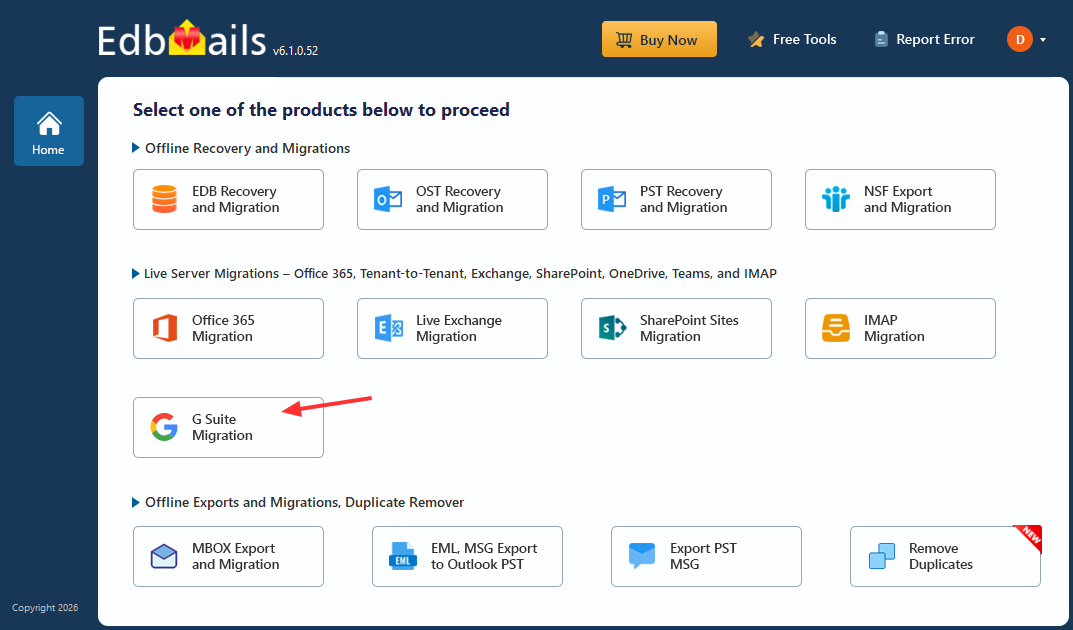
G Suite Migration

This is where EdbMails stands out. Designed to simplify and streamline migrations, EdbMails offers a powerful, secure, and user-friendly solution for businesses of all sizes. In this article, we’ll explore in detail why EdbMails is a strong choice for Google Workspace migration and how it addresses common challenges.

Understanding the Challenges of Google Workspace Migration

Before diving into features, it's important to understand why migrations can be difficult:

  • Large Data Volumes: Emails, attachments, calendars, and contacts can add up to hundreds of gigabytes.
  • Complex Permissions: Shared data and access rights don’t always map directly between platforms.
  • Downtime Risks: Poor planning can disrupt business operations.
  • User Credential Management: Handling multiple user accounts securely is a major concern.
  • Data Integrity: Ensuring nothing is lost or altered during migration is critical.

A good migration tool should address all these challenges efficiently - and that’s where EdbMails G Suite Migration tool excels.

Key Reasons to Choose EdbMails for Google Workspace Migration

  1. Comprehensive Data Migration

    One of the biggest strengths of EdbMails is its ability to deliver a complete mailbox migration, not just partial data transfer. Many tools focus mainly on emails, but EdbMails ensures that every critical component of your mailbox is migrated seamlessly.

    It supports migration of:

    • Emails with attachments
    • Calendar events
    • Contacts
    • Tasks

    This means users can continue working in the new environment without missing important information or context. EdbMails maintains data integrity throughout the process, ensuring that emails retain their formatting, metadata, and attachments. For businesses, this translates to a smooth transition with zero data loss, which is crucial for maintaining productivity and compliance.

  2. Automatic Mailbox Mapping

    Manual mailbox mapping can quickly become a nightmare, especially when dealing with dozens or hundreds of users. Even a small mistake can result in data being assigned to the wrong user.

    EdbMails eliminates this challenge with its automatic mailbox mapping feature, which intelligently matches source and destination mailboxes based on email addresses.

    It supports migration of:

    • Faster setup with minimal manual input
    • Reduced risk of human errors
    • Seamless bulk migration

    This feature significantly reduces the time required to configure migrations and ensures accuracy from the start. With EdbMails, administrators can focus more on validation and planning rather than spending hours mapping accounts manually.

  3. Admin-Based Migration (No Individual Credentials Required)

    One of the most time-consuming aspects of migration is collecting and managing individual user credentials. This process is not only inefficient but can also raise security concerns.

    EdbMails simplifies this by allowing migrations using a single Google Workspace admin account. There’s no need to request usernames and passwords from each user.

    Why this matters:

    • Speeds up the entire migration setup
    • Enhances security by avoiding credential sharing
    • Simplifies management for IT teams

    This centralized approach makes EdbMails highly scalable and ideal for organizations handling large user bases. It also ensures a more controlled and secure migration environment.

  4. Support for Multiple Migration Targets

    EdbMails is designed with flexibility in mind. While many organizations migrate to Microsoft 365, others may require different destinations depending on their infrastructure.

    EdbMails supports migration to:

    • Microsoft 365 (Office 365)
    • Exchange Server
    • IMAP-based servers

    This versatility allows businesses to adapt to changing needs without switching tools. Whether you're planning a cloud migration, hybrid setup, or server-based deployment, EdbMails provides a single, reliable solution for all scenarios.

  5. Preserves Folder Structure and Labels

    Maintaining mailbox structure is critical for user experience. Google Workspace uses labels instead of traditional folders, and improper handling can lead to confusion after migration.

    EdbMails ensures that:

    • Gmail labels are accurately preserved
    • Folder hierarchy is maintained
    • Data is organized exactly as users expect

    By preserving the original structure, EdbMails minimizes disruption and reduces the learning curve for users in the new environment. This attention to detail helps maintain productivity and ensures a seamless transition.

  6. Incremental Migration

    EdbMails offers incremental migration, which is essential for efficient and flexible migration planning. Instead of re-migrating all data every time, it transfers only new or modified items after the initial migration.

    Advantages include:

    • Eliminates duplicate data
    • Saves bandwidth and time
    • Supports staged or phased migration strategies

    This feature is particularly useful for organizations that want to migrate in batches or keep systems running in parallel during the transition. EdbMails ensures that updates are synced without redundancy.

  7. Advanced Filtering Options

    Not all data needs to be migrated, and transferring unnecessary data can slow down the process and increase costs.

    EdbMails provides advanced filtering options, allowing administrators to migrate only relevant data.

    You can filter by:

    • Date range
    • Specific folders
    • Email types

    This level of control helps organizations optimize migration performance and focus on essential data. With EdbMails, you can tailor the migration process to your exact requirements.

  8. Automatic Throttling Management

    During migration, platforms like Microsoft 365 often impose throttling limits, which can slow down or interrupt the process.

    EdbMails includes automatic throttling management, ensuring smooth and uninterrupted data transfer.

    Results include:

    • Faster migration speeds
    • Reduced interruptions
    • Improved overall efficiency

    By intelligently handling server limitations, EdbMails ensures consistent performance even during large-scale migrations.

  9. High Data Security Standards

    Data security is a top priority in any migration project. Sensitive business information must be protected at all times.

    EdbMails ensures:

    • Secure API-based authentication with modern OAuth 2.0
    • Admin-based access using domain-wide delegation
    • No data storage on external servers

    This approach minimizes the risk of data breaches and ensures compliance with security standards. Organizations can trust EdbMails to handle their data safely throughout the migration process.

  10. User-Friendly Interface

    Not every organization has a dedicated IT team, and complex tools can make migration even more challenging.

    EdbMails is designed with a simple and intuitive interface, making it accessible to both technical and non-technical users.

    Key features include:

    • Step-by-step migration wizard
    • Easy configuration process
    • Minimal learning curve

    This ease of use reduces dependency on specialized expertise and allows businesses to complete migrations quickly and efficiently.

  11. Detailed Reports and Logs

    Monitoring and tracking migration progress is essential for success. EdbMails provides comprehensive reporting and logging features.

    This includes:

    • Real-time migration status
    • Detailed logs for each mailbox
    • Error tracking and reporting

    These insights help administrators identify and resolve issues quickly, ensuring a smooth and transparent migration process.

  12. Zero Downtime Migration

    Business continuity is critical during any migration. Downtime can disrupt operations and impact productivity..

    EdbMails supports staged and incremental migrations, allowing organizations to continue working without interruption.

    Outcomes include:

    • No disruption to daily operations
    • Seamless user experience
    • Smooth transition between platforms

    By running migrations in the background, EdbMails ensures that businesses can operate normally throughout the entire process with zero downtime.

    Overall, EdbMails stands out as a comprehensive, enterprise-grade, and high-performance solution for Google Workspace migration. Its combination of automation, security, scalability, and ease of use makes it an ideal choice for large organizations and enterprises looking to simplify complex migration projects while ensuring accuracy, reliability, and performance.

Real-World Use Case in Google Workspace Migration

Imagine a company with around 100 employees planning to migrate from Google Workspace to Microsoft 365. At first glance, it may seem straightforward - but in reality, the process can quickly become complex without the right tool.

Manual Google Workspace Migration Without EdbMails

Without a reliable solution like EdbMails, the IT team often struggles with multiple manual tasks. Mailbox mapping alone can take several hours, especially when handling large user lists. Each mailbox needs to be carefully matched to avoid errors, which increases the chances of misconfiguration.

Collecting individual user credentials becomes another major hurdle. It not only slows down the process but also raises security concerns. On top of that, managing large volumes of data manually can lead to failed migrations, missing emails, or inconsistent results. Overall, the migration becomes time-consuming, stressful, and prone to errors.

Efficient Large-Scale Google Workspace Migration Using EdbMails

With EdbMails, the entire migration process becomes much more streamlined and efficient. The software automatically maps source and destination mailboxes, eliminating the need for manual intervention and significantly reducing setup time.

Using a single admin account, IT teams can manage the entire migration without requesting individual user credentials. This not only improves security but also simplifies large-scale migrations.

EdbMails ensures that data is transferred efficiently, accurately, and without duplication. Its automation features, combined with reliable performance, help complete migrations faster while maintaining data integrity.

The Result

The difference is clear. What could take days of manual effort can be completed in a fraction of the time with EdbMails. Organizations benefit from:

  • Faster migration timelines
  • Reduced manual workload
  • Improved accuracy and reliability
  • No disruption to business operations

In real-world scenarios, choosing the right tool like EdbMails can make the difference between a complicated migration and a smooth, hassle-free transition.

Best Practices When Using EdbMails for G Suite Migration

To ensure a smooth, accurate, and enterprise-grade migration experience, it’s important to follow proven best practices. These steps help reduce risks, improve efficiency, and ensure a successful transition with no downtime.

Run a Pilot Migration

Start with a pilot migration by selecting a small group of users or test mailboxes. This helps you validate configurations, permissions, and migration settings before executing the full-scale migration. A pilot run also allows you to identify potential issues early and fine-tune the process for large-scale deployment.

Verify Mailbox Mapping

Although EdbMails provides automatic mailbox mapping, it’s recommended to review and verify mappings before starting the migration. This ensures that each source mailbox is correctly aligned with the intended destination mailbox, preventing data misplacement and ensuring accurate delivery of emails, contacts, and calendars.

Communicate with Users

Keep users informed about the migration plan, timelines, and any expected changes. Clear communication helps set expectations, reduces confusion, and minimizes support requests. Inform users about what to expect during the transition and reassure them that the migration will occur with zero downtime.

Monitor Migration Logs

Continuously monitor migration logs and reports to track progress at the mailbox and item level. These logs provide real-time insights into migrated data, errors, and skipped items. Promptly addressing any issues ensures the migration stays on track and maintains data integrity throughout the process.

Leverage Incremental Migration

Use incremental migration to synchronize newly added or modified data after the initial migration. This ensures that no data is missed during the transition and avoids duplicate items, making it ideal for staged or large enterprise migrations.

Plan Resource Allocation

For large organizations, ensure that adequate system resources, network bandwidth, and administrative access are available before starting the migration. Proper planning helps maximize performance and ensures a faster and more efficient migration process.

Comparing EdbMails with Other Google Workspace Migration Tools

While there are several migration tools available, EdbMails stands out due to:

  • Admin-based migration (no per-user login)
  • Automatic mailbox mapping
  • Comprehensive data migration
  • Ease of use

Many tools offer similar features, but EdbMails combines them into a more streamlined and accessible solution.

Who Should Use EdbMails For G Suite Migration?

EdbMails is designed for organizations of all sizes, with strong capabilities tailored for large-scale and enterprise environments:

  • Large enterprises and organizations
    Ideal for handling high-volume mailbox migrations with scalability, performance, and zero downtime.
  • IT administrators managing bulk migrations
    Simplifies complex, multi-user migrations with automation, centralized control, and detailed reporting.
  • Organizations requiring secure and compliant data transfer
    Ensures data protection with secure API-based authentication and enterprise-grade security standards.
  • Businesses looking for a cost-effective, high-performance solution
    Delivers powerful migration capabilities without increasing operational complexity or cost.

Final Thoughts

Migrating from Google Workspace doesn’t have to be complicated or stressful. With the right tool, the process can be efficient, secure, and even straightforward.

EdbMails offers a well-rounded solution that addresses the most common migration challenges - automation, security, scalability, and ease of use.

If you're planning a Google Workspace migration, choosing a tool like EdbMails can save you time, reduce risks, and ensure a smooth transition to your new platform.


 In this manual

IntroductionMigration Reasons

G Suite Migration

100 Mailboxes $299 Only

Buy Now

Need help?

24/7 Customer support

Contact us on Live chat

Personalized Demo

Book a personalized demo

Still need help?

Email us / Call us

@edbmails.com All rights are reserved Privacy Policy | Terms of Use | GDPR | Security | Press Releases

hidden msg
Live Chat

Hi, May I help you?

Hide Chat Now