
EdbMails EDB Recovery and Migration software
  • Products
    EdbMails
    All-in-one Recovery and Migration
    • EDB Recovery and Migration
    • OST, PST, MBOX, NSF, EML, MSG
    • Office 365, Exchange Migration
    • SharePoint, OneDrive & Teams
    • Google Workspace Migration
    • IMAP Migration
    • Duplicate Remover
    • EdbMails Data Recovery
    • Backup Solutions
    • All ProductsAll Products

    EDB Recovery and Migration

    EdbMails lets you recover corrupted, damaged, and offline Exchange EDB files, convert EDB mailboxes to PST format, and directly migrate mailbox data to Office 365 and live Exchange Server.

    EDB to PST
    EDB to PST
    Recover corrupted, damaged, offline EDB files and convert Exchange EDB mailboxes to PST file format
    Public Folder to Exchange
    Public Folder to Exchange
    Migrate public folders from an Exchange offline EDB file to live Exchange Server
    EDB to Live Exchange Migration
    EDB to Live Exchange Migration
    Directly migrate offline Exchange database (EDB) files to live Exchange server
    Archive Mailbox to Office 365
    Archive Mailbox to Office 365
    Migrate archive mailboxes from offline EDB files directly to Office 365
    EDB to Office 365 Migration
    EDB to Office 365 Migration
    Directly migrate offline Exchange database (EDB) files to Office 365
    Public Folder to Office 365
    Public Folder to Office 365
    Migrate public folders from an offline Exchange EDB file to Office 365

    OST, PST, MBOX, NSF, EML, MSG Export and Migration

    EdbMails lets you to recover OST and PST files, export OST, PST, MBOX, NSF, EML, and MSG files to PST files, and directly migrate OST, PST, MBOX, and NSF mailbox data to Office 365 and live Exchange Server.

    OST Recovery and Migration
    OST Recovery and Migration
    Recover offline OST files, convert OST to PST, and migrate OST to Office 365 and Exchange Server
    PST Recovery and Migration
    PST Recovery and Migration
    Recover Outlook PST files , Export PST to PST, migrate PST to Office 365 and Exchange Server
    MBOX Export and Migration
    MBOX Export and Migration
    Export MBOX to PST, migrate MBOX to Office 365 and Exchange Server
    NSF Export and Migration
    NSF Export and Migration
    Export NSF to PST, migrate NSF to Office 365 and Exchange Server
    EML to PST Export
    EML to PST Export
    Convert EML files to Outlook PST files
    PST to MSG Export
    PST to MSG Export
    Convert Outlook PST file to MSG file format
    MSG to PST Export
    MSG to PST Export
    Export MSG files to Outlook PST files

    Office 365, Exchange Migration

    EdbMails lets you securely migrate mailboxes across Microsoft 365, Exchange, Google Workspace (Google Workspace Migraton), and IMAP-supported servers such as Outlook, Gmail, Zimbra, Zoho Mail, and cPanel, ensuring zero downtime.

    Office 365 Backup
    Office 365 Migration
    Migrate between Office 365 tenants, Office 365 to Exchange, Office 365 to PST, PST files to Office 365.
    Exchange Server Backup
    Exchange Migration
    Migrate between any Exchange Servers, Exchange to Office 365, Exchange to PST, PST files to Exchange.
    Tenant to Tenant Migration
    Tenant to Tenant Migration
    Migrate Mailboxes, Public Folders, Archive Mailboxes between Office 365 Tenants.
    Exchange to Office 365
    Exchange to Office 365
    Migrate Mailboxes, Public Folders, Archive Mailboxes from live Exchange server to Office 365.
    Office 365 to IMAP
    Office 365 to IMAP
    Migrate Office 365 to IMAP, Office 365 to Gmail, Office 365 to Outlook, Office 365 to Zoho etc.
    Exchange to IMAP
    Exchange to IMAP
    Migrate from live Exchange Server to IMAP servers such as Gmail, Outlook, and Zoho Mail.
    Public Folder to Office 365
    Public Folder to Office 365
    Migrate Public Folders between Office 365 tenants with complete folder hierarchy and mailbox data integrity.
    Exchange to PST
    Exchange to PST
    Export live Exchange Server mailboxes, public folders, and archive mailboxes to Outlook PST files.

    SharePoint, OneDrive & Microsoft Teams Migration

    EdbMails lets you migrate SharePoint sites, OneDrive data, Microsoft Teams, teams, channels, chats, permissions, and documents between Microsoft 365 tenants while maintaining the existing folder structure and data integrity.

    SharePoint, OneDrive & Teams Backup
    SharePoint Online Migration
    Migrate documents, lists, files and folders from SharePoint sites.
    OneDrive for Business Migration
    OneDrive for Business Migration
    Migrate documents, lists, files, folders, private chats from OneDrive.
    Microsoft Teams Migration
    Microsoft Teams Migration
    Migrate Teams, chats, channels, documents, files and folders etc.

    Google Workspace / G Suite Migration

    EdbMails offers secure Google Workspace migration to Office 365, Exchange, or IMAP, and export to PST covering emails, contacts, calendars and tasks.

    Google Workspace Migration
    Google Workspace Migration
    Migrate emails, calendars, contacts, tasks from Google workspace to Google workspace, office 365, Exchange and IMAP. Export to PST
    Google Workspace to Office 365
    Google Workspace to Office 365
    Migrate emails, calendars, contacts, tasks from Google Workspace / G Suite to Office 365
    Google Workspace to Exchange Server
    Google Workspace to Exchange Server
    Migrate emails, calendars, contacts, tasks from Google Workspace / G Suite to on-Premise Exchange Server
    Google Workspace to IMAP
    Google Workspace to IMAP
    Migrate emails, calendars, contacts, tasks from Google Workspace / G Suite to IMAP, Outlook, Zimbra, Zoho etc.
    Google Workspace to Google Workspace Migration
    Google Workspace to Google Workspace
    Migrate emails, calendars, contacts, tasks between two Google Workspace / G Suite tenants
    Google Workspace to PST
    Google Workspace to PST
    Export emails, calendars, contacts, tasks from Google Workspace / G Suite to Outlook PST files

    IMAP Migration

    EdbMails IMAP Migration tool lets you easily migrate emails from IMAP servers such as Outlook, Gmail, Zoho Mail, Zimbra, cPanel, and more. Supports IMAP to IMAP, Office 365, Exchange Server, PST, and bulk PST to IMAP migration.

    IMAP Email Backup & Migration
    IMAP Email Backup & Migration
    Backup and migrate emails from IMAP servers to PST, Office 365, and On-Premises Exchange Server
    IMAP to Office 365
    IMAP to Office 365
    Migrate emails, folders, and attachments from IMAP servers to Office 365
    IMAP to Exchange
    IMAP to Exchange
    Migrate emails, folders, and attachments from IMAP servers to on-premises Exchange Server
    IMAP to PST
    IMAP to PST
    Export emails, folders, and attachments from IMAP servers to Outlook PST files for backup
    PST to IMAP
    PST to IMAP
    Migrate emails, folders, and attachments from bulk PST files to IMAP servers

    Duplicate Remover

    EdbMails Duplicate Remover lets you easily remove duplicate items from Office 365 and Exchange Server, and from IMAP, Outlook, Gmail, Zimbra, Zoho Mail, etc., ensuring a clean and organized mailbox.

    Remove Duplicates
    Remove Duplicates
    Easily clean up your Office 365, Exchange, Outlook and IMAP accounts by removing duplicate emails.
    Remove Duplicates from Office 365
    Remove Duplicates from Office 365
    Remove duplicate emails, calendars, contacts, journal tasks, etc. from Office 365.
    Remove Duplicates from Exchange Server
    Remove Duplicates from Exchange Server
    Remove duplicate emails, calendars, contacts, journal tasks, etc. from live Exchange Server.
    Remove Duplicates from IMAP, Outlook
    Remove Duplicates from IMAP, Outlook
    Remove duplicate emails, attachments from IMAP, Outlook, Gmail, Zimbra, Zoho Mail etc.

    Exchange, SharePoint, OneDrive, Teams and Office 365 Backup

    EdbMails enables secure, automated backup and recovery for Microsoft 365 services including Exchange Online, SharePoint, OneDrive, Teams, and Live Exchange Server with complete data protection and restore flexibility.

    Office 365 Backup
    Office 365 Backup
    Incremental, Granular, Encrypted and Compressed Office 365 Mailboxes Backup
    Exchange Server Backup
    Exchange Server Backup
    Incremental, Granular, Encrypted and Compressed Exchange Mailboxes Backup
    SharePoint, OneDrive & Teams Backup
    SharePoint, OneDrive & Teams Backup
    Backup Online site collections, Team sites, Office 365 groups, all documents etc.

    EdbMails Data Recovery

    EdbMails Data Recovery Software lets you recover permanently deleted data, including photos, videos, documents, and archived files, from partitions on hard drives, SSDs, USB drives, SD cards, and external storage devices.

    EdbMails Data Recovery
    EdbMails Data Recovery
    Recover and restore permanently deleted data from hard drives, SSDs, USB drives, SD cards, and etc.
    Whitepaper Whitepaper
    Request a Demo Request a Demo
    Sign Up Sign Up
  • Features
  • FAQ
  • Offers
  • Pricing
  • Download
  • Support
  • Sign in
User’s Manual
Google Workspace Migration

User Manual

User Manual

  • Overview
  • System Requirements
  • Migration Scenarios
  • Installation
    • Installation process
    • Reinstall or Upgrade
    • How to uninstall
  • FAQs
    • Google Workspace to Office 365
    • Google Workspace to IMAP
    • Google Workspace to Exchange
    • Google Workspace to Google Workspace
    • Google Workspace to PST Export
  • Videos
  • Screenshots
    • Google Workspace to Office 365
    • Google Workspace to Exchange
    • Google Workspace to IMAP
  • How it works?
    • Google Workspace to Office 365 Migration
    • Migrate Google Workspace to Google Workspace
    • Google Workspace to Exchange Migration
    • Google Workspace to IMAP Migration
    • Export Google Workspace to Outlook PST
  • Google Workspace Admin Configuration
  • Connect to target Office 365
  • Connect to Exchange server for multiple mailboxes migration
    • Connect with Global Admin
    • Connect to Multiple users using CSV file
    • Connect using full access permission
    • Connect individual users for Single / Specific user Migration
  • Connect to Hosted Exchange for its Migration
    • Connect with Full Access permissions
    • Connect to multiple users using CSV file
    • Connect to Individual user for migration
  • Connect to IMAP
    • Connect IMAP Single Server
    • Connect IMAP Multiple Server
  • Knowledge Base
    • Bulk Google Workspace Mailbox Migration
    • Google Workspace Migration
    • Why Choose EdbMails
    • Automatic Mailbox Mapping
    • Best Google Workspace Migration Software
    • Migrate Google Workspace Emails, Contacts & Calendars
    • Fix Google Workspace Migration Issues
    • Avoid Google Workspace Migration Mistakes
    • Mistakes to Avoid During Google Workspace Migration
    • Migrate Large Google Workspace Mailboxes
    • Google Workspace Metadata Preservation
    • Fix Google Workspace API Permission Errors
    • Google Workspace Contacts Migration
    • Google Workspace Tasks Migration
    • Google Workspace Migration Performance
    • Selective Google Workspace Mailbox Migration
    • Batch Google Workspace Mailbox Migration
  • Map the Mailboxes
  • Incremental Migration
  • Exchange Throttling Policy
  • Multifactor Authentication
    • Enable MFA in Office 365
    • Create App password for MFA
    • Disable Security Defaults
  1. Home
  2. Google Workspace Migration
  3. Google Workspace Tasks Migration | EdbMails
Download Buy Now

Google Workspace Tasks Migration

EGoogle Tasks often get forgotten during a Workspace migration. Most of the focus goes to Gmail and Contacts, and task lists get left behind. EdbMails Google Workspace Migration tool migrates Gmail, Contacts, Calendar, and Tasks all together, to Microsoft 365, Exchange Server, IMAP, another Google Workspace tenant, or export to PST. Tasks move along with everything else, no separate export needed.
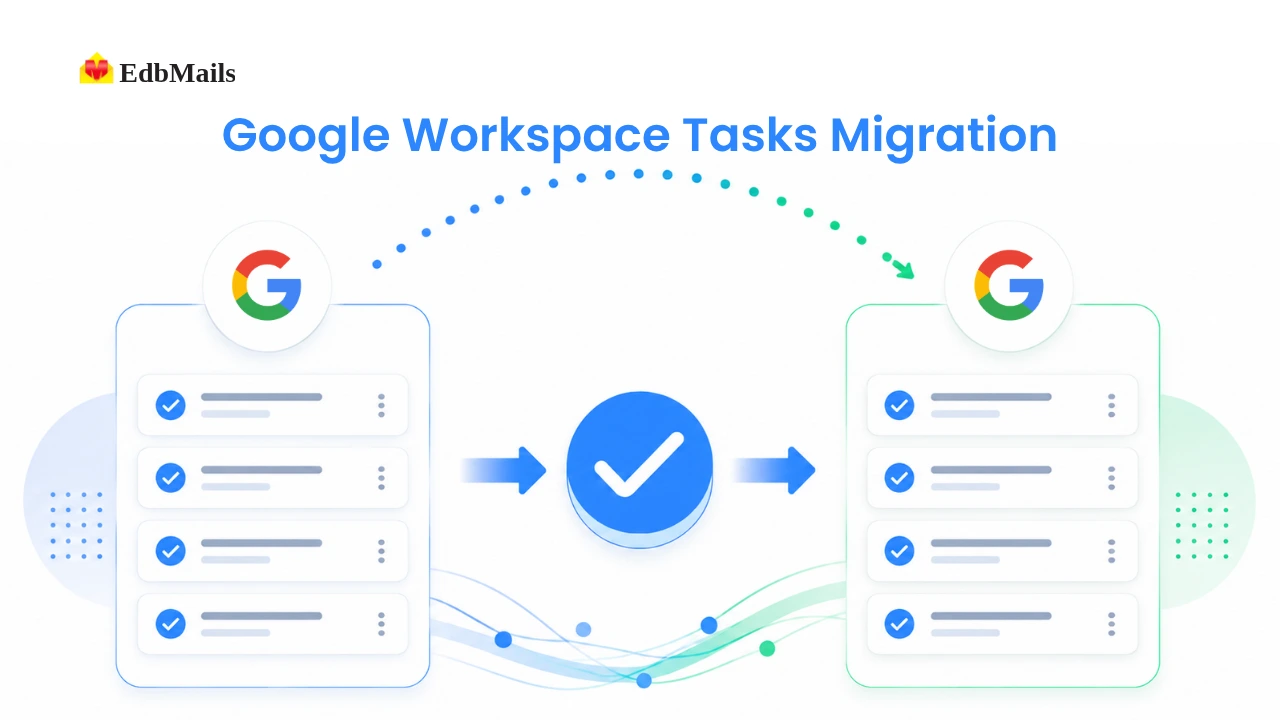
Google Workspace Tasks migration

This is especially useful for domain consolidations, platform switches, or a simple PST backup before closing old accounts. EdbMails connects with just one admin account, so there's no need to collect logins from every user. It can migrate task data for one mailbox or thousands. Every list, item, and completed task stays exactly as it was in the source account.

What Data Does EdbMails Migrate from Google Tasks?

A complete Tasks migration covers everything a user had organized in Google Tasks, not just a summary of it:

To-do Lists — Every list a user created is migrated as a separate list, keeping the same grouping and organization it had in the source account.

Task Items — Individual tasks within each list are migrated with their titles and notes intact, so context isn't lost along with the item.

Completion Status — Tasks already marked done stay marked done, and open tasks stay open. Nothing is reset or re-flagged as new during the move.

How EdbMails Ensures Accurate Tasks Migration

EdbMails migrates Google Tasks through the same secure, admin-level connection used for the rest of the mailbox — there's no separate login, export file, or extra configuration step involved. During migration, the tool ensures:

  • Lists are migrated as distinct lists rather than flattened into a single collection of items.
  • Task items retain their titles and notes without truncation or reformatting.
  • Completion status is read directly from the source and applied as-is in the destination.
  • Bulk mailboxes are processed in parallel, so task data migrates at the same pace as the rest of the job rather than becoming a bottleneck.

This is handled as part of a single unified migration pass, so task data isn't queued separately or subject to a different set of rules than email and calendar data.

Benefits of Using EdbMails for Google Tasks Migration

Beyond the basic transfer of data, migrating Tasks through EdbMails carries a few practical advantages:

  • The main benefit is accuracy without manual review — completion status and list structure transfer exactly as they were, so nobody has to go back and re-check items by hand.
  • It also scales cleanly to bulk migrations, handling task data for a handful of mailboxes or several thousand within the same job.
  • Because task data moves through the same admin connection as everything else, there's no extra setup or separate tool for administrators to manage.
  • Support for incremental migration means task lists can be migrated more than once before final cutover without creating duplicate items on a re-run.
  • Migration reports include task data alongside mail, contacts, and calendar, giving administrators one place to confirm everything transferred correctly per mailbox.

Migration Process Overview

Migrating Google Tasks with EdbMails follows the same straightforward workflow as the rest of a Google Workspace migration — there's no separate process to learn:

  • Launch EdbMails and select Google Workspace Migration.
  • Connect to the source Google Workspace account using an admin login.
  • Load mailboxes and make sure Tasks is selected alongside Mail, Contacts, and Calendar.
  • Connect to the destination — Microsoft 365, Exchange Server, IMAP, another Workspace tenant, or PST.
  • Map source and destination mailboxes to keep data aligned correctly.
  • Start the migration and monitor progress in real time.
  • Review the migration report to confirm task data transferred as expected.

For platform-specific steps, refer to the guides below:

  Google Workspace to Office 365 Migration

  Google Workspace to Google Workspace Migration

  Google Workspace to Exchange Migration

  Google Workspace to IMAP Migration

  Google Workspace to PST Export

A Practical Checklist for Large Gmail Migrations

  1. Run a pre-migration scan to identify mailbox size, attachment density, and label structure.
  2. Confirm network conditions can sustain the transfer for the expected duration, and schedule off-peak where possible.
  3. Set up a date range or folder filters to break the mailbox into manageable batches.
  4. Migrate a test batch first to validate mapping and attachment handling before running the full job.
  5. Monitor for API throttling or timeout errors during the run and let the tool's retry logic handle transient failures.
  6. Run an incremental pass to capture any items missed in the initial run and to sync last-minute changes before cutover.
  7. Reconcile the final migration report against the original mailbox scan.

Frequently Asked Questions

  1. Can Tasks be migrated on its own, without email or calendar?

    Yes. During migration setup, you can deselect Email, Calendar, and other data types and leave only Tasks selected, allowing task data to be migrated independently of the rest of the mailbox.

  2. Does migrating Tasks require individual user passwords?

    No. EdbMails connects using an administrator account with domain-wide delegation, so individual user passwords are not required and are never stored during the migration process.

  3. What happens if the migration is run more than once?

    By default, EdbMails uses incremental migration for subsequent runs on the same computer for the same source mailboxes. This means only new or changed tasks are picked up each time, so re-running a migration before final cutover won't create duplicate lists or items.

Conclusion

A Google Workspace migration that skips Tasks isn't really a complete migration; it just moves the parts that are easiest to see. Task data is smaller and quieter than a mailbox, but it's still active work that people rely on day to day, and losing it creates avoidable friction right after cutover.

A Google Workspace migration that skips Tasks isn't really a complete migration; it just moves the parts that are easiest to see. Task data is smaller and quieter than a mailbox, but it's still active work that people rely on day to day, and losing it creates avoidable friction right after cutover.

 In this manual

IntroductionMigrate from Google Tasks?Benefits of EdbMailsMigration ProcessPractical ChecklistFAQs

Google Workspace Migration

100 Mailboxes $299 Only

Buy Now

Need help?

24/7 Customer support

Contact us on Live chat

Personalized Demo

Book a personalized demo

Still need help?

Email us / Call us

@edbmails.com All rights are reserved Privacy Policy | Terms of Use | GDPR | Security | Press Releases

hidden msg
Live Chat

Hi, May I help you?

Hide Chat Now