


Mistakes to Avoid During Google Workspace Migration
Google Workspace migration involves transferring critical business data such as emails, contacts, calendars, and user accounts from one environment to another. This process is commonly carried out during platform transitions, tenant consolidation, or infrastructure upgrades, where maintaining data accuracy and continuity is essential.
While the migration process may appear straightforward, it often becomes complex due to large data volumes, mailbox structures, and ongoing user activity. In many cases, delays or inconsistencies are not caused by system limitations but by avoidable mistakes during planning and execution.
Mistakes such as skipping analysis, incorrect mailbox mapping, or running migrations without proper control can lead to extended timelines, incomplete data transfer, or additional rework. Identifying and avoiding these mistakes early helps ensure a smooth and controlled migration process.
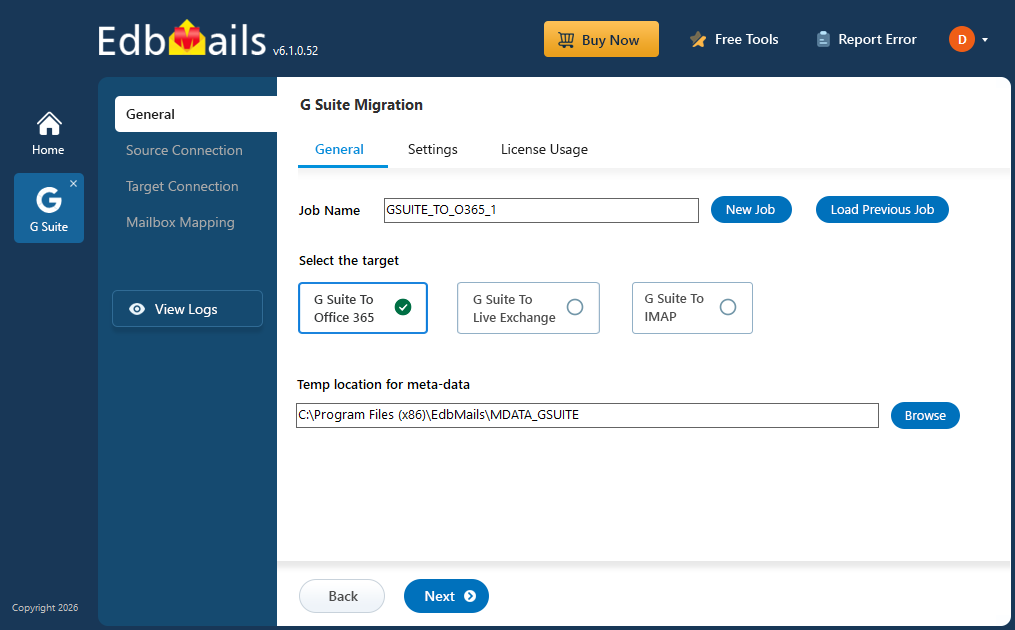
EdbMails Google Workspace Migration Tool provides a structured approach by enabling centralized management, accurate data handling, and reliable execution. This helps organizations complete migration with zero downtime while maintaining data integrity.
Common Mistakes and How to Avoid Them
Skipping Pre-Migration Analysis
Starting migration without analyzing mailbox size, data volume, and folder structure can lead to unexpected challenges. Large mailboxes often include years of accumulated emails, attachments, and nested labels that impact migration performance.
Without proper analysis, organizations may encounter delays, incomplete data transfer, or storage issues in the destination environment.
EdbMails allows you to preview and select mailboxes before migration. This helps assess data size and structure, enabling better planning and smoother execution.
Not Using Admin-Based Migration
Relying on individual user credentials increases complexity and can lead to authentication delays. Managing multiple accounts also adds unnecessary administrative effort.
EdbMails uses secure admin-based OAuth authentication, enabling centralized access to all mailboxes without requiring individual user credentials.
Skipping Pilot Migration
Proceeding directly to full migration without testing the setup can result in configuration or mapping issues affecting multiple users.
Not Using Incremental Migration
Running full migration multiple times instead of using an incremental approach can result in duplicate data and unnecessary processing.
EdbMails supports incremental migration, ensuring only new or modified data is transferred in subsequent runs.
Incorrect Mailbox Mapping
Improper mapping between source and destination mailboxes can result in data being transferred to the wrong accounts.
EdbMails supports automatic, manual, and CSV-based mapping to ensure accurate mailbox alignment.
Lack of Migration Monitoring
Running migration without monitoring progress can lead to delayed identification of issues and reduced control over the process.
EdbMails provides real-time tracking and detailed reports, allowing administrators to monitor progress and identify issues early.
Skipping Post-Migration Validation
Failing to verify data after migration can result in unnoticed issues such as missing emails, contacts, or calendar entries
EdbMails generates detailed reports to validate migration results and ensure data completeness.
Step-by-Step Migration Guide
For a structured and reliable way to migrate Google Workspace mailboxes, contacts, and calendars, follow a clear step-by-step approach using EdbMails
Frequently Asked Questions
- What are the most common mistakes during Google Workspace migration?Common mistakes include skipping pre-migration analysis, incorrect mailbox mapping, migrating all mailboxes at once, and not monitoring the migration process. EdbMails helps avoid these issues by providing mailbox preview, automatic mapping, batch migration, and real-time tracking for better control and accuracy.
- How does EdbMails prevent duplicate emails during migration?EdbMails uses incremental migration to ensure that only new or modified items are transferred in subsequent runs. It compares source and destination data and avoids reprocessing existing items, preventing duplicate emails, contacts, or calendar entries.
- Can EdbMails handle large and complex mailbox migrations?
Yes. EdbMails is designed to handle large mailbox migrations efficiently using batch processing, parallel migration, and filtering options. This helps manage large data volumes without impacting performance or accuracy.
- How does EdbMails ensure accurate mailbox mapping?
EdbMails supports automatic mailbox mapping along with manual and CSV-based options. This allows administrators to verify and control mapping, reducing the risk of data being migrated to incorrect mailboxes.
- Does EdbMails support zero downtime migration?
Yes. EdbMails performs migration without interrupting user access. Users can continue working while their data is being migrated, ensuring zero downtime and uninterrupted business operations.
Conclusion
Google Workspace migration can become complex when key steps are overlooked or not properly managed. Most challenges arise from gaps in planning, incorrect configurations, or lack of control during execution rather than limitations of the platform itself.
By identifying and avoiding these common mistakes, organizations can ensure a more structured and reliable migration process. Using a solution like EdbMails further simplifies this by providing controlled execution, accurate data handling, and complete visibility throughout the migration.
A well-planned and properly executed migration not only reduces risks but also ensures data integrity, continuity, and a seamless transition without downtime.
