
EdbMails EDB Recovery and Migration software
  • Products
    EdbMails
    All-in-one Recovery and Migration
    • EDB Recovery and Migration
    • OST, PST, MBOX, NSF, EML, MSG
    • Office 365, Exchange Migration
    • SharePoint, OneDrive & Teams
    • Google Workspace Migration
    • IMAP Migration
    • Duplicate Remover
    • EdbMails Data Recovery
    • Backup Solutions
    • All ProductsAll Products

    EDB Recovery and Migration

    EdbMails lets you recover corrupted, damaged, and offline Exchange EDB files, convert EDB mailboxes to PST format, and directly migrate mailbox data to Office 365 and live Exchange Server.

    EDB to PST
    EDB to PST
    Recover corrupted, damaged, offline EDB files and convert Exchange EDB mailboxes to PST file format
    Public Folder to Exchange
    Public Folder to Exchange
    Migrate public folders from an Exchange offline EDB file to live Exchange Server
    EDB to Live Exchange Migration
    EDB to Live Exchange Migration
    Directly migrate offline Exchange database (EDB) files to live Exchange server
    Archive Mailbox to Office 365
    Archive Mailbox to Office 365
    Migrate archive mailboxes from offline EDB files directly to Office 365
    EDB to Office 365 Migration
    EDB to Office 365 Migration
    Directly migrate offline Exchange database (EDB) files to Office 365
    Public Folder to Office 365
    Public Folder to Office 365
    Migrate public folders from an offline Exchange EDB file to Office 365

    OST, PST, MBOX, NSF, EML, MSG Export and Migration

    EdbMails lets you to recover OST and PST files, export OST, PST, MBOX, NSF, EML, and MSG files to PST files, and directly migrate OST, PST, MBOX, and NSF mailbox data to Office 365 and live Exchange Server.

    OST Recovery and Migration
    OST Recovery and Migration
    Recover offline OST files, convert OST to PST, and migrate OST to Office 365 and Exchange Server
    PST Recovery and Migration
    PST Recovery and Migration
    Recover Outlook PST files , Export PST to PST, migrate PST to Office 365 and Exchange Server
    MBOX Export and Migration
    MBOX Export and Migration
    Export MBOX to PST, migrate MBOX to Office 365 and Exchange Server
    NSF Export and Migration
    NSF Export and Migration
    Export NSF to PST, migrate NSF to Office 365 and Exchange Server
    EML to PST Export
    EML to PST Export
    Convert EML files to Outlook PST files
    PST to MSG Export
    PST to MSG Export
    Convert Outlook PST file to MSG file format
    MSG to PST Export
    MSG to PST Export
    Export MSG files to Outlook PST files

    Office 365, Exchange Migration

    EdbMails lets you securely migrate mailboxes across Microsoft 365, Exchange, Google Workspace (Google Workspace Migration), and IMAP-supported servers such as Outlook, Gmail, Zimbra, Zoho Mail, and cPanel, ensuring zero downtime.

    Office 365 Backup
    Office 365 Migration
    Migrate between Office 365 tenants, Office 365 to Exchange, Office 365 to PST, PST files to Office 365.
    Exchange Server Backup
    Exchange Migration
    Migrate between any Exchange Servers, Exchange to Office 365, Exchange to PST, PST files to Exchange.
    Tenant to Tenant Migration
    Tenant to Tenant Migration
    Migrate Mailboxes, Public Folders, Archive Mailboxes between Office 365 Tenants.
    Exchange to Office 365
    Exchange to Office 365
    Migrate Mailboxes, Public Folders, Archive Mailboxes from live Exchange server to Office 365.
    Office 365 to IMAP
    Office 365 to IMAP
    Migrate Office 365 to IMAP, Office 365 to Gmail, Office 365 to Outlook, Office 365 to Zoho etc.
    Exchange to IMAP
    Exchange to IMAP
    Migrate from live Exchange Server to IMAP servers such as Gmail, Outlook, and Zoho Mail.
    Public Folder to Office 365
    Public Folder to Office 365
    Migrate Public Folders between Office 365 tenants with complete folder hierarchy and mailbox data integrity.
    Exchange to PST
    Exchange to PST
    Export live Exchange Server mailboxes, public folders, and archive mailboxes to Outlook PST files.

    SharePoint, OneDrive & Microsoft Teams Migration

    EdbMails lets you migrate SharePoint sites, OneDrive data, Microsoft Teams, teams, channels, chats, permissions, and documents between Microsoft 365 tenants while maintaining the existing folder structure and data integrity.

    SharePoint, OneDrive & Teams Backup
    SharePoint Online Migration
    Migrate documents, lists, files and folders from SharePoint sites.
    OneDrive for Business Migration
    OneDrive for Business Migration
    Migrate documents, lists, files, folders, private chats from OneDrive.
    Microsoft Teams Migration
    Microsoft Teams Migration
    Migrate Teams, chats, channels, documents, files and folders etc.

    Google Workspace / G Suite Migration

    EdbMails offers secure Google Workspace migration to Office 365, Exchange, or IMAP, and export to PST covering emails, contacts, calendars and tasks.

    Google Workspace Migration
    Google Workspace Migration
    Migrate emails, calendars, contacts, tasks from Google workspace to Google workspace, office 365, Exchange and IMAP. Export to PST
    Google Workspace to Office 365
    Google Workspace to Office 365
    Migrate emails, calendars, contacts, tasks from Google Workspace / G Suite to Office 365
    Google Workspace to Exchange Server
    Google Workspace to Exchange Server
    Migrate emails, calendars, contacts, tasks from Google Workspace / G Suite to on-Premise Exchange Server
    Google Workspace to IMAP
    Google Workspace to IMAP
    Migrate emails, calendars, contacts, tasks from Google Workspace / G Suite to IMAP, Outlook, Zimbra, Zoho etc.
    Google Workspace to Google Workspace Migration
    Google Workspace to Google Workspace
    Migrate emails, calendars, contacts, tasks between two Google Workspace / G Suite tenants
    Google Workspace to PST
    Google Workspace to PST
    Export emails, calendars, contacts, tasks from Google Workspace / G Suite to Outlook PST files

    IMAP Migration

    EdbMails IMAP Migration tool lets you easily migrate emails from IMAP servers such as Outlook, Gmail, Zoho Mail, Zimbra, cPanel, and more. Supports IMAP to IMAP, Office 365, Exchange Server, PST, and bulk PST to IMAP migration.

    IMAP Email Backup & Migration
    IMAP Email Backup & Migration
    Backup and migrate emails from IMAP servers to PST, Office 365, and On-Premises Exchange Server
    IMAP to Office 365
    IMAP to Office 365
    Migrate emails, folders, and attachments from IMAP servers to Office 365
    IMAP to Exchange
    IMAP to Exchange
    Migrate emails, folders, and attachments from IMAP servers to on-premises Exchange Server
    IMAP to PST
    IMAP to PST
    Export emails, folders, and attachments from IMAP servers to Outlook PST files for backup
    PST to IMAP
    PST to IMAP
    Migrate emails, folders, and attachments from bulk PST files to IMAP servers

    Duplicate Remover

    EdbMails Duplicate Remover lets you easily remove duplicate items from Office 365 and Exchange Server, and from IMAP, Outlook, Gmail, Zimbra, Zoho Mail, etc., ensuring a clean and organized mailbox.

    Remove Duplicates
    Remove Duplicates
    Easily clean up your Office 365, Exchange, Outlook and IMAP accounts by removing duplicate emails.
    Remove Duplicates from Office 365
    Remove Duplicates from Office 365
    Remove duplicate emails, calendars, contacts, journal tasks, etc. from Office 365.
    Remove Duplicates from Exchange Server
    Remove Duplicates from Exchange Server
    Remove duplicate emails, calendars, contacts, journal tasks, etc. from live Exchange Server.
    Remove Duplicates from IMAP, Outlook
    Remove Duplicates from IMAP, Outlook
    Remove duplicate emails, attachments from IMAP, Outlook, Gmail, Zimbra, Zoho Mail etc.

    Exchange, SharePoint, OneDrive, Teams and Office 365 Backup

    EdbMails enables secure, automated backup and recovery for Microsoft 365 services including Exchange Online, SharePoint, OneDrive, Teams, and Live Exchange Server with complete data protection and restore flexibility.

    Office 365 Backup
    Office 365 Backup
    Incremental, Granular, Encrypted and Compressed Office 365 Mailboxes Backup
    Exchange Server Backup
    Exchange Server Backup
    Incremental, Granular, Encrypted and Compressed Exchange Mailboxes Backup
    SharePoint, OneDrive & Teams Backup
    SharePoint, OneDrive & Teams Backup
    Backup Online site collections, Team sites, Office 365 groups, all documents etc.

    EdbMails Data Recovery

    EdbMails Data Recovery Software lets you recover permanently deleted data, including photos, videos, documents, and archived files, from partitions on hard drives, SSDs, USB drives, SD cards, and external storage devices.

    EdbMails Data Recovery
    EdbMails Data Recovery
    Recover and restore permanently deleted data from hard drives, SSDs, USB drives, SD cards, and etc.
    Whitepaper Whitepaper
    Request a Demo Request a Demo
    Sign Up Sign Up
  • Features
  • FAQ
  • Offers
  • Pricing
  • Download
  • Support
  • Sign in
User’s Manual
Google Workspace Migration

User Manual

User Manual

  • Overview
  • System Requirements
  • Migration Scenarios
  • Installation
    • Installation process
    • Reinstall or Upgrade
    • How to uninstall
  • FAQs
    • Google Workspace to Office 365
    • Google Workspace to IMAP
    • Google Workspace to Exchange
    • Google Workspace to Google Workspace
    • Google Workspace to PST Export
  • Videos
  • Screenshots
    • Google Workspace to Office 365
    • Google Workspace to Exchange
    • Google Workspace to IMAP
  • How it works?
    • Google Workspace to Office 365 Migration
    • Migrate Google Workspace to Google Workspace
    • Google Workspace to Exchange Migration
    • Google Workspace to IMAP Migration
    • Export Google Workspace to Outlook PST
  • Google Workspace Migration Settings
  • Google Workspace Admin Configuration
  • Connect to target Office 365
  • Connect to Exchange server for multiple mailboxes migration
    • Connect with Global Admin
    • Connect to Multiple users using CSV file
    • Connect using full access permission
    • Connect individual users for Single / Specific user Migration
  • Connect to Hosted Exchange for its Migration
    • Connect with Full Access permissions
    • Connect to multiple users using CSV file
    • Connect to Individual user for migration
  • Connect to IMAP
    • Connect IMAP Single Server
    • Connect IMAP Multiple Server
  • Knowledge Base
    • Bulk Google Workspace Mailbox Migration
    • Google Workspace Migration
    • Why Choose EdbMails
    • Automatic Mailbox Mapping
    • Best Google Workspace Migration Software
    • Migrate Google Workspace Emails, Contacts & Calendars
    • Fix Google Workspace Migration Issues
    • Avoid Google Workspace Migration Mistakes
    • Mistakes to Avoid During Google Workspace Migration
    • Migrate Large Google Workspace Mailboxes
    • Google Workspace Metadata Preservation
    • Fix Google Workspace API Permission Errors
    • Google Workspace Contacts Migration
    • Google Workspace Tasks Migration
    • Google Workspace Migration Performance
    • Selective Google Workspace Mailbox Migration
    • Batch Google Workspace Mailbox Migration
  • Map the Mailboxes
  • Incremental Migration
  • Exchange Throttling Policy
  • Multifactor Authentication
    • Enable MFA in Office 365
    • Create App password for MFA
    • Disable Security Defaults
  1. Home
  2. Google Workspace Migration
  3. Google Workspace Migration Project Plan | EdbMails
Download Buy Now

Google Workspace to Microsoft 365 Migration Project Plan

Planning scope: This page is the planning/checklist owner for Google Workspace migration projects. It covers assessment, pilot, migration waves, cutover, and validation. For the commercial product overview, see the Google Workspace Migration Tool.

Migrating from Google Workspace to Microsoft 365 affects every user's email, calendar, and contacts, so it needs to be managed as a structured project rather than a one-off technical task. Without a defined plan, a mistimed cutover can interrupt mail flow and generate a wave of support requests. A Google Workspace migration project plan breaks the work into clear phases with assigned owners, realistic timelines, and validation checkpoints, giving you a schedule you can track from start to finish..
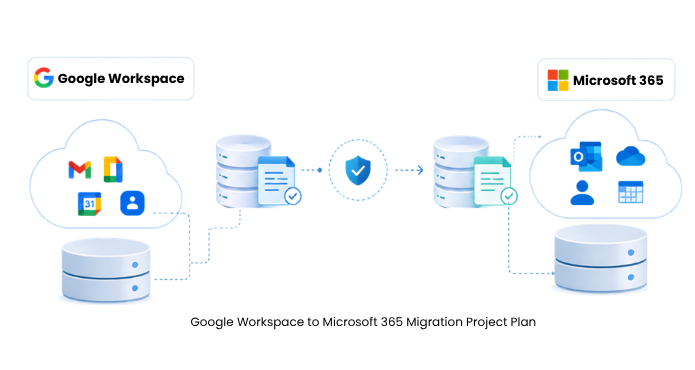
Google Workspace to Microsoft 365 Migration Project Plan

This plan lays out the full project from the first mailbox audit to the final DNS switch. It is built for IT administrators and project leads who are planning a move to Microsoft 365 and want a repeatable structure rather than a vague ‘we'll figure it out as we go.’ Throughout, the plan assumes you are executing with a dedicated Google Workspace Migration tool so the technical steps stay predictable and the timeline holds.


Why a Migration Project Plan Matters

Email migrations fail for organizational reasons far more often than technical ones. A missed permission, an unannounced cutover, or an unvalidated pilot creates support tickets that a little planning would have prevented.

A structured plan gives you three things that unplanned migrations lack. It sets a realistic timeline based on your actual data volume instead of an optimistic guess. It assigns responsibility, so nobody assumes someone else configured the admin account. And it builds in verification points, so you catch problems during a pilot rather than after 400 users have already been switched over. For a deeper look at the errors this planning prevents, review the common mistakes to avoid during Google Workspace migration.

  1. The Seven Phases of a Google Workspace Migration Project Plan

    A clean migration breaks into seven phases. Smaller projects compress some of these into a single afternoon; large enterprise moves may spend a week on each. The order stays the same either way.

    Phase 1: Discovery and Assessment

    Before you touch a single setting, you need an accurate picture of what you are moving. Inventory every user account. Record mailbox sizes, because a handful of 40 GB mailboxes will drive your timeline more than a hundred small ones. Note which accounts hold Google Contacts, Calendar events, and Tasks, since all of these carry over and each adds to the transfer. Deliverables for this phase are a mailbox inventory spreadsheet, a total data-size estimate, and a list of anything unusual: delegated mailboxes, forwarding rules, or heavy calendar sharing that will need attention later.

    Phase 2: Planning and Design

    With the inventory in hand, make the decisions that shape the rest of the project. Choose your migration approach: a single big-bang cutover for small teams, or a staged, batch-by-batch rollout for larger organizations. Decide how mailboxes map from the source to the target, whether same-name accounts pair automatically or need a custom mapping file. This is also where you set the target design in Microsoft 365. Confirm licensing so every destination mailbox has a plan assigned, and decide whether primary mail, archives, and shared mailboxes all land in their matching container. Reviewing the available Google Workspace migration scenarios helps you match your environment to a proven path.

    Phase 3: Preparation and Configuration

    Now you build the connections. On the source side, this means creating a service account in the Google Cloud Console, enabling domain-wide delegation, and authorizing the API scopes for Gmail, Contacts, and Calendar. The full sequence is documented in the Google Workspace admin configuration guide, and it is worth following exactly, since a missing scope is the single most common reason a first connection fails. On the target side, prepare the Microsoft 365 tenant and register the migration application for OAuth 2.0 modern authentication. The steps to connect to the target Office 365 walk through both automatic and manual app registration. Confirm your bandwidth is sufficient for the data volume you sized in Phase 1, and check the system requirements for the machine running the migration.

    Phase 4: Pilot Migration

    Start with a small pilot group of five to ten mailboxes that represents your real environment: one large mailbox, one with heavy calendar use, and a couple of ordinary users. Run the full migration for this group and then validate carefully. Log in to the target mailboxes and confirm that folder structure, labels, attachments, contacts, and recurring calendar events all arrived intact. The pilot is where you tune batch sizes and settle any mapping questions. Fix what breaks here, while the blast radius is ten people instead of the whole company.

    Phase 5: Full Migration

    Once the pilot passes, scale up. Group the remaining mailboxes into batches sized to your bandwidth and support capacity, and migrate them on the schedule you set in Phase 2. EdbMails processes multiple mailboxes concurrently, so large batches finish in hours rather than days. For organizations moving hundreds of accounts at once, see bulk Google Workspace mailbox migration for how EdbMails runs these batches without requiring individual user credentials. Keep the source environment live during this phase. Users continue working in Google Workspace while the transfer runs in the background, which is what makes a zero-disruption move possible.

    Phase 6: Cutover and DNS Changes

    Cutover is the moment new mail starts flowing to Microsoft 365. Just before the switch, run an incremental migration pass to catch every message and calendar entry that arrived since the last full run. Because incremental transfers move only new or changed items, this final sync is fast and adds no duplicates. Then update your domain's MX records to point at Microsoft 365 and adjust the Autodiscover record so Outlook clients connect to the new mailboxes. Schedule this for a low-traffic window, communicate it to users in advance, and allow time for DNS propagation.

    Phase 7: Post-Migration Validation

    The project is not finished when the last mailbox copies. Confirm mail flow in both directions from a sample of accounts. Have users set up their Outlook profiles and verify that calendars, contacts, and shared mailboxes all appear correctly. Keep the migration reports from each run as your record of what transferred, which mailboxes reported errors, and item counts per folder. Those reports are your evidence for audit and management sign-off.

Roles and Responsibilities

RoleKey Responsibilities
Project leadOwns the overall schedule and communication, and makes the go/no-go decision at each phase gate.
Google Workspace administratorConfigures the source environment: service account, domain-wide delegation, and API scopes.
Microsoft 365 administratorPrepares the target tenant, assigns licenses, and completes the app registration.
Migration engineerRuns the migration batches, monitors progress, and reviews the reports for errors.
Pilot users and testersValidate that their mailboxes, calendars, and contacts transferred correctly before the wider rollout.

Pre-Migration Checklist for Google Workspace to Microsoft 365

Complete this checklist to confirm your environment is ready before you run the pilot in Phase 4. Every item must be verified. If any one of them is unchecked, you are not yet ready to migrate mailboxes at scale.

  • Complete mailbox inventory with sizes recorded.
  • Google service account created with domain-wide delegation enabled.
  • Required Gmail, Contacts, and Calendar API scopes authorized.
  • Microsoft 365 tenant prepared with licenses assigned to every target mailbox.
  • Migration application registered for OAuth 2.0 authentication.
  • Source and target connections tested successfully.
  • Mailbox mapping confirmed, whether automatic or via CSV.
  • Pilot group selected and stakeholders informed of the schedule.
  • Cutover window chosen and communicated to users.
  • Multi-factor authentication settings reviewed on both platforms, following the multifactor authentication guidance.

For a deeper pre-cutover review, including throttling limits, large-mailbox handling, and calendar resource migration, see the Google Workspace migration checklist.

How to reduce migration risks during a phased Google Workspace migration

Every migration carries a few predictable risks, and a good plan neutralizes each one before it becomes a support issue. Throttling is the most common. Google and Microsoft both slow down connections that send too many requests at once, which can stall a run mid-batch. A migration engine that monitors server responses and adjusts speed automatically keeps the migration running without requiring constant manual intervention. Duplicate data is the second concern. Running a migration more than once, which you will do for the incremental cutover sync, risks copying the same messages twice. Incremental transfers solve this by migrating only new or changed items on each pass. Downtime is the third concern, and the staged approach in this plan avoids it by keeping the source live until the final DNS switch. If something does go wrong, the guide to fixing Google Workspace migration issues covers the usual causes and their resolutions.

Executing Each Migration Phase with EdbMails

A project plan is only as good as the tool that executes it, and this plan is designed around what EdbMails does at each stage. In the configuration phase, it connects to Google Workspace through secure API-based communication with domain-wide delegation, so no user passwords are ever required. It reaches Microsoft 365 through OAuth 2.0 modern authentication.

During the migration phases, EdbMails processes mailboxes concurrently for speed, maps source and target accounts automatically through its automatic mailbox mapping, and can create and license target mailboxes that do not yet exist. Its incremental engine drives the cutover sync, and its detailed reports give you the validation records for Phase 7. For a fuller breakdown of the capabilities behind each phase, see why choose EdbMails and the step-by-step Google Workspace to Office 365 migration walkthrough.

Put Your Migration Plan Into Action

A plan on paper still needs an engine to run it. Use EdbMails to execute your migration plan from the first pilot batch to the final cutover, with secure authentication, concurrent bulk migration, incremental sync, and per-mailbox reporting built in. Licensing starts at $299 for 100 mailboxes, with a free trial so you can validate a pilot in your own environment before committing.

 Download EdbMails to run your pilot, or explore the pricing plans to size a license for your project.


Additional resources

  • Google Workspace to Office 365 Migration Steps
  • Google Workspace Admin Configuration
  • Connect to Target Office 365
  • Bulk Google Workspace Mailbox Migration
  • Mistakes to Avoid During Google Workspace Migration
  • Fix Google Workspace Migration Issues
Additional resources and related guides

 In this manual

IntroductionMigration Project PlanResponsibilitiesPre-Migration ChecklistReduce migration risksEach Migration PhaseMigration Plan

Google Workspace Migration

100 Mailboxes $299 Only

Buy Now

Need help?

24/7 Customer support

Contact us on Live chat

Personalized Demo

Book a personalized demo

Still need help?

Email us / Call us

@edbmails.com All rights are reserved Privacy Policy | Terms of Use | GDPR | Security | Press Releases

hidden msg
Live Chat

Hi, May I help you?

Hide Chat Now