


SharePoint online Backup Screenshots
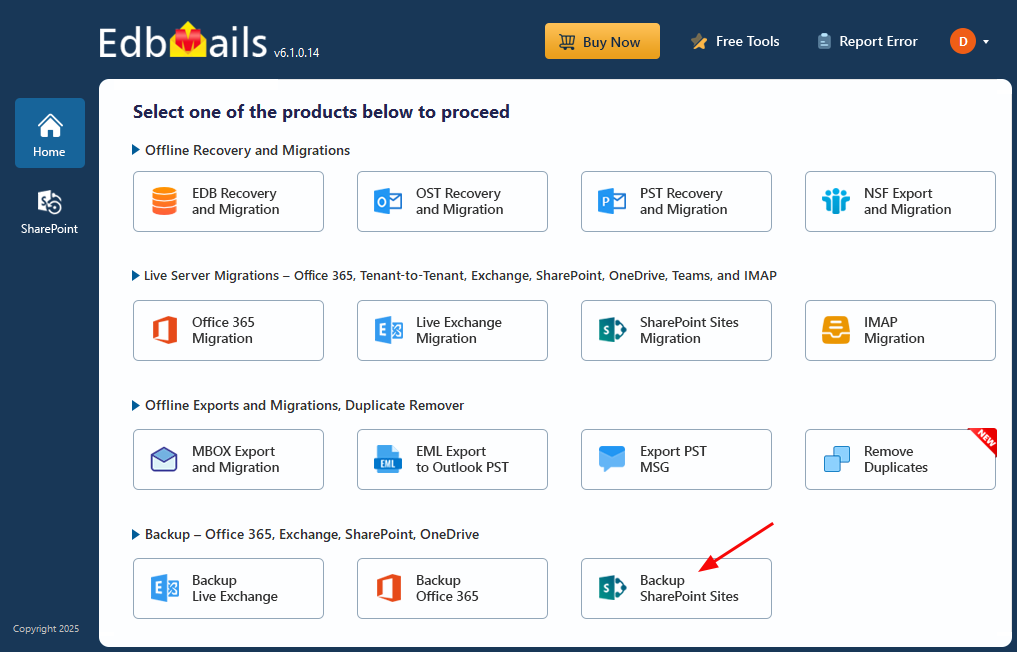
Select ‘Backup SharePoint Sites’
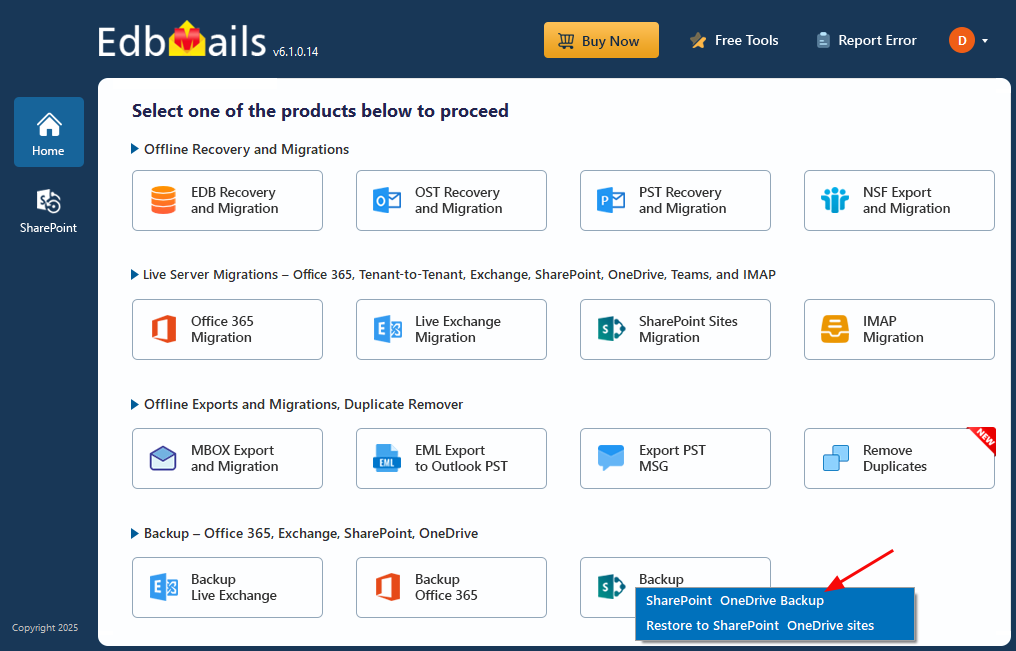
Select option ‘SharePoint OneDrive Backup’
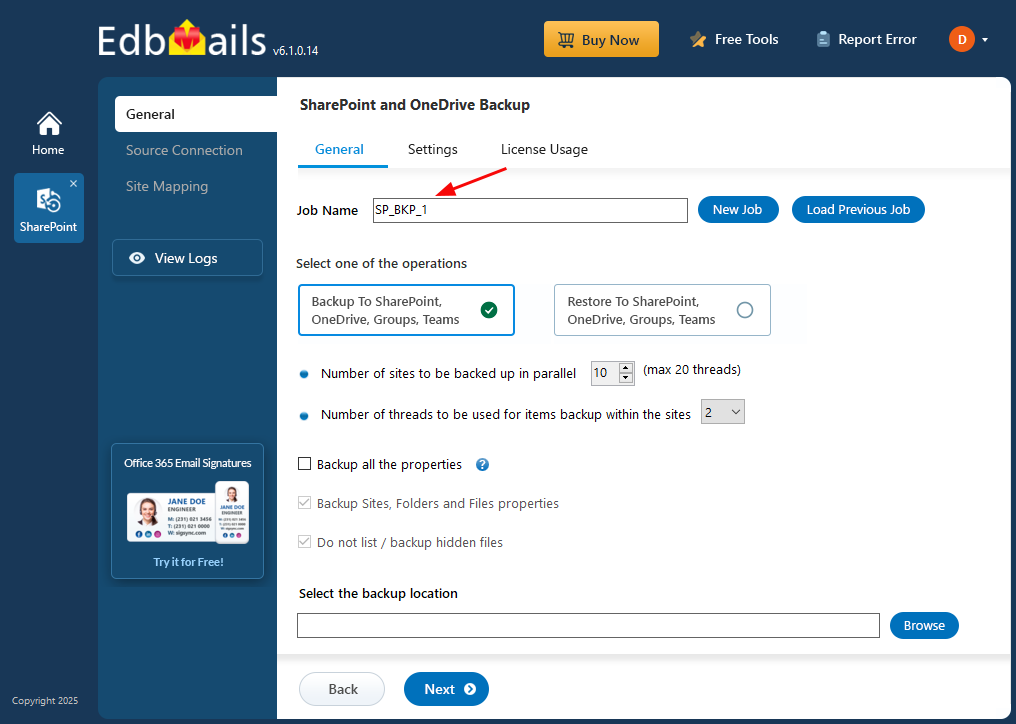
Enter the job name
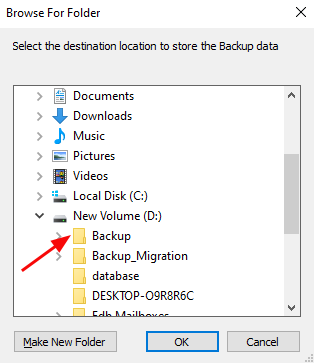
Select location to store backup data
Connect to SharePoint Server
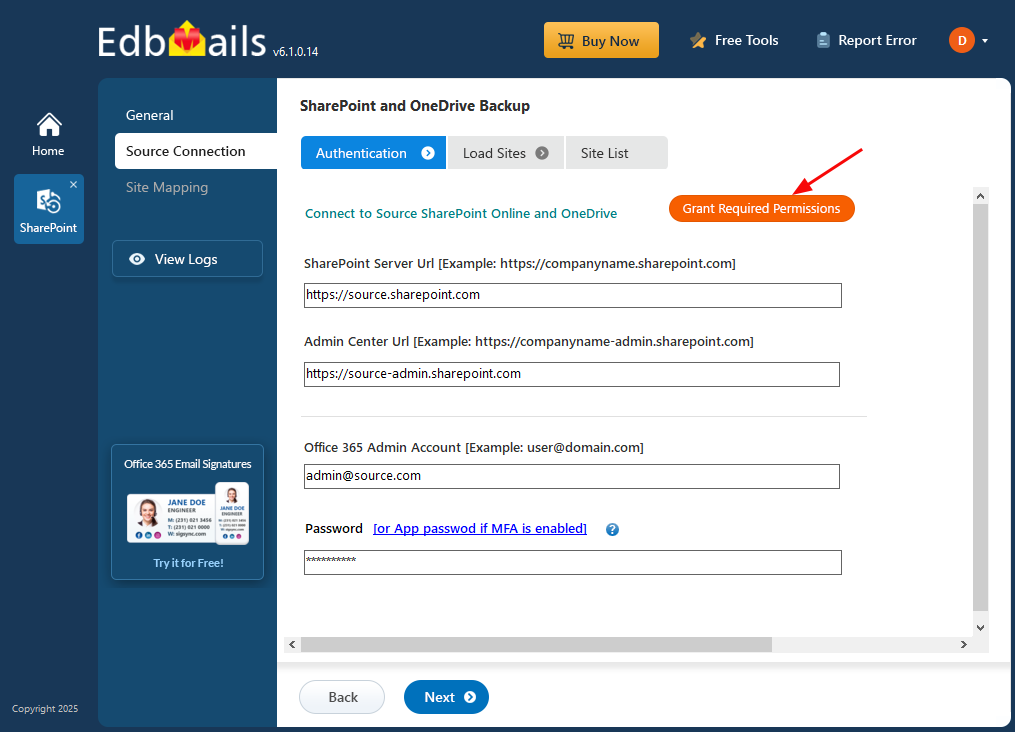
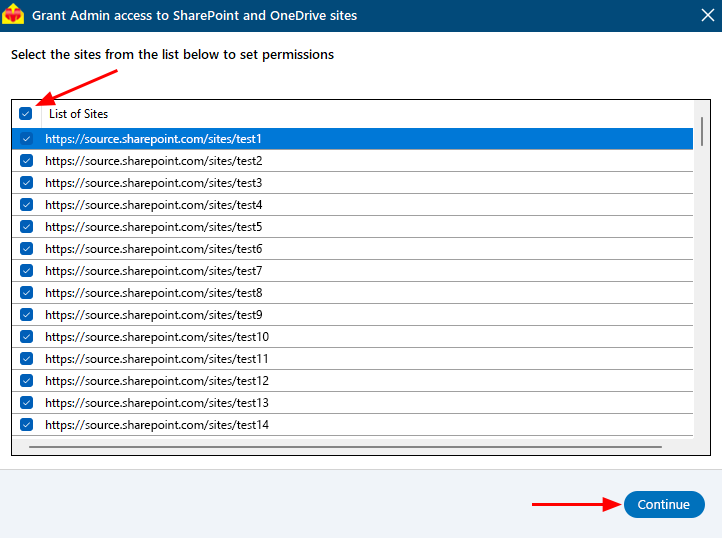
Select the required sites
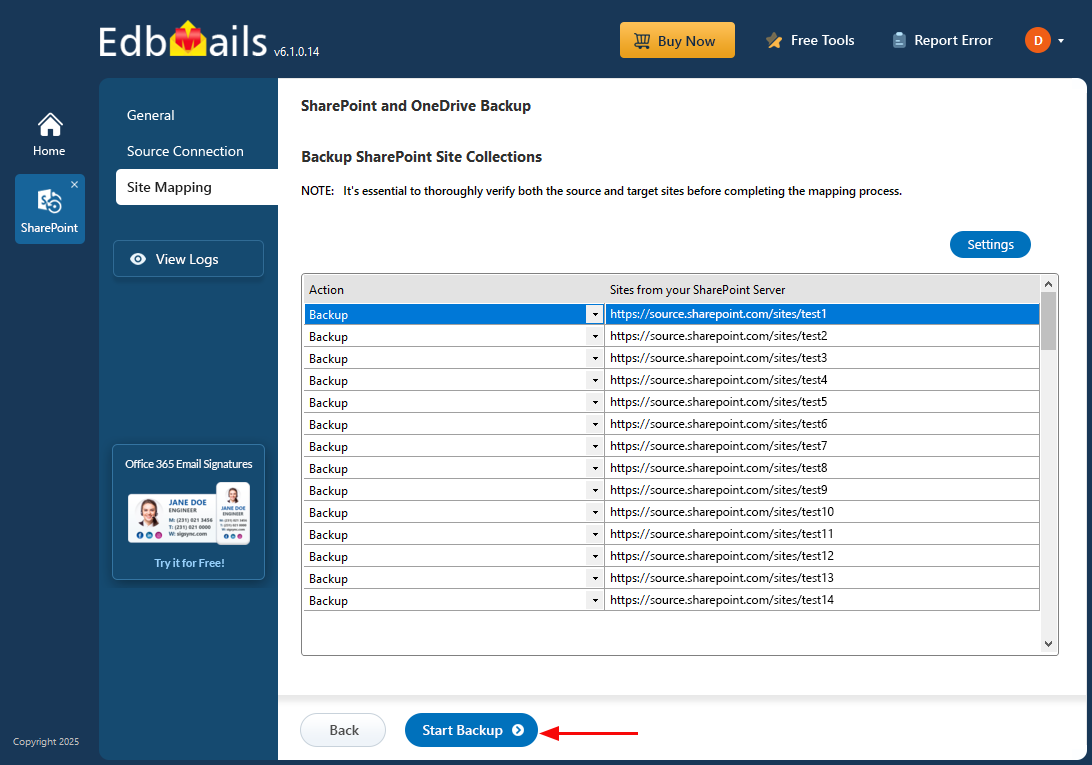
Click 'Start Backup'


EDB Recovery and Migration
EdbMails lets you recover corrupted, damaged, and offline Exchange EDB files, convert EDB mailboxes to PST format, and directly migrate mailbox data to Office 365 and live Exchange Server.


OST, PST, MBOX, NSF, EML, MSG Export and Migration
EdbMails lets you to recover OST and PST files, export OST, PST, MBOX, NSF, EML, and MSG files to PST files, and directly migrate OST, PST, MBOX, and NSF mailbox data to Office 365 and live Exchange Server.


Office 365, Exchange Migration
EdbMails lets you securely migrate mailboxes across Microsoft 365, Exchange, Google Workspace (Google Workspace Migraton), and IMAP-supported servers such as Outlook, Gmail, Zimbra, Zoho Mail, and cPanel, ensuring zero downtime.


SharePoint, OneDrive & Microsoft Teams Migration
EdbMails lets you migrate SharePoint sites, OneDrive data, Microsoft Teams, teams, channels, chats, permissions, and documents between Microsoft 365 tenants while maintaining the existing folder structure and data integrity.
Google Workspace / G Suite Migration
EdbMails offers secure Google Workspace migration to Office 365, Exchange, or IMAP, and export to PST covering emails, contacts, calendars and tasks.


IMAP Migration
EdbMails IMAP Migration tool lets you easily migrate emails from IMAP servers such as Outlook, Gmail, Zoho Mail, Zimbra, cPanel, and more. Supports IMAP to IMAP, Office 365, Exchange Server, PST, and bulk PST to IMAP migration.


Duplicate Remover
EdbMails Duplicate Remover lets you easily remove duplicate items from Office 365 and Exchange Server, and from IMAP, Outlook, Gmail, Zimbra, Zoho Mail, etc., ensuring a clean and organized mailbox.


Exchange, SharePoint, OneDrive, Teams and Office 365 Backup
EdbMails enables secure, automated backup and recovery for Microsoft 365 services including Exchange Online, SharePoint, OneDrive, Teams, and Live Exchange Server with complete data protection and restore flexibility.

EdbMails Data Recovery
EdbMails Data Recovery Software lets you recover permanently deleted data, including photos, videos, documents, and archived files, from partitions on hard drives, SSDs, USB drives, SD cards, and external storage devices.

User Manual
Select ‘Backup SharePoint Sites’
Select option ‘SharePoint OneDrive Backup’
Enter the job name
Select location to store backup data
Connect to SharePoint Server
Select the required sites
Click 'Start Backup'

Hi, May I help you?
Hide Chat Now