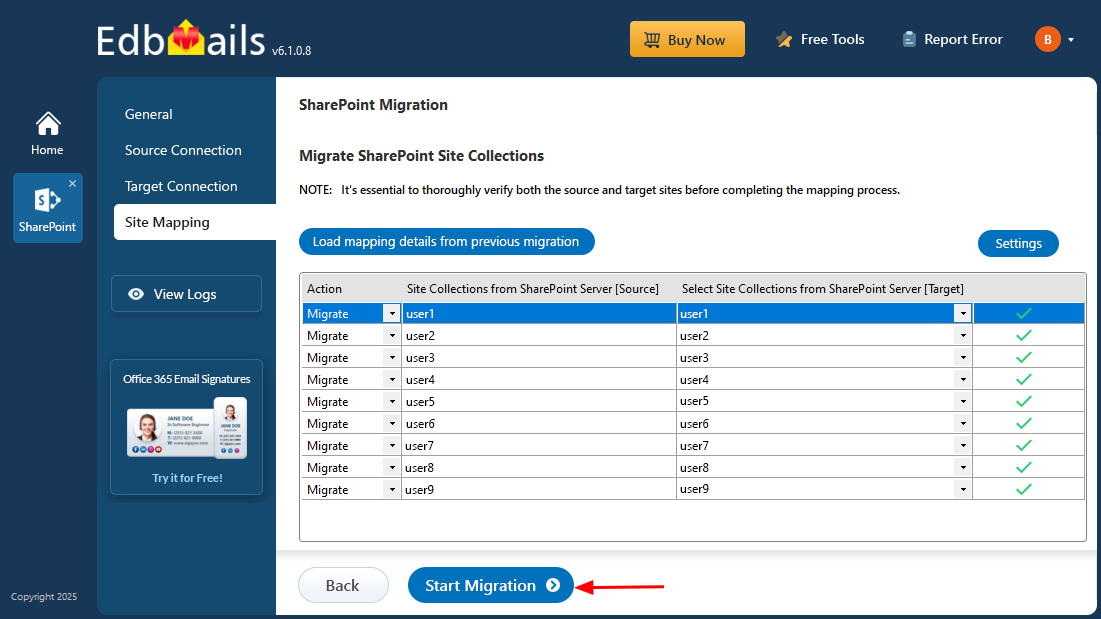
OneDrive Migration Screenshots
These screenshots show the main EdbMails OneDrive migration workflow, including migration selection, source connection, loading OneDrive sites, target connection and starting the migration. For complete prerequisites, Microsoft Entra app registration, user mapping and validation steps, see the OneDrive Migration Guide.
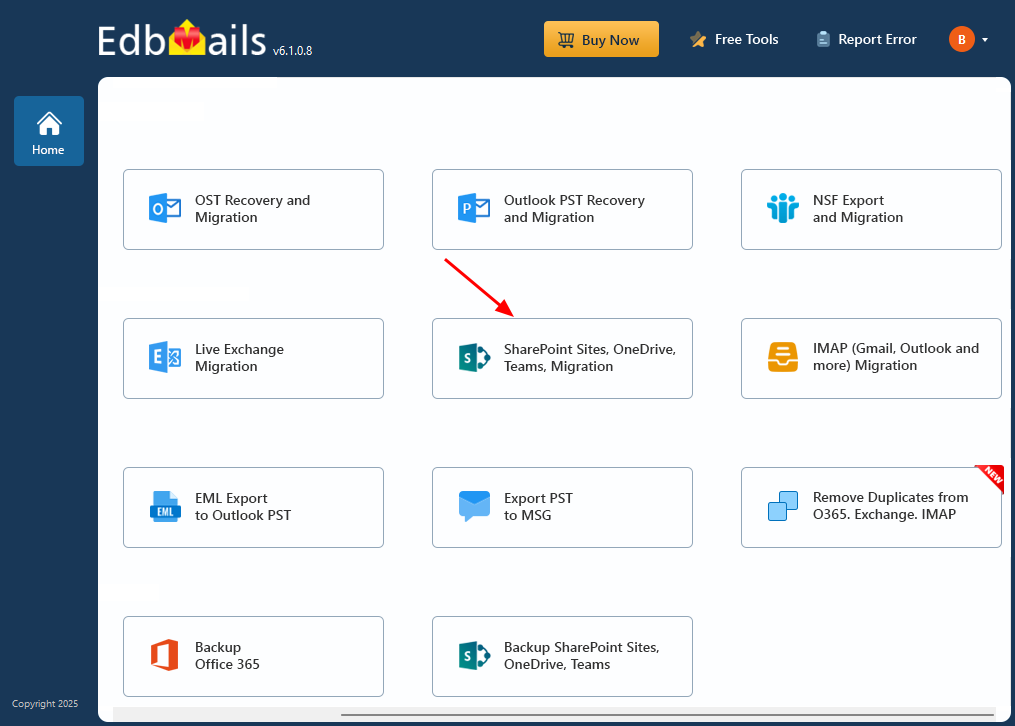
Select ‘SharePoint Sites, OneDrive, Teams, Migration’.
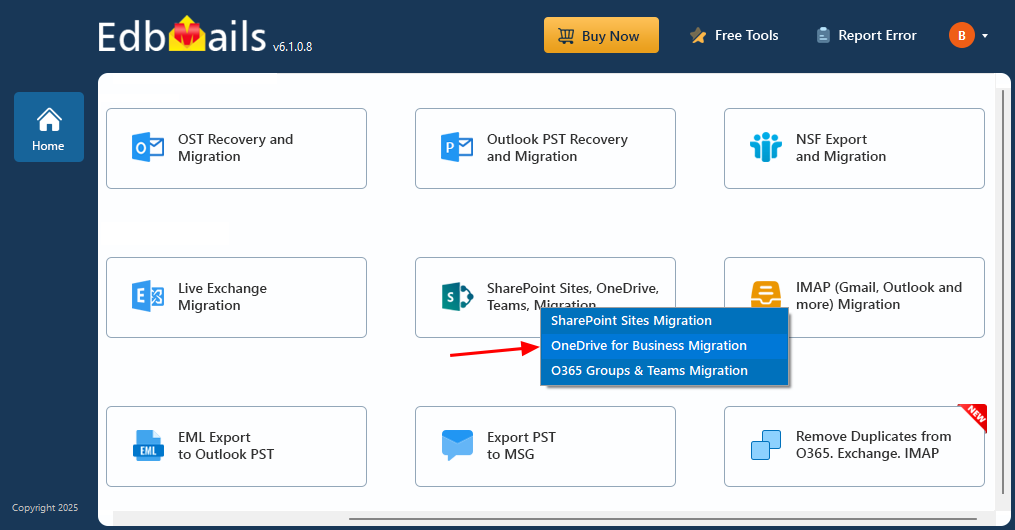
Select ‘OneDrive for Business Migration’
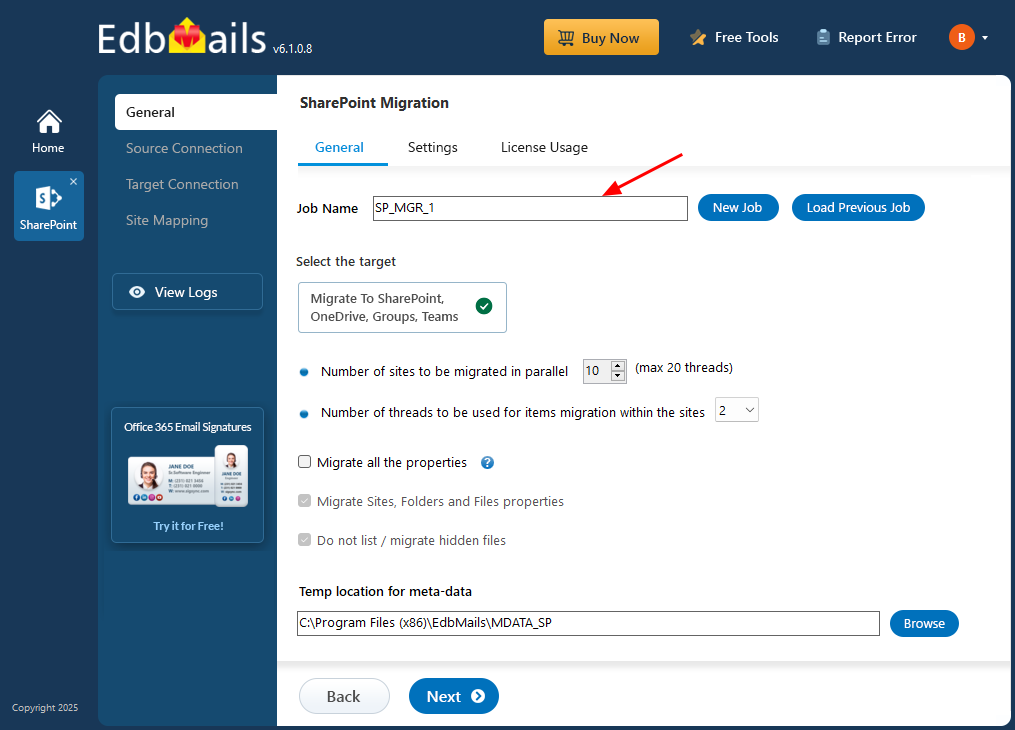
Enter OneDrive Migration job name
Connect to source OneDrive server
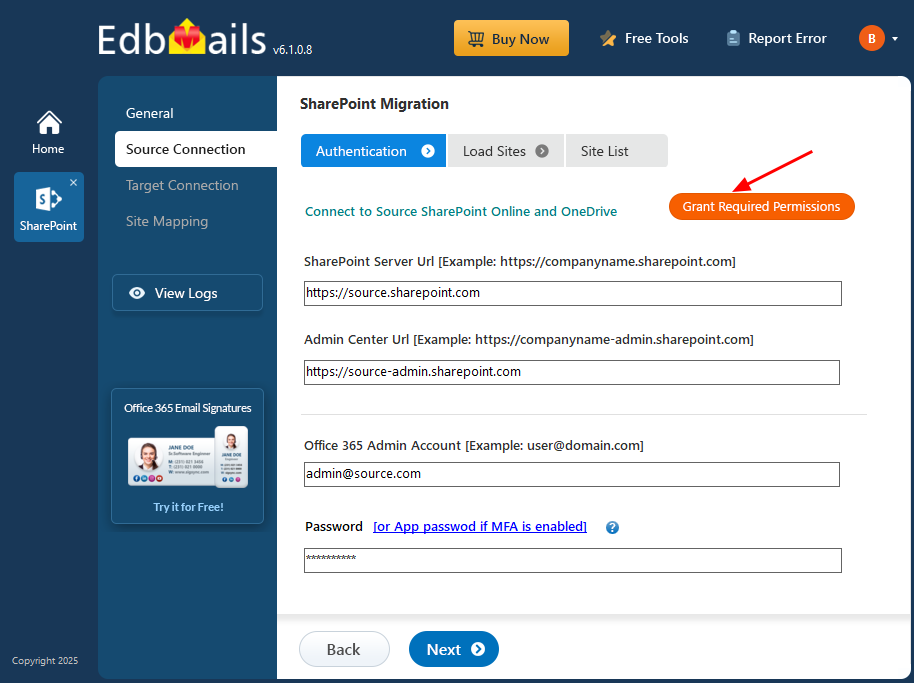
Select option to Load Mailboxes
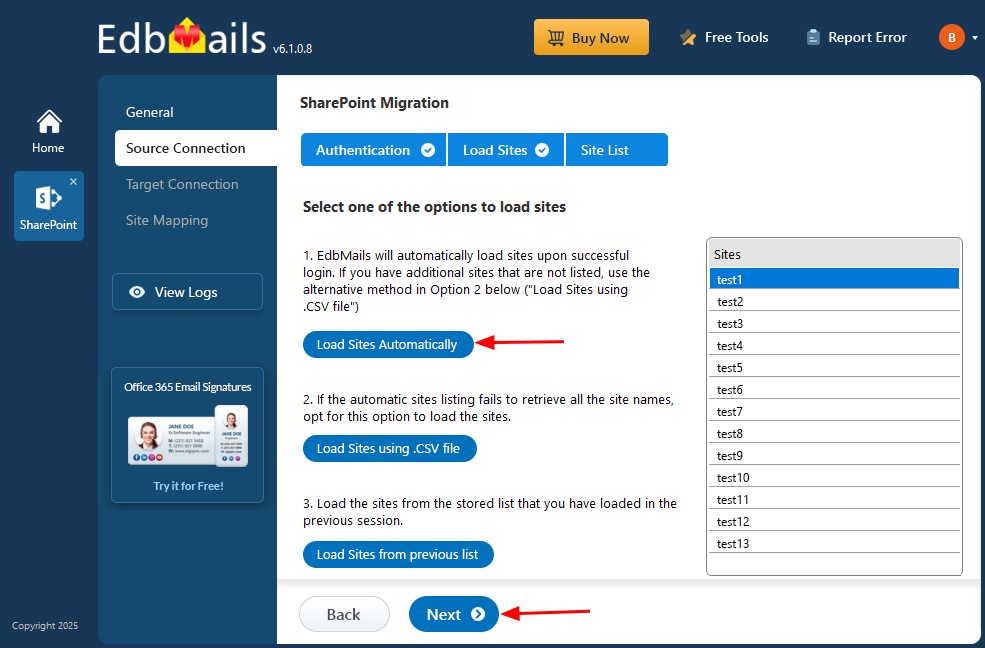
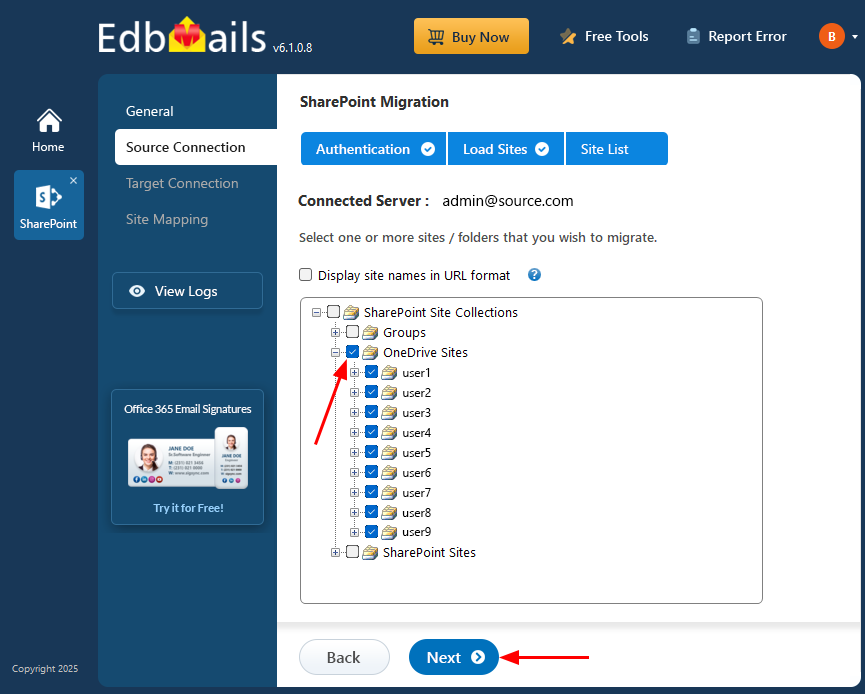
Select the OneDrive for business site
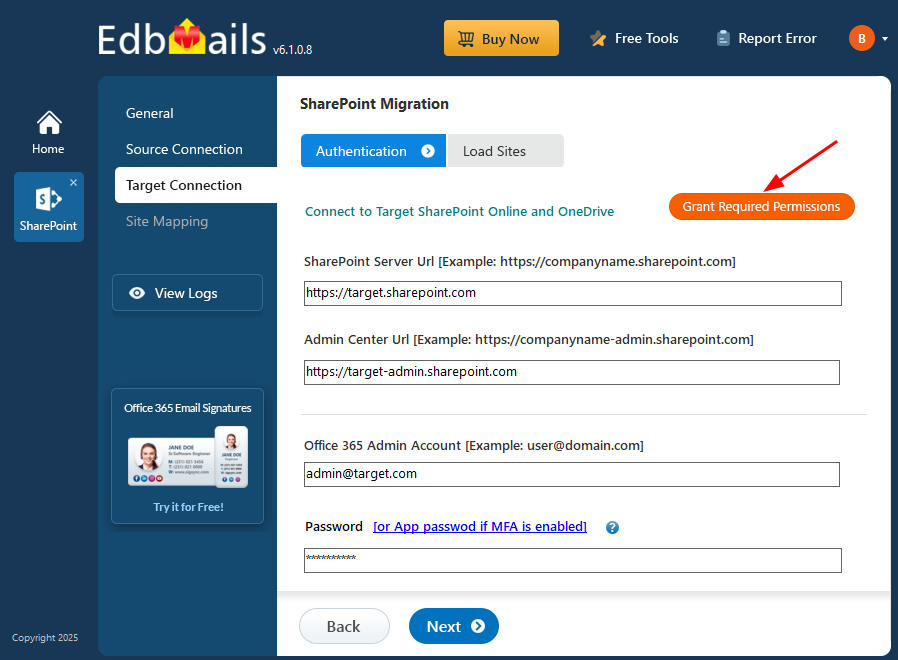
Connect to target OneDrive server
Start OneDrive Migration