Recover Data From exFAT Drive
EdbMails Data Recovery Software is a powerful and reliable solution for recovering lost, deleted, or inaccessible files from exFAT-formatted storage devices on Windows. Whether you accidentally deleted important files from a USB drive, formatted an external hard drive by mistake or is showing as RAW, EdbMails can scan and restore your data quickly without requiring any technical expertise.
exFAT (Extended File Allocation Table) is a modern file system developed by Microsoft, specifically designed for flash-based storage such as USB drives, SD cards, external SSDs, and portable hard drives. Unlike the older FAT32 format, exFAT supports individual files larger than 4 GB, making it ideal for storing 4K videos, large project files, and disk images. It is also cross-platform, natively supported by Windows, which is why most cameras, drones, gaming consoles, and media devices use exFAT as their default file system.
Despite its advantages, exFAT drives are just as vulnerable to data loss as any other storage medium. EdbMails Data Recovery handles all common exFAT data loss scenarios, including:
- Accidental deletion of files or folders from an exFAT drive
- Unintentional or forced formatting of an exFAT drive
- Drive appears as RAW or unrecognised in Windows Explorer or Disk Management
- Virus or malware attacks or hide files on the exFAT partition
- Lost or deleted partitions on exFAT-formatted external drives
- The cluster method on the storage medium makes files inaccessible
exFAT Recovery Scenarios
- Accidentally Deleted Files from an exFAT Drive:
Files deleted from exFAT drives, unlike those from NTFS drives, typically do not go to the Windows Recycle Bin, so a standard undo or restore is not possible. If you deleted files from a USB drive, SD card, or external hard drive formatted with exFAT, use EdbMails Quick Scan immediately. EdbMails reads the drive's file allocation entries to locate deleted file records and reconstruct them before the space is reused.
- Recovery After Formatting an exFAT Drive:
Formatting a drive erases the file system index but does not immediately wipe the actual file data from the physical sectors. EdbMails Deep Scan searches through all sectors of the formatted exFAT drive — bypassing the erased file system layer — to identify and recover file signatures. This makes it possible to retrieve documents, photos, videos, and other data even after a full format operation.
- Recovery from a RAW or Unrecognised exFAT Drive:
When Windows prompts 'You need to format the disk before you can use it', or the drive shows as RAW in Disk Management, do not format it. This message usually indicates file system corruption rather than physical damage, and the underlying file data is often still intact. Connect the drive, select it in EdbMails, and run a Deep Scan to recover your data before attempting any repair or reformatting.
- Recovery from a Virus-Affected exFAT Drive:
Malware can hide, rename, encrypt, or delete files on exFAT drives, or partition structure to render data inaccessible. Disconnect the affected drive from the infected system and connect it to a clean Windows PC. Run EdbMails Data Recovery to retrieve accessible files before running any antivirus or disinfection tool on the drive.
- Accidentally Deleted Files from an exFAT Drive:
Why Choose EdbMails for exFAT Data Recovery?
EdbMails Data Recovery is purpose-built for Windows users who need a dependable, straightforward tool to recover data from all types of storage devices and file systems, including exFAT. Here is what sets EdbMails apart:
- Deep Scan Technology:
EdbMails performs a thorough sector-by-sector scan of your exFAT drive, recovering data even from formatted, or RAW drives where the file system metadata is completely missing.
- Quick Scan for Fast Recovery:
For recently deleted files, EdbMails Quick Scan reads the exFAT file allocation table to locate and restore files within minutes, without scanning every sector on the drive.
- Preview Before You Recover:
EdbMails lets you preview recovered files, documents, photos, videos, and more before saving them, so you can confirm the files are intact and select only what you need.
- 1,000+ File Formats Supported:
From Office documents and RAW camera images to compressed archives and email databases, EdbMails recovers over 1,000 file types from exFAT drives in a single scan.
- Read-Only, Non-Destructive Scanning:
EdbMails never writes to your exFAT drive during scanning. The entire recovery process is read-only, ensuring your original data is never altered or further damaged.
- All exFAT Device Types Supported:
EdbMails recovers data from USB flash drives, SD cards, microSD cards, external HDDs, external SSDs, CF cards, and any other exFAT-formatted storage device recognised by Windows.
- Filter and Sort Recovered Files:
Once the scan is complete, EdbMails lets you filter recovered files by date modified, advance filter, and file size — making it easy to locate specific files across thousands of scan results.
- Simple, No-Technical-Skill Interface:
EdbMails is designed for everyday users. The clean, wizard-style interface guides you through each step of the exFAT recovery process without needing any technical background.
- Deep Scan Technology:
Supported File Types
EdbMails Data Recovery supports the recovery of over 1,000 file types from exFAT drives. The table below covers the major categories:
File CategorySupported File FormatsDocumentsDOC, DOCX, XLS, XLSX, PPT, PPTX, PDF, TXT, CSV, RTFImages & PhotosJPG, JPEG, PNG, BMP, TIFF, RAW, GIF, HEIC, SVG, PSDVideosMP4, AVI, MOV, MKV, WMV, FLV, 3GP, MPEG, M4V, TSAudioMP3, WAV, AAC, FLAC, WMA, OGG, M4A, AIFFArchivesZIP, RAR, 7Z, TAR, GZ, ISO, CABEmail & DatabasePST, OST, EML, MSG, MDB, ACCDB, SQL, DBFSystem & OthersEXE, DLL, XML, HTML, JS, PY, and 1,000+ more formatsPrerequisites for exFAT Data Recovery
- Install EdbMails Data Recovery Software on your computer.
- Purchase and activate the appropriate license to enable full recovery functionality.
- Ensure sufficient free disk space is available to save the recovered data.
- Connect an exFAT-formatted drive and verify that it is visible in Windows Disk Management before starting the recovery process.
Recover Data from an exFAT Drive Step-by-Step Guide
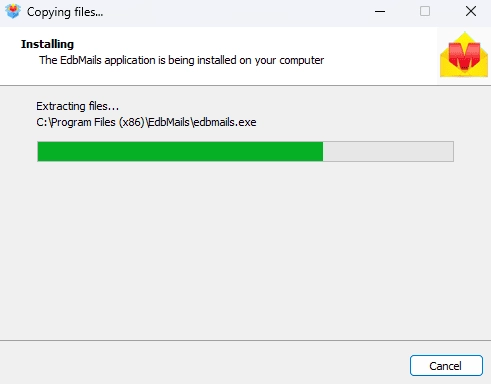
- Download and install the EdbMails application on your computer.
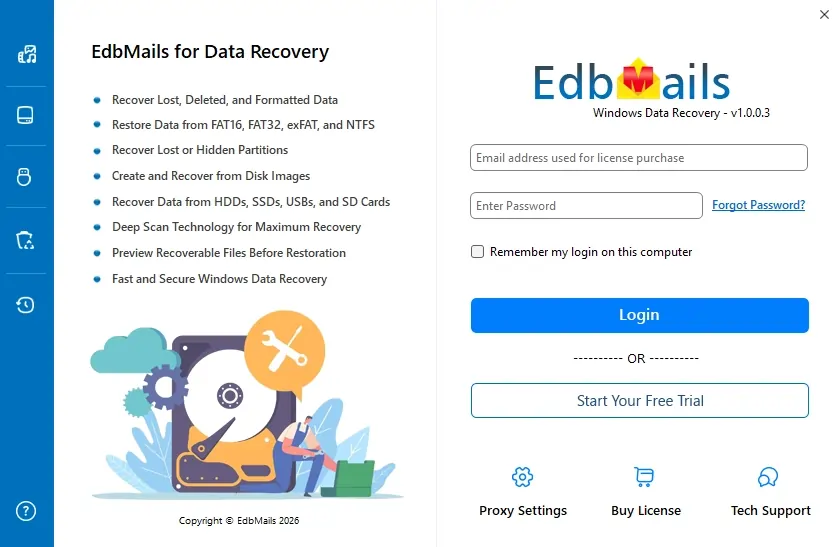
- Enter your email address and password to login. If you haven’t registered yet, click ‘Start Your Free Trial’ to explore the features.
- Select the exFAT disk from which you wish to recover data.
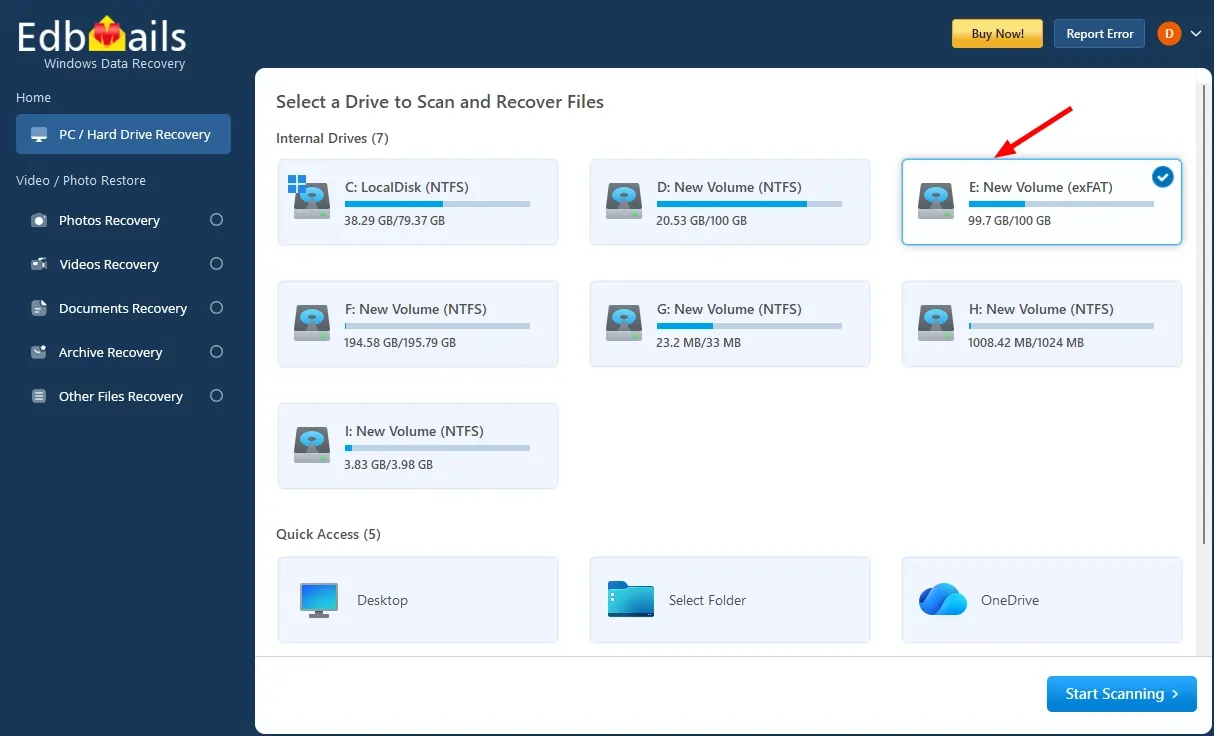
Note: If needed, select the desired filter from the left-side navigation bar and click Apply.
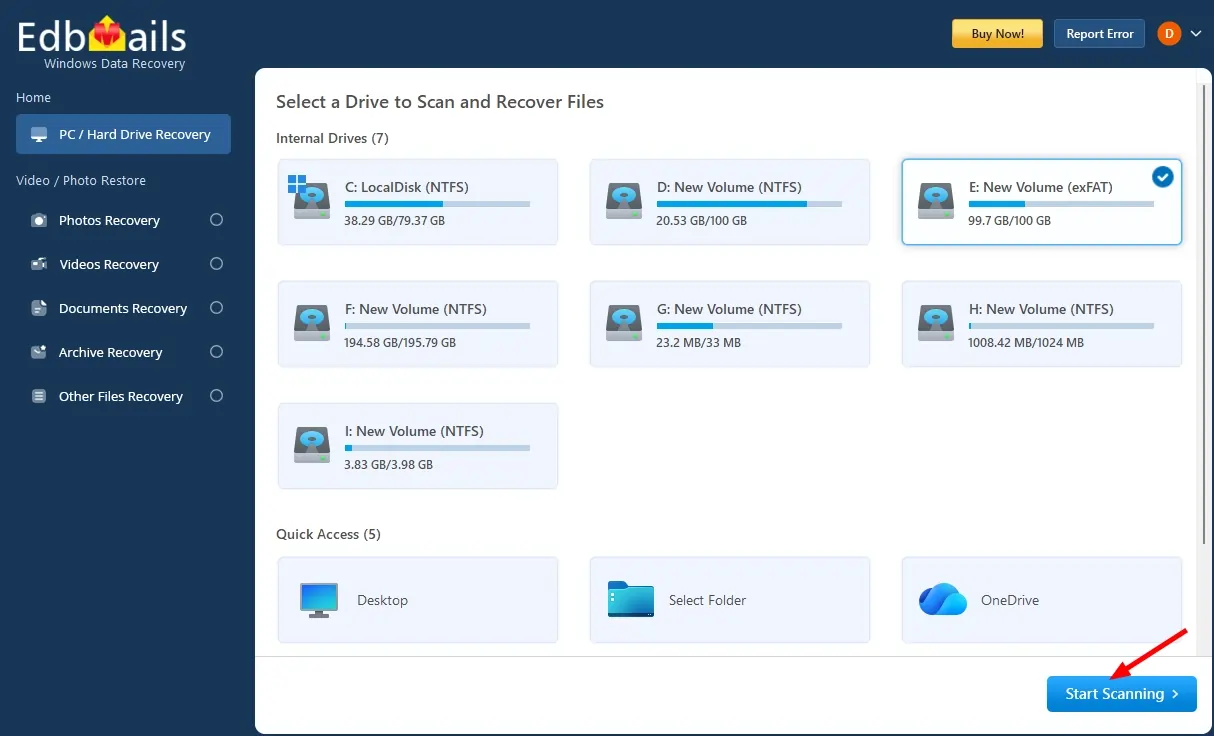
- Click 'Start Scanning' to begin scanning the drive.
- Select the required folders or files that you want to recover.
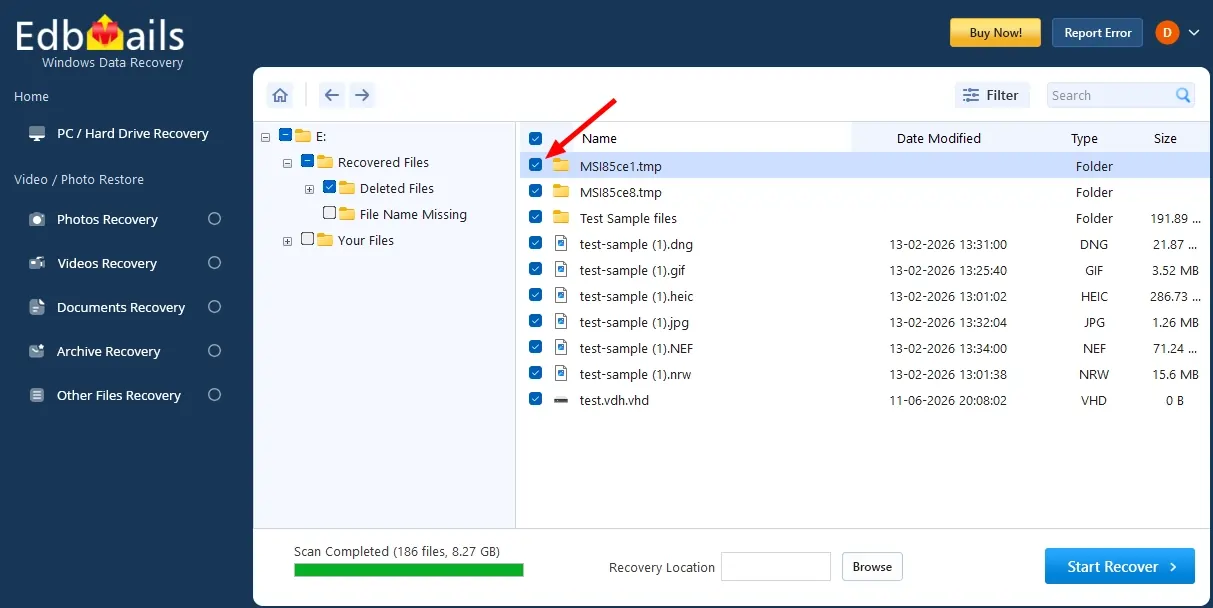
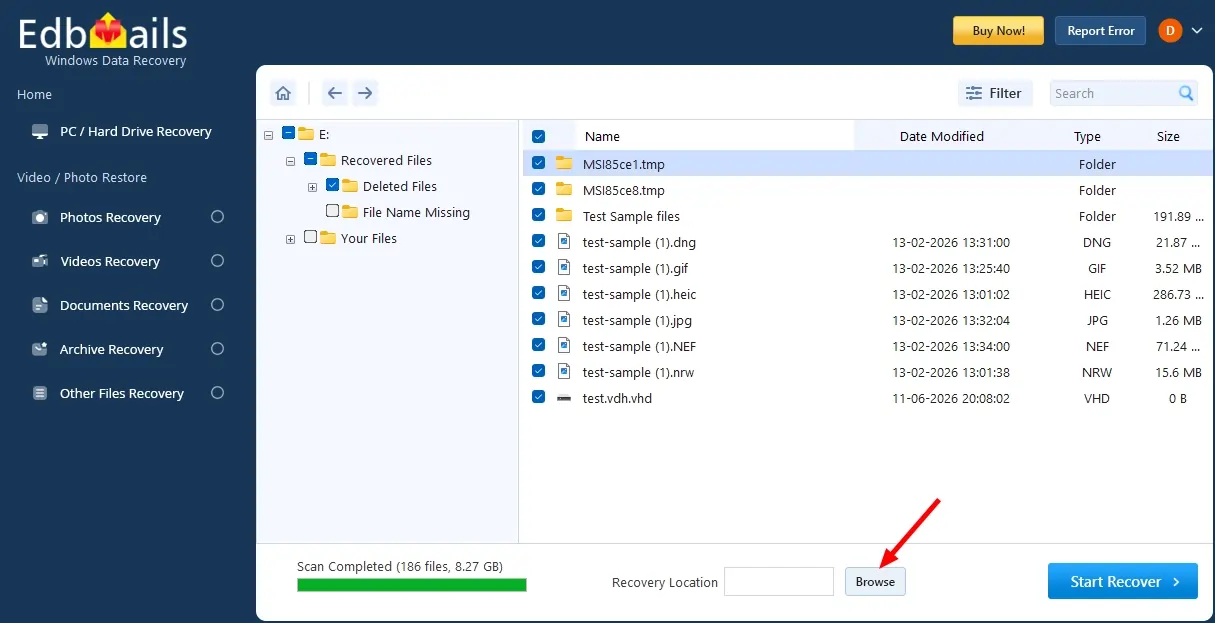
- Click the ‘Browse’ button to select the recovery location.
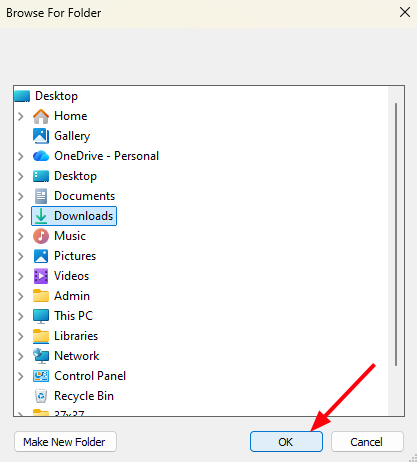
- Choose the desired location and click ‘OK’.
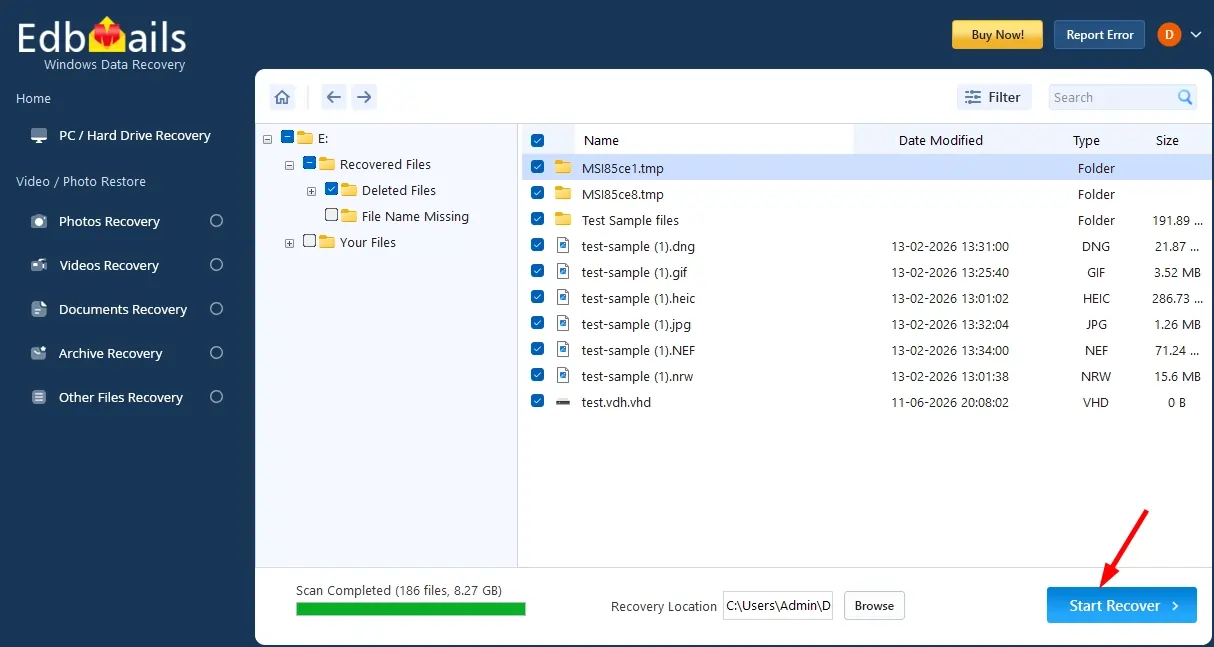
- Click the ‘Start Recover’ button.
- Once recovery is complete, the total number of recovered items will be displayed.
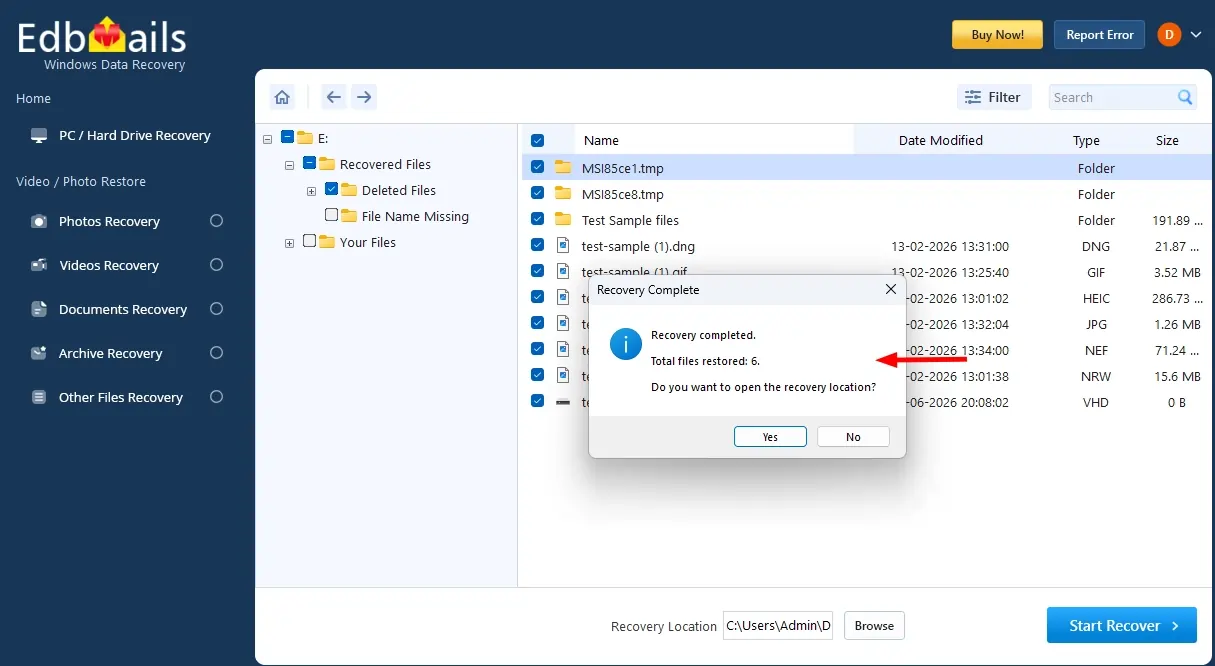
- Open the recovery location to view your recovered files.
- Download and install the EdbMails application on your computer.
Frequently Asked Questions (FAQ)
Is the EdbMails scan process safe for my exFAT drive?
Yes. EdbMails operates in a completely read-only mode during scanning. It does not write to, modify, or alter any data on your exFAT drive during the scan. Data is only written when you choose a save destination for the recovered files.
Does EdbMails support exFAT recovery from SD cards and USB drives?
Yes. EdbMails Data Recovery supports exFAT recovery from all types of portable storage, including USB flash drives, SD cards, microSD cards, external HDDs, external SSDs, CF cards, and other devices formatted with exFAT.
How long does an EdbMails exFAT scan take?
A Quick Scan is usually fast and completes shortly. A Deep Scan may take longer depending on the drive size, health, and data complexity. EdbMails shows real-time progress during the scanning process.
What file types can EdbMails recover from an exFAT drive?
EdbMails supports over 1,000 file types, including Word documents, Excel spreadsheets, PDFs, JPG and RAW images, MP4 and AVI videos, MP3 audio files, ZIP and RAR archives, PST and OST email files, and many more.